The Phantom crypto wallet launched on Solana in January 2021 and has since added Ethereum, Base, Polygon, Bitcoin and a few newer networks. This Phantom wallet review covers fees, safety, setup, deposits, withdrawals and the limits you should know before installing it. Everything was checked in October 2026, so it includes the removal of Sui and Monad support, which many older guides still list as active.
The short version is simple. Phantom wallet is a strong choice if you trade tokens, stake SOL or collect NFTs on Solana. It is a hot wallet, so it works best for daily use and not as a vault for large balances. If you searched for the 5.11 Tactical Phantom card wallet, that is a physical wallet and has no link to this app.
Phantom Wallet Review: Quick Verdict
This Phantom wallet review gives the app 8 out of 10. The interface is clean, Solana transactions confirm almost instantly and the scam warnings are better than average. It loses points for the 0.85% swap fee, slow support and limited EVM coverage. Most big review sites score it between 7.6 and 9.2 out of 10.
Phantom wallet suits you if:
- you trade or stake on Solana and use apps such as Jupiter, Magic Eden or Raydium
- you want one app for SOL, ETH, Base, Polygon and Bitcoin
- you plan to pair it with a Ledger once your balance grows
Look elsewhere if:
- you need Arbitrum, Optimism, BNB Chain or Avalanche
- you want custom networks or advanced Bitcoin tools such as coin control
- you expect live chat or phone support
Phantom Wallet at a Glance
| Detail | Info |
|---|---|
| Type | Non-custodial hot wallet |
| Launched | January 2021 |
| Company | Phantom Technologies, San Francisco |
| Platforms | Browser extension, iOS, Android |
| Networks | Solana, Ethereum, Base, Polygon, Bitcoin, HyperEVM, Robinhood Chain |
| Swap fee | 0.85% on selected pairs |
| KYC for the wallet | No |
| Hardware wallet | Ledger |
| Best for | Solana trading, staking and NFTs |
What Is Phantom Wallet?
What is a Phantom wallet in plain terms? It is a non-custodial software wallet. You hold the keys, so the company cannot freeze funds, reverse a transfer or recover a lost recovery phrase. This is the opposite of an exchange account, where the platform holds your coins. If you are new to the chain itself, read our guide on what Solana is first.
Phantom Technologies, based in San Francisco, built the app. Brandon Millman, Chris Kalani and Francesco Agosti founded it. Reports put it at about 15 million monthly active users and more than 20 million downloads, which is roughly 39% of Solana wallet usage. That share explains why almost every Solana app lists it first in the connect menu.
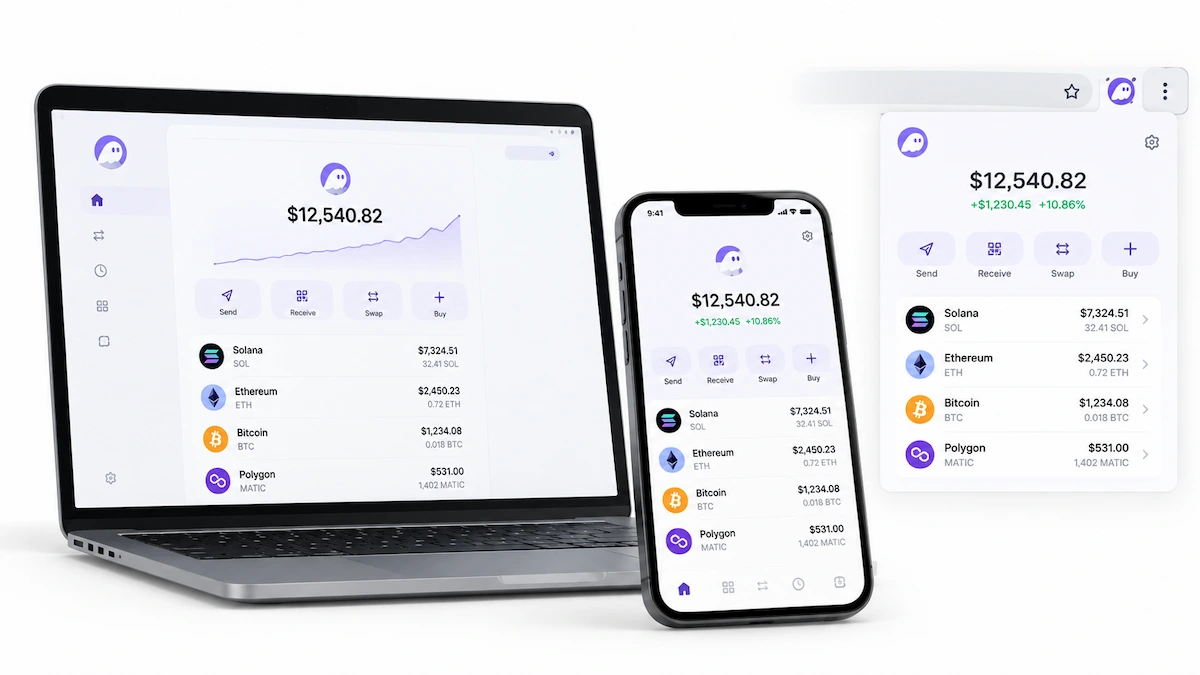
The Phantom wallet extension runs in Chrome and other browsers, and the Phantom wallet app covers iOS and Android. It stores SOL, SPL tokens, NFTs and, since the multichain update, assets on several other networks. You can swap, stake, send, buy with a card and connect to dApps without leaving the app.
Why Is Phantom Wallet So Popular?
Phantom arrived when Solana apps were fast and cheap but the wallets were rough. It offered a clean interface, readable transaction previews and quick confirmations, and it grew with every NFT and memecoin wave. In January 2025 Phantom raised 150 million dollars at a 3 billion dollar valuation, led by Sequoia Capital and Paradigm, up from 1.2 billion in 2022. At that point it reported 15 million monthly users, 20 billion dollars in yearly swap volume and 25 billion dollars in assets in self-custody. Habit does the rest, since new users usually install the wallet that the first app they open recommends.
Which Networks Does Phantom Wallet Support in 2026?
As of October 2026, Phantom supports Solana, Ethereum, Base, Polygon, Bitcoin, HyperEVM and Robinhood Chain. The official supported networks page is the list to check before you send funds, because it changes often.

| Supported | Not supported |
|---|---|
| Solana | Arbitrum |
| Ethereum | Optimism |
| Base | BNB Smart Chain |
| Polygon | Avalanche |
| Bitcoin (Native SegWit and Taproot) | Linea |
| HyperEVM | Custom networks |
| Robinhood Chain | Sui and Monad (ended) |
Phantom wallet does not let you add a custom network. If you work across many EVM chains, MetaMask or Rabby fits better, and our page on whether MetaMask supports Solana shows how far the two overlap.
Bitcoin and Ordinals Support
Phantom wallet handles Bitcoin through Native SegWit addresses, which start with bc1q, and Taproot addresses, which start with bc1p. You can send, receive and view Ordinals in the same app. This works well for small active balances. For long-term Bitcoin storage or coin control, a dedicated Bitcoin wallet is the better choice.
Sui and Monad Support Ended
Phantom removed Monad on August 26, 2026 and Sui on September 24, 2026. Your coins are not lost, because they stay on their own blockchains. Before the deadline Phantom let users swap Sui inside the app with its own fee waived, or move the recovery phrase to a Sui wallet such as Slush. To reach the coins now you need a wallet that supports the network and the correct recovery phrase. Each separately imported account needs its own backup, since the main phrase does not cover it.
Phantom Wallet Features
This part of the Phantom wallet review looks at what the app does day to day. The wallet is much more than a place to store tokens, and a few features carry real risk.
Swaps and Cross-Chain Bridging
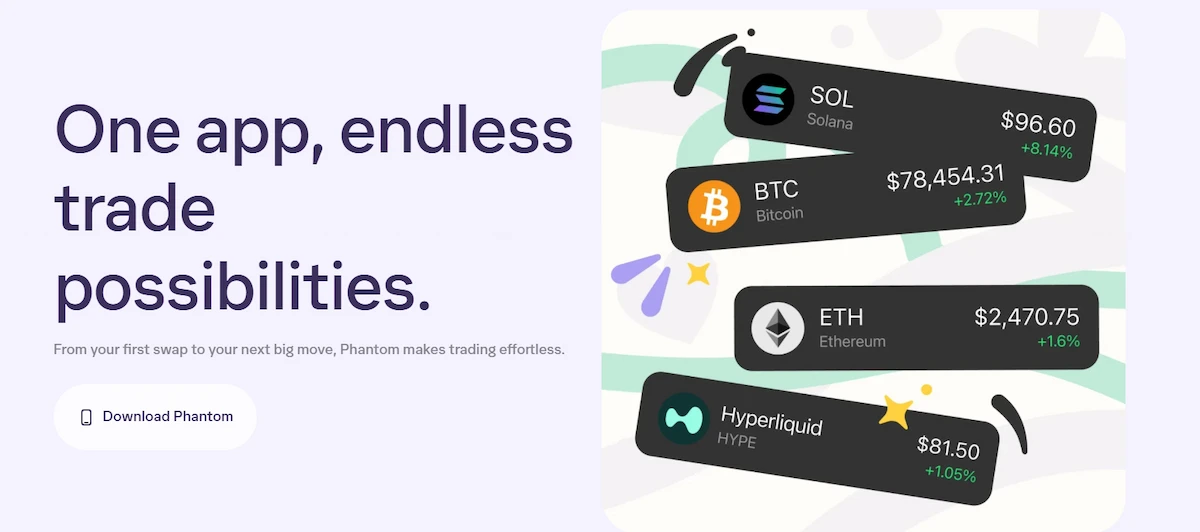
You can swap tokens inside the app on the same network or across chains. Same-network trades route through outside exchanges. Cross-chain trades use a bridge route found by LI.FI. Check the token and network you will receive before you confirm, because on mobile the destination can default to Cash. Bridges also add delay and smart contract risk that a normal swap does not have.
SOL Staking and PSOL
Native staking means delegating SOL to a validator while you keep control of the coins. Opening a new native stake needs the browser extension and at least 1 SOL. Unstaking follows Solana epochs, so expect two to three days before the stake becomes withdrawable.
PSOL is the liquid option. You receive a token that grows in value against SOL, and you can trade it or use it in DeFi apps. It costs a 0.1% exit fee and 4% of staking rewards, so liquidity is not free. Reviews list native yields around 7 to 9 percent, but the rate moves with the network.
Which Provider for SOL in Phantom Wallet Is Best?
It depends on what you need. Choose native staking with a validator that has low commission, high uptime and a stake size that is not oversized if you want the simplest setup. Choose PSOL if the position must stay tradable. Keep some SOL unstaked for fees, because users who stake everything often cannot pay for the next transaction.
NFTs and Spam Protection
The collectibles tab shows Solana NFTs, Ethereum NFTs and Ordinals. Instant Sell collects bids from marketplaces such as Magic Eden and Tensor and lets you accept the highest one. Spam NFTs are hidden automatically, and you can burn them to get a small amount of SOL rent back. Scammers use free NFTs as bait, so never open links from an NFT you did not buy.
Phantom Wallet for Memecoin Trading
Phantom is popular with memecoin traders, who call the scene the trenches. Trending token lists, quick swaps and fast Solana confirmations make buying new tokens easy. The same speed makes rug pulls easy to fall for. Many new tokens have no real liquidity or a hidden sell block, so use a separate trading account, keep position sizes small and check the token on a scanner before you buy.
Phantom Cash, Perps and Prediction Markets
Phantom Cash is a separate Solana account that holds the CASH stablecoin, with a Visa debit card and US bank transfers. Perps run through Hyperliquid with up to 40x exposure and are not available in the US or UK.
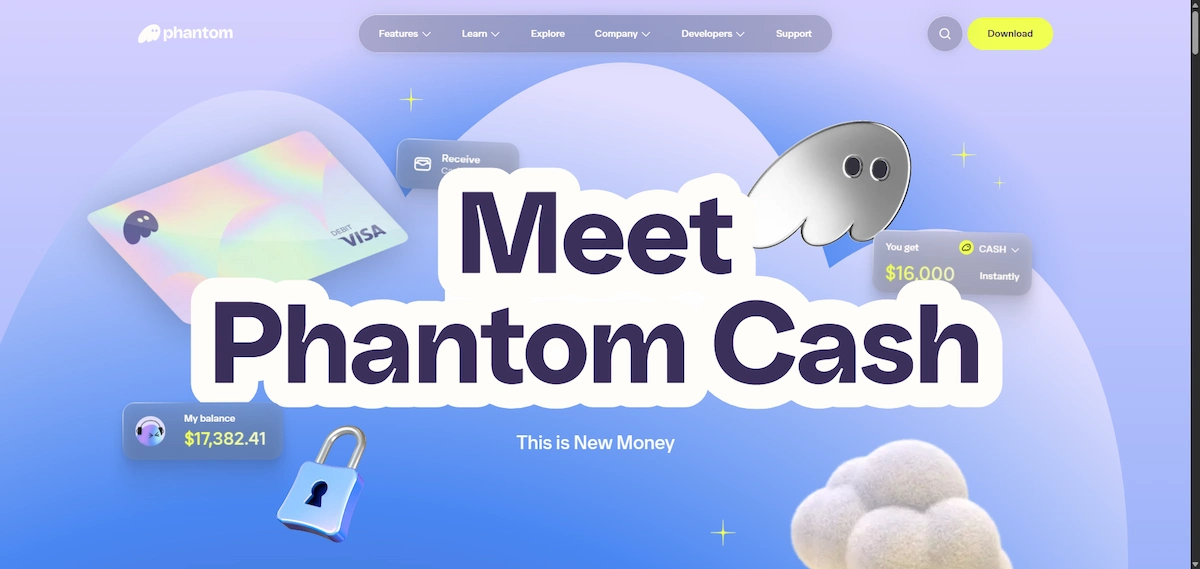
Prediction markets use Kalshi. These tools are optional, but they invite fast losses, so beginners should skip them or start with the paper trading mode.
How to Trade Perps in Phantom
Perps in Phantom run on Hyperliquid and work in the mobile app and in Phantom Terminal. You fund a separate perps balance with SOL or another token, and Phantom converts it to USDC and bridges it to Hyperliquid. Then you pick a market, choose long or short, set the size and the multiplier, and add a stop loss and take profit. More than 200 markets are listed, and positions use isolated margin, so one liquidation does not touch your other positions.
The costs add up. Phantom adds a 0.05% builder fee on every fill on top of Hyperliquid rates. The first deposit and the first withdrawal each carry a flat 1 USDC fee, and later moves cost a 0.07% Hyperliquid swap fee plus the network fee. The minimum withdrawal is 5 dollars. Perps can wipe out a balance fast and are not available in every region, so check that the Perps tab appears in your app before you plan around it.
Phantom Terminal for Desktop Trading
Phantom Terminal is a web trading platform at trade.phantom.com. It launched in beta on November 18, 2025 for desktop browsers. It adds TradingView charts, spot trading of Solana tokens and Hyperliquid perps, and your positions sync with the mobile app. You connect with the Phantom extension or another supported wallet. Perps in the Terminal support market orders only, with a minimum order of 10.25 USDC, while limit orders for perps live in the mobile app. Phantom says the Terminal is not available in the UK.
Phantom MCP Server and AI Agent Wallets
Phantom also offers wallet access to AI tools. The Phantom MCP server lets assistants such as Claude Desktop, Cursor and Claude Code check balances, send tokens, swap and trade perps through plain language commands. It needs an App ID from the Phantom Portal and it is still in preview, so expect changes. When an agent signs in it gets a new dedicated wallet, not your personal one. Fund that wallet with a small amount only, because an agent can send money on a wrong instruction.
Why Is It Good to Have Multiple Wallets on Phantom?
Phantom wallet lets you create several accounts under one recovery phrase. Having multiple wallets on Phantom limits the damage when something goes wrong. Use one account for trading and risky mints, one for airdrops and one for funds you rarely touch. If a drainer empties the trading account, the others stay safe. Solana and Bitcoin each use their own key, while EVM networks share one.
Phantom Wallet Fees
Phantom wallet is free to download and free to hold. You pay when you act. Network fees go to the blockchain, not to Phantom. A Solana transfer costs around 0.000005 SOL, while Ethereum fees change with traffic.
| Action | Fee |
|---|---|
| Download and storage | Free |
| Swap on selected pairs | 0.85% plus network fee |
| Gasless swap on Solana | 1.5%, taken from the token |
| Cross-chain bridge | About 0.1% to 0.5% plus network fees |
| PSOL | 0.1% exit fee and 4% of rewards |
| Native SOL staking | Validator commission |
| Card purchase | Set by the provider, some card routes charge about 4% |
| Phantom Cash top-up | 1.75% by debit card, 3.5% by credit card |
| Fast ACH withdrawal from Cash | 1 dollar plus 0.75%, between 1.50 and 25 dollars |
| Perps | 0.05% Phantom builder fee on top of Hyperliquid rates, plus 1 USDC on the first deposit and first withdrawal |
The 0.85% fee is the one most users notice. On a 1,000 dollar swap it comes to 8.50 dollars before network fees and price impact. For small trades the convenience is worth it. For larger orders, compare the quote with Jupiter, Uniswap or 1inch before you approve.
Is Phantom Wallet Safe?
Is Phantom wallet safe? Yes, for normal self-custody, as long as you download it from the official site and sign only what you understand. It is still a hot wallet, so an infected device or one bad signature can drain it. Most reported losses come from phishing and malicious approvals, not from a break in the wallet code.
Phantom Security Features
- Transaction previews show in plain language what leaves your wallet before you sign.
- Blocklist flags known scam sites and tokens. It is open source and covers more than 2,000 malicious domains.
- Spam NFT tools hide or burn junk assets.
- Audits by Kudelski Security in 2021 and Least Authority in 2024, with the reports published on GitHub.
- Bug bounty program running on Cantina.
- Biometric lock and auto-lock timers on mobile.
The strongest upgrade is hardware signing. Phantom connects to Ledger devices, so the keys stay offline and you confirm on the device. Mobile uses Bluetooth with the Nano X, Stax and Flex, while the extension uses a cable with the Nano S Plus, Stax and Flex. Trezor is not supported. If you are still choosing a device, see our comparison of Ledger vs Trezor.
Risks and Past Incidents
Phantom wallet has a few documented problems. The Demonic vulnerability affected several browser extension wallets, and Phantom fixed it before any theft was reported. In April 2025 a lawsuit alleged that keys were stolen from a token creator, with a loss of about 500,000 dollars. Phantom denied wrongdoing, and no public outcome has appeared. In February 2025 Scam Sniffer warned about fake “update extension” pop-ups that ask for a seed phrase.
A real Phantom pop-up shows chrome-extension in its address and can be resized like a normal window. A fake one stays trapped inside the browser tab. Most of these attacks follow the patterns described on our page about Solana scams.
Google and Apple accounts add one more point to consider. New wallets created this way sign through a remote Phantom service, while a local recovery phrase account signs on your own device. Pick the local option if you want signing to stay on your hardware.
Is Phantom Wallet Legit?
Yes, Phantom wallet is legit. A US company named Phantom Technologies runs it, the leadership is public and the audit reports are open to read. Legit does not cover everything that uses the name. There is no Phantom token, since the team denied plans for one in January 2025, so any coin sold as the Phantom token is fake. Cloned websites and fake support accounts are the usual traps.
Phantom Wallet Generator and Fake Sites
There is no real Phantom wallet generator. The wallet creates your keys on your own device during setup. Websites that offer a generator, a seed phrase “with balance” or a free recovery tool are scams that steal your phrase or your money. Fake browser extensions are another route, and cloned Phantom pages also appear on free hosting sites that copy the official look. Always start from phantom.com.
Search results also show unrelated sites and PDFs that list phone numbers for Phantom “support”. Phantom has no phone line. Never call those numbers and never share your recovery phrase with anyone.
How to Use Phantom Safely
These habits cover most of the risk, and our guide on how to keep Solana safe goes deeper on each one.
- Download only from the official site or verified app stores.
- Write the recovery phrase on paper and never type it on a website.
- Use a separate browser profile for crypto.
- Send a small test amount before large transfers.
- Revoke old token approvals from time to time.
- Pair Phantom with a Ledger once balances grow.
How to Set Up Phantom Wallet
Setup takes about five minutes. The recovery step is the one people rush, so slow down there.
Phantom Wallet Chrome Extension
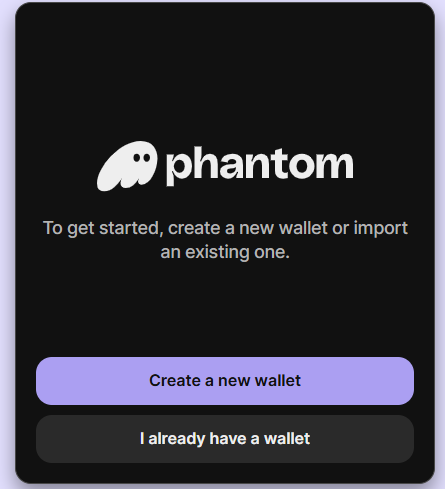
Open the official Phantom download page and pick your browser. The Phantom wallet extension is listed for Chrome, Brave, Edge and Firefox, but Chrome is the safest pick because one review reports that Firefox no longer gets updates. Create a new wallet or import an old one, write down the 12-word phrase offline, set a password and pin the extension only after you confirm it is the real one. Our full guide on how to set up Phantom wallet adds screenshots for each step.
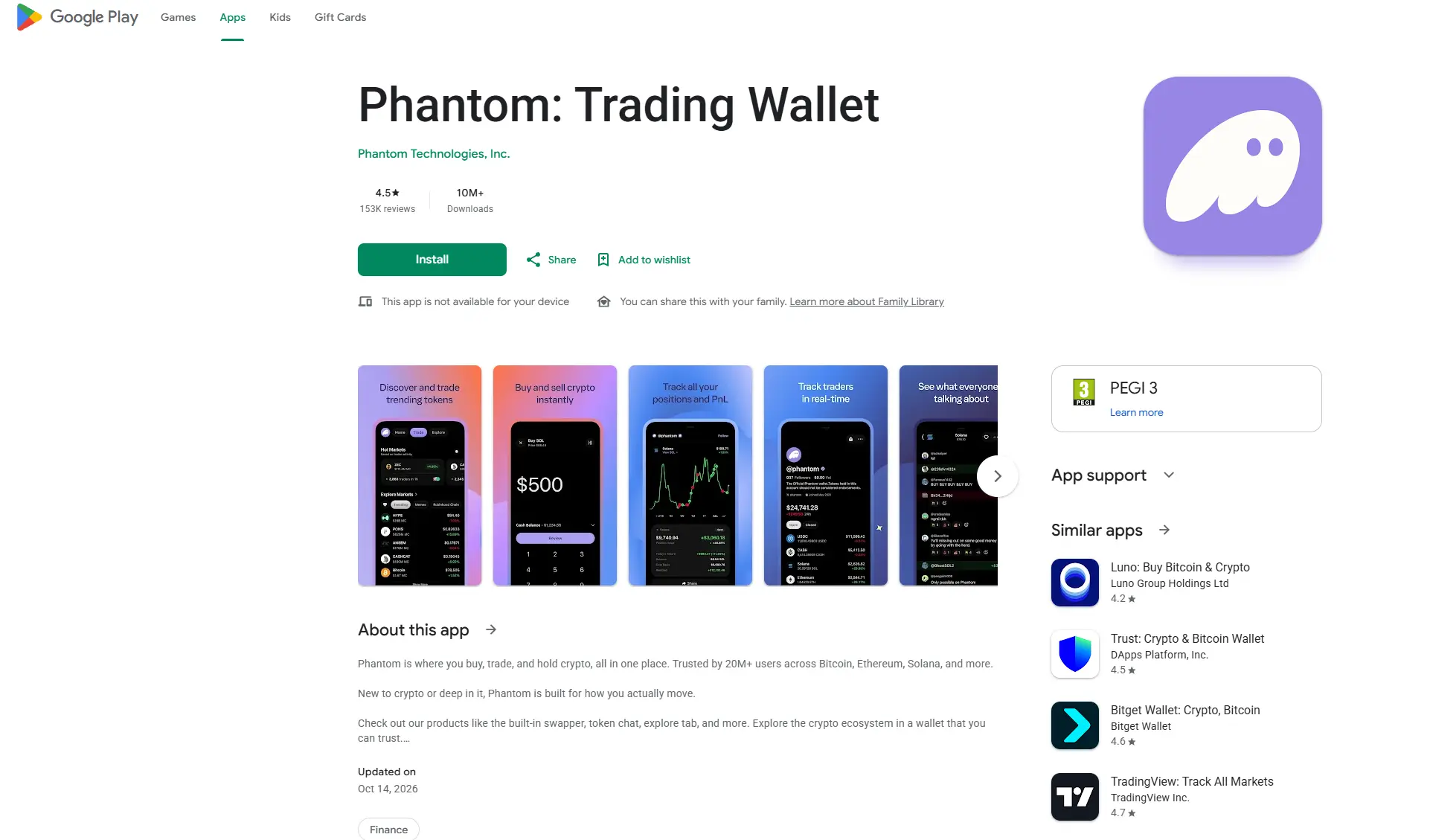
Importing works with a recovery phrase. If the imported wallet looks empty, check the network, the address type and the derivation path.
Phantom Wallet App for iPhone and Android
Download the Phantom wallet app from the App Store or Google Play through a link on the official site. Cryptonews reported ratings of 4.7 on Google Play and 4.8 on the App Store. Create or import a wallet, turn on Face ID or fingerprint lock and back up the recovery phrase before you receive anything. Avoid unknown APK files on the phone you use for crypto.

Phantom Wallet Login and Recovery
There is no username and password login in the usual sense. Phantom wallet login works through your device password, biometrics or a Google or Apple account if you created the wallet that way. If you lose the device, the recovery phrase or the linked Google or Apple account restores the wallet. Older accounts may still use a four-digit PIN, and newer ones are moving away from it, so follow the prompts in your own app. Turn on two-factor authentication on the linked account.
How to Add Money to Phantom Wallet
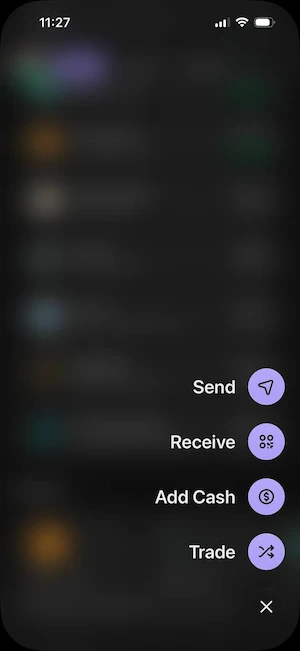
Here is how to add money to Phantom wallet. Three routes work, all from the Buy or Receive buttons.
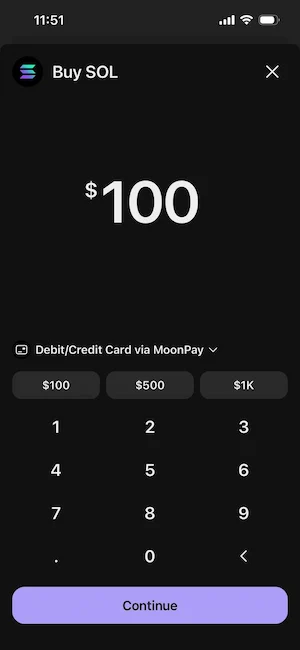
- Buy with a card or Apple Pay. Tap Buy, choose a token and compare quotes from providers such as MoonPay, Banxa or Coinbase Pay. Fees and limits depend on the provider and your country, and the provider asks for KYC, not Phantom.
- Transfer from an exchange. Copy your address from Receive, pick the right network (Solana for SOL) and withdraw from the exchange. Send a small test amount first.
- Use Phantom Cash. In supported regions you can fund Cash by bank transfer, debit card or Apple Pay.
Cards are the fastest route and the most expensive one. Buying on an exchange and sending the coins over usually costs less. Check the destination asset before you confirm, because some purchases land in Cash first. Keep a little SOL for fees.
How to Use Phantom Wallet
Once the wallet is funded, four actions cover most daily use of the Phantom wallet.
How to Swap Tokens
Open Swap, pick the token you pay with and the token you want, then enter the amount. Read the quote, the price impact and the fee before you confirm. If a trade keeps failing on a fast moving token, you can raise slippage in the swap settings.
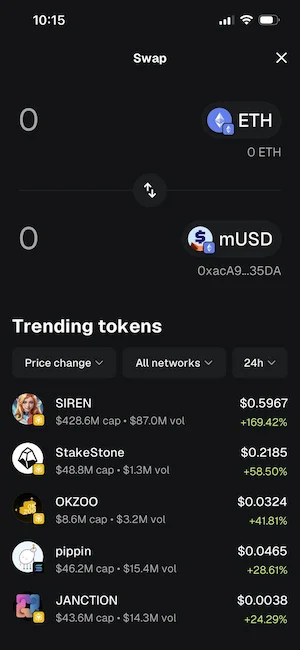
Higher slippage gets the trade through but gives you a worse price, so raise it in small steps.
How to Send, Receive and Find Your Address
Tap Receive and choose the network to see your wallet address.
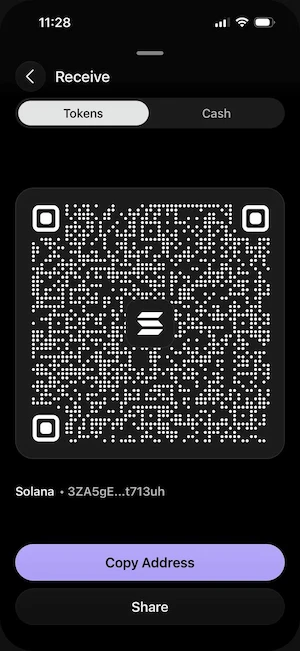
Solana, Bitcoin and EVM networks use different addresses, and one EVM address works on Ethereum, Base and Polygon. To send, choose the token, paste the address, check the preview and confirm.
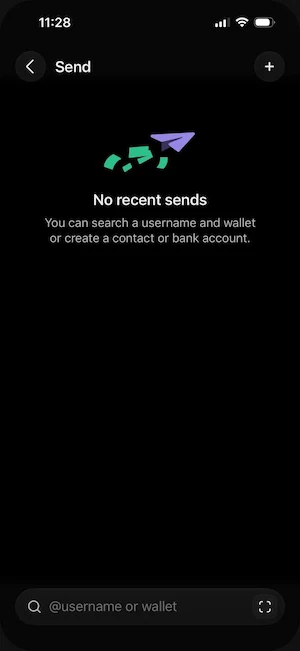
Sending a token on the wrong network can mean permanent loss, so match the network on both sides.
How to Connect Phantom Wallet to a dApp
Open the dApp, click Connect Wallet and pick Phantom. Check that the pop-up shows the correct domain, then approve. Connecting only shares your public address and does not move funds. The risk starts when you sign a transaction, so read each preview. You can remove old connections from the trusted apps list in settings.
How to Withdraw From Phantom Wallet
Phantom wallet does not send money straight to a bank account for most users.
Here is how to withdraw money from Phantom wallet in four steps.
- Open your exchange account and copy the deposit address for the right network, for example Solana for SOL.
- In Phantom, tap Send, choose the token and paste the address.
- Check the first and last characters of the address, then confirm. Keep enough SOL for the network fee.
- Sell on the exchange and withdraw the cash to your bank. This usually takes zero to two business days by ACH or SEPA.
Phantom Cash works differently. In the US, after identity checks, you can withdraw Cash to a bank account. Standard ACH is free, and fast ACH costs 1 dollar plus 0.75%. Moving money from Cash back to your main Phantom wallet is free. Outside the US this bank option is not available.
Is Phantom Wallet Down?
Is Phantom wallet down when balances look wrong or the app will not load? Possibly, and a short outage is the usual cause. Check the Phantom status page and the official X account before you do anything else. Your funds sit on the blockchain, so an outage does not remove them, and Phantom stated during past incidents that funds were safe.
Past incidents show the pattern. In October 2024 the wallet was unresponsive for nearly three hours during the GRASS airdrop claim, and one report counted 12 major backend incidents in 2024. On April 6, 2026, an outage affecting balances and token prices lasted about one hour. The Solana network kept running both times. Do not reinstall the app or enter your recovery phrase while the problem is on the Phantom side, and treat anyone who offers help in direct messages as a scammer.
Phantom vs MetaMask, Solflare and Backpack
Each wallet fits a different habit. Phantom is the easiest for Solana, MetaMask wins on EVM chains and custom networks, and Solflare gives more control over staking. Our direct comparison of Phantom vs Solflare covers validators and fees in more detail.
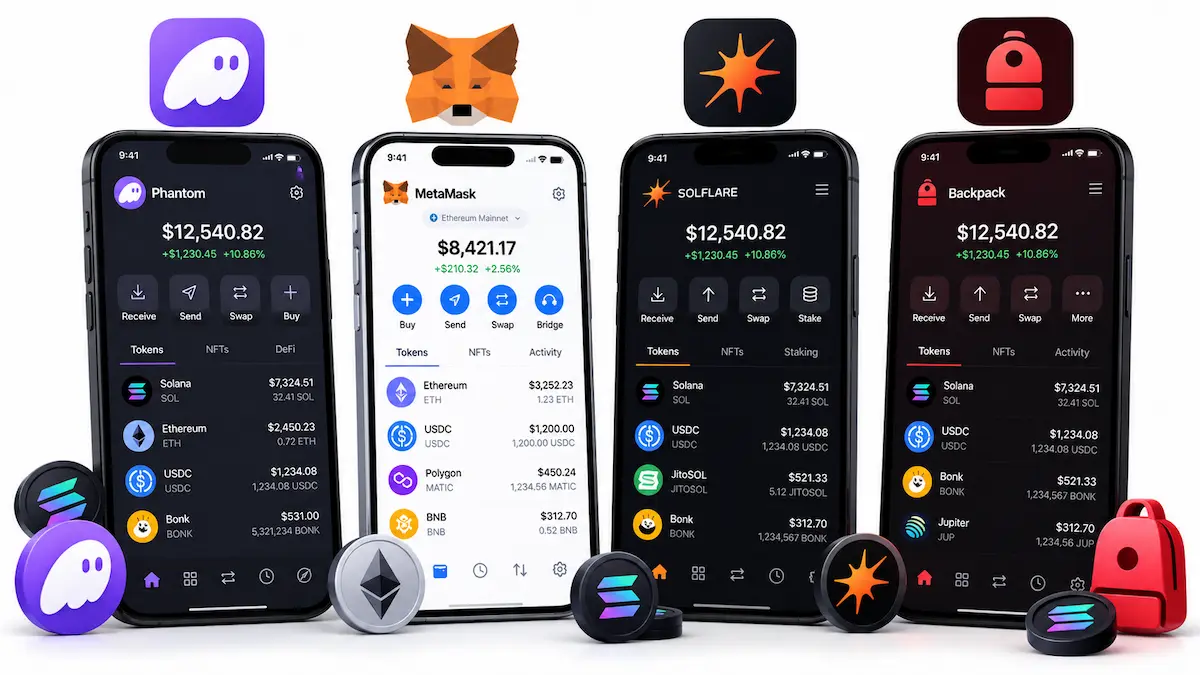
| Wallet | Best for | Swap fee | Main weakness |
|---|---|---|---|
| Phantom | Solana trading, NFTs, mobile | 0.85% on selected swaps | No custom networks |
| MetaMask | EVM chains and custom networks | 0.875% | Less focused on Solana |
| Solflare | Staking control on Solana | Jupiter routing | Narrow outside Solana |
| Backpack | xNFTs and low wallet fees | 0% wallet fee | Smaller user base |
The gap is widest in fees. Phantom and MetaMask charge a fixed wallet fee on swaps, Backpack markets none and Solflare routes through Jupiter, so the final cost depends on the route and the token. Trust Wallet is the pick for broad chain coverage on mobile, with more than 100 blockchains. Backpack is worth a look if the wallet fee matters most to you, and our Backpack wallet page covers what it offers.
Is Phantom Wallet Beginner Friendly?
Yes, more than most wallets. Setup is short, Google or Apple sign-up removes the fear of losing a phrase on day one, and the layout is easy to read on mobile. Transaction previews help new users understand what they are signing.
The traps are not in the interface. Bridge defaults, perps, memecoin lists and airdrop pop-ups push beginners toward risky actions. Start with a small amount, learn swaps and sends first, and leave perps and new tokens for later.
Phantom Wallet Support and User Reviews
Support runs through a chatbot, a help center and email tickets. There is no live chat and no phone line, and replies can take from a few hours to several days. This is the most common complaint in Phantom wallet reviews on Trustpilot.
Read those reviews with care. Many complaints describe lost access after a phone change, unexpected swap results or losses from phishing and malicious signatures, and the reports rarely point to the same technical fault. Praise on Product Hunt and Reddit focuses on speed, clean design and access to Solana apps. One Product Hunt reviewer also reports losing SOL after following a mint link shown inside the app, which fits the warning above about NFT links.
Where Phantom Wallet Falls Short
Phantom has a record of trimming chains. Monad lasted until August 2026 and Sui ended less than 20 months after it was added, with no reason given. Some users criticized having to export keys to move their coins. Swapping out can be a taxable event in some countries while moving the same coins is not, so check with a tax adviser before you choose.
The core wallet code is closed source. Phantom publishes audit reports, a blocklist and some libraries, but the code that creates keys and signs transactions is not public, so outside researchers cannot inspect it. MetaMask and Rabby are more open on this point.
Add the 0.85% swap fee, support that runs on tickets and the lack of custom networks, and the list of weak points is short but real.
Phantom Wallet Pros and Cons
| Pros | Cons |
|---|---|
| Fast, clean app on browser and mobile | 0.85% swap fee on selected pairs |
| Readable transaction previews and scam warnings | Hot wallet, keys live on a connected device |
| Staking, NFTs and Instant Sell built in | No Arbitrum, Optimism, BNB Chain or Avalanche |
| Ledger support for larger balances | No custom networks and no Trezor |
| Bitcoin and Ordinals support | Support runs on tickets, no live chat |
| Phantom Cash for US users | Perps and Cash limited by region |
Final Verdict on Phantom Wallet
After going through the features, fees and security in this Phantom wallet review, the answer is yes. Phantom wallet is worth using in 2026 if Solana is where you spend most of your time. The app is fast, easy to learn, strong on NFTs and staking, and now covers Bitcoin and several EVM networks. The costs are the 0.85% swap fee, limited chain coverage and support that depends on tickets.
The best setup is simple. Keep spending and trading balances in Phantom, pair it with a Ledger for anything you cannot afford to lose, and use a second wallet for networks it does not support. That earns Phantom 8 out of 10 in this Phantom wallet review. If you are still comparing options, see our list of the best Solana wallets.
Phantom Wallet FAQ
Does Phantom wallet have a token?
No. The team denied plans for a Phantom token in January 2025 and has not reversed that statement. Any coin sold under the Phantom name is fake. Treat every link that promises a Phantom airdrop as a scam, and open claim pages only from inside the official app.
Does Phantom wallet require KYC?
No. You can create a wallet with a recovery phrase or a Google or Apple account without identity checks. KYC applies to outside services, such as card providers that sell you crypto, and to the bank and card features of Phantom Cash. Those partners ask for ID, not the wallet itself.
Does Phantom wallet work with Ledger?
Yes. Mobile connects over Bluetooth to the Ledger Nano X, Stax and Flex. The browser extension connects by cable to the Nano S Plus, Stax and Flex. Trezor and Tangem are not supported. Never import a Ledger recovery phrase into Phantom, because that removes the cold storage protection.
Is Phantom wallet free to use?
The download and storage are free. You still pay network fees, 0.85% on selected swaps, bridge costs, validator commission and provider fees on card purchases. Gasless Solana transactions take a flat fee from the token you send, so gasless does not mean free.
Can I recover Phantom wallet without my recovery phrase?
It depends on how you created the wallet. A Google or Apple account gives a recovery route for wallets made that way. For a normal recovery phrase wallet, losing every device and backup means losing access for good, and Phantom cannot reset it. A device password alone does not replace the phrase.
Is Phantom wallet only for Solana?
No. Phantom wallet started on Solana but now supports Ethereum, Base, Polygon, Bitcoin, HyperEVM and Robinhood Chain. Solana is still where it works best. Users who need Arbitrum, Optimism, BNB Chain or Avalanche need a second wallet.
Does Phantom wallet still support Sui and Monad?
No. Phantom ended Monad support on August 26, 2026 and Sui support on September 24, 2026. The assets remain on their blockchains and can be reached with a compatible wallet and the right backup.
Has Phantom wallet ever been hacked?
Phantom has not reported a hack that drained user wallets through its own code. The Demonic vulnerability was fixed before any theft was reported, and the 2025 lawsuit is disputed. Most user losses come from phishing, malicious signatures and shared recovery phrases.
Is Phantom wallet open source?
Mostly no. The main wallet code is closed source. Phantom publishes audit reports and a blocklist on GitHub, so you can read the security reviews but you cannot inspect the full code yourself.
Is Phantom wallet a hot wallet or a cold wallet?
It is a hot wallet, because the keys live in software on a device that connects to the internet. Connecting a Ledger turns Phantom into the interface for cold storage while the keys stay on the hardware device.
Is Phantom wallet better than MetaMask?
For Solana, usually yes. For EVM chains, custom networks and developer tools, MetaMask is stronger. Many users keep both and use each for its own network.
What is Phantom Terminal?
Phantom Terminal is a desktop trading platform at trade.phantom.com, launched in beta in November 2025. It offers TradingView charts, spot trading of Solana tokens and Hyperliquid perps, and syncs positions with the mobile app. It is not available in the UK.