Knowing how to keep Solana safe matters more in 2026 than at any previous point in the network’s history. Crypto protocols lost over $770 million to hacks and exploits in the first months of 2026, with $606 million of that total concentrated in April alone. Agentic drainers, malicious AI scripts that actively scan wallets for specific vulnerabilities, have replaced the basic phishing kits of previous years. State-sponsored groups like UNC1069 now use AI-driven tactics to extract private keys. Against this backdrop, the core principles of Solana wallet security have not changed but the execution of them has become non-negotiable. Protect your seed phrase offline. Keep bulk holdings in cold storage. Revoke approvals weekly. Use a dedicated burner wallet for anything new. This guide covers every layer from basic hardware wallet setup to advanced multisig, with specific attention to the attack patterns that are actually costing people money in 2026.
The 2026 Solana Security Landscape: What Changed
The threats facing Solana users in 2026 are structurally different from anything that existed two years ago. The scale of losses has grown, the sophistication of attacks has increased, and the speed at which Solana confirms transactions, under a second, means that once an attack executes, recovery is effectively impossible.
Total crypto protocol losses reached $770 million year-to-date by mid-2026, with $606 million lost in just the first 18 days of April. These are not only scammer-run memecoin operations. Major established protocols with audited code have been compromised. The attack surface has widened significantly as Solana’s user base crossed 166.9 million holders in April 2026, making it a more attractive target across every category of threat.
Drift Protocol: $285 Million in One Transaction
On April 1, 2026, Drift Protocol, Solana’s largest perpetuals exchange, suffered an exploit that drained $285 million in a single coordinated attack, making it the second-largest hack in Solana’s history. The attacker used the Circle CCTP cross-chain bridge to move stolen USDC from Solana to Ethereum, completing the exit before most users were aware anything had happened.
This was not a wallet phishing attack. It was a smart contract exploit targeting a specific vulnerability in how the protocol handled bridge interactions. Users who kept significant capital in Drift’s trading vaults during the exploit lost funds regardless of how securely they managed their personal wallets. The incident illustrates that protocol risk is real and applies even to projects with established track records. The right response is to keep only active trading capital in any protocol’s vault and maintain larger holdings in self-custody wallets where you control the keys.
Agentic Drainers and the Approval Crasher Scam
Agentic drainers are the defining threat of 2026. Unlike the basic phishing sites of earlier years, an agentic drainer is an automated AI script that actively scans connected wallets, identifies which tokens have the highest value, and targets the approval most likely to succeed given that specific wallet’s history and current position. They operate commercially, sold as services with dashboards, real-time monitoring, and optimized targeting logic.
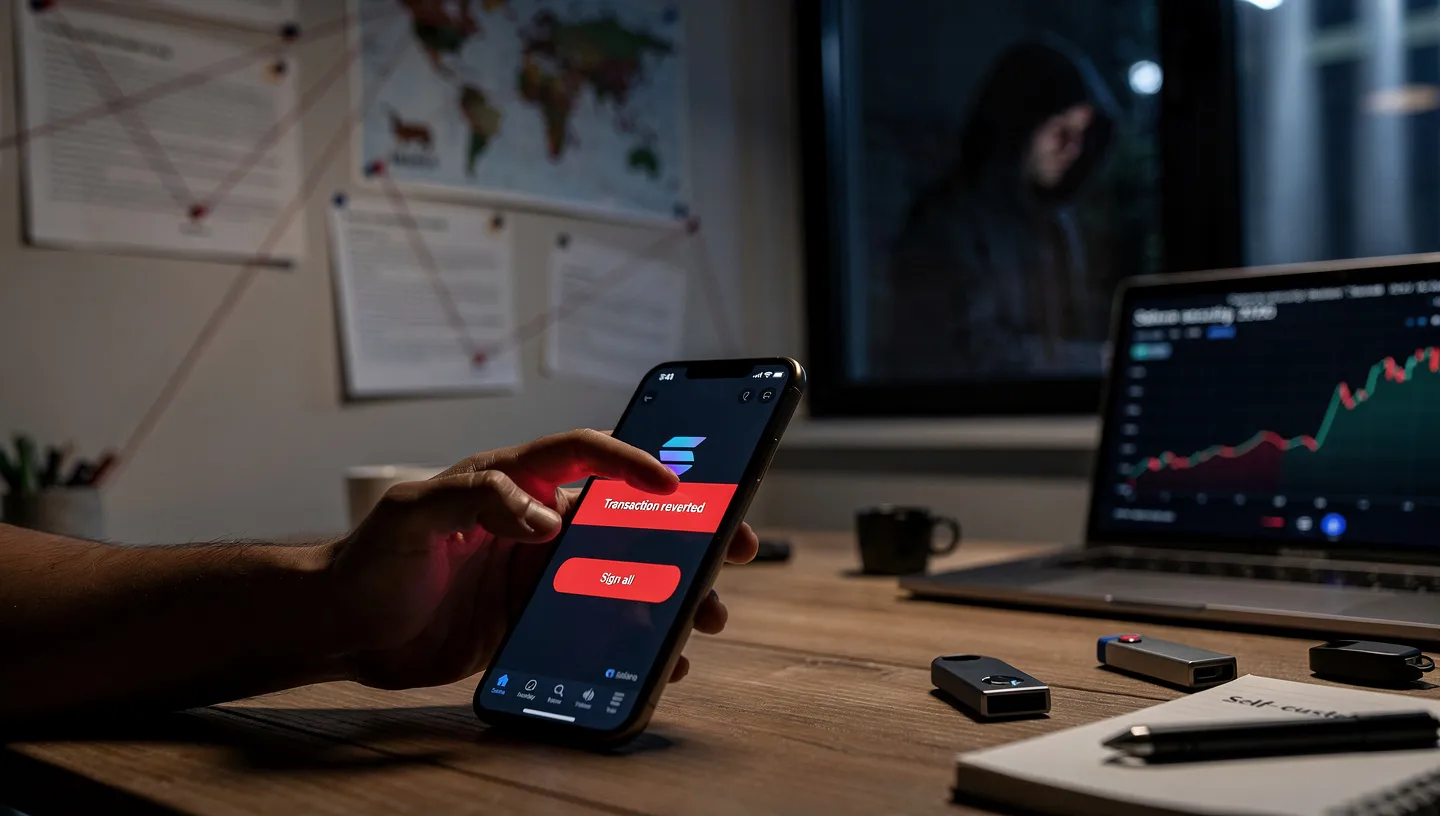
The most dangerous variant currently in circulation is the approval crasher. It works by deliberately triggering a simulation error in your Phantom or Solflare wallet. The dApp or site you are on tells you: “Transaction reverted. Sign all transactions to verify account.” That instruction to “Sign All” is the trap. The transaction it asks you to sign is not a verification step. It is a malicious transaction granting the attacker unlimited spend permissions on every token approval in your wallet.
The rule is simple: if a transaction fails to simulate, stop. Never sign all on a failed simulation under any circumstances. No legitimate platform asks you to batch-sign transactions to recover from a simulation failure. This is exclusively an approval crasher attack vector.
AI-Driven Social Engineering and State-Sponsored Attacks
Groups like UNC1069, a North Korean-linked threat actor, have moved away from broad phishing campaigns and toward targeted AI-driven social engineering that impersonates specific individuals in a target’s network. In 2026, this means a fake colleague, investor, or project partner reaching out through LinkedIn, Telegram, or Discord with requests that seem entirely plausible, all building toward a single goal: extracting private keys or getting a victim to install malware.
Human error remains the most exploited vulnerability across all wallet attacks. State-sponsored attackers have the resources to run multi-week targeting campaigns before making a single move. The practical defense is treating any unsolicited contact that eventually leads toward a request involving your wallet, a link to sign, or an application to install as suspicious by default, regardless of how credible the initial conversation appeared.
To understand the on-chain architecture that processes every transaction these attackers are targeting, our guide on how Solana works covers the validator structure and transaction finality model in detail.
Seed Phrase Security: The Most Important Rule
Your seed phrase is the master key to your wallet. Every account, every token, every NFT under that wallet address is controlled by whoever holds this phrase. No wallet provider, including Phantom, Solflare, or Ledger, can recover a wallet without it. If you lose the phrase and lose access to the device, the funds are gone. This is why seed phrase protection is the foundation of every other security measure covered in this guide.

A standard recovery phrase is either 12-word or 24-word, generated using the BIP-39 standard. These words encode your private keys in a format a human can write down. Anyone who reads those words controls your wallet. Handle them accordingly.
What to Do and What Never to Do With Your Seed Phrase
Do:
- Write it down by hand on paper immediately after wallet creation, every word in the correct order
- Store the written copy in a physically secure, fireproof location
- Make a second copy and keep it in a separate location as a backup against physical damage or loss
- For significant holdings, engrave or stamp it on a metal backup plate, such as a Cryptosteel or Billfodl, that survives fire and flooding
- Treat it with the same security as the cash equivalent of your wallet balance
Never:
- Never screenshot your seed phrase, phone cameras auto-backup to cloud services
- Never type it into any notes app, email, password manager, or cloud storage service
- Never share it with anyone, including people claiming to be from support teams for any wallet company
- Never enter it into any website or application except during a fresh wallet restore on the hardware device itself
- Never store digital photos, scanned copies, or any electronic version of it anywhere
The Solana Foundation states it plainly: without your seed phrase, wallet recovery is impossible. There is no exception to this. Two copies in two separate locations, both physical and offline, is the right standard for any balance you take seriously. For the full guide on seed phrase storage methods including hardware wallet setup, our guide on how to store SOL long term covers cold storage options from Ledger to metal backup plates.
Hot Wallet vs Cold Wallet: Choosing the Right Setup
Understanding the difference between a hot wallet and a cold wallet is the starting point for any rational security setup. Both are non-custodial, meaning you hold the keys. The difference is where those keys live and how exposed they are to remote access.
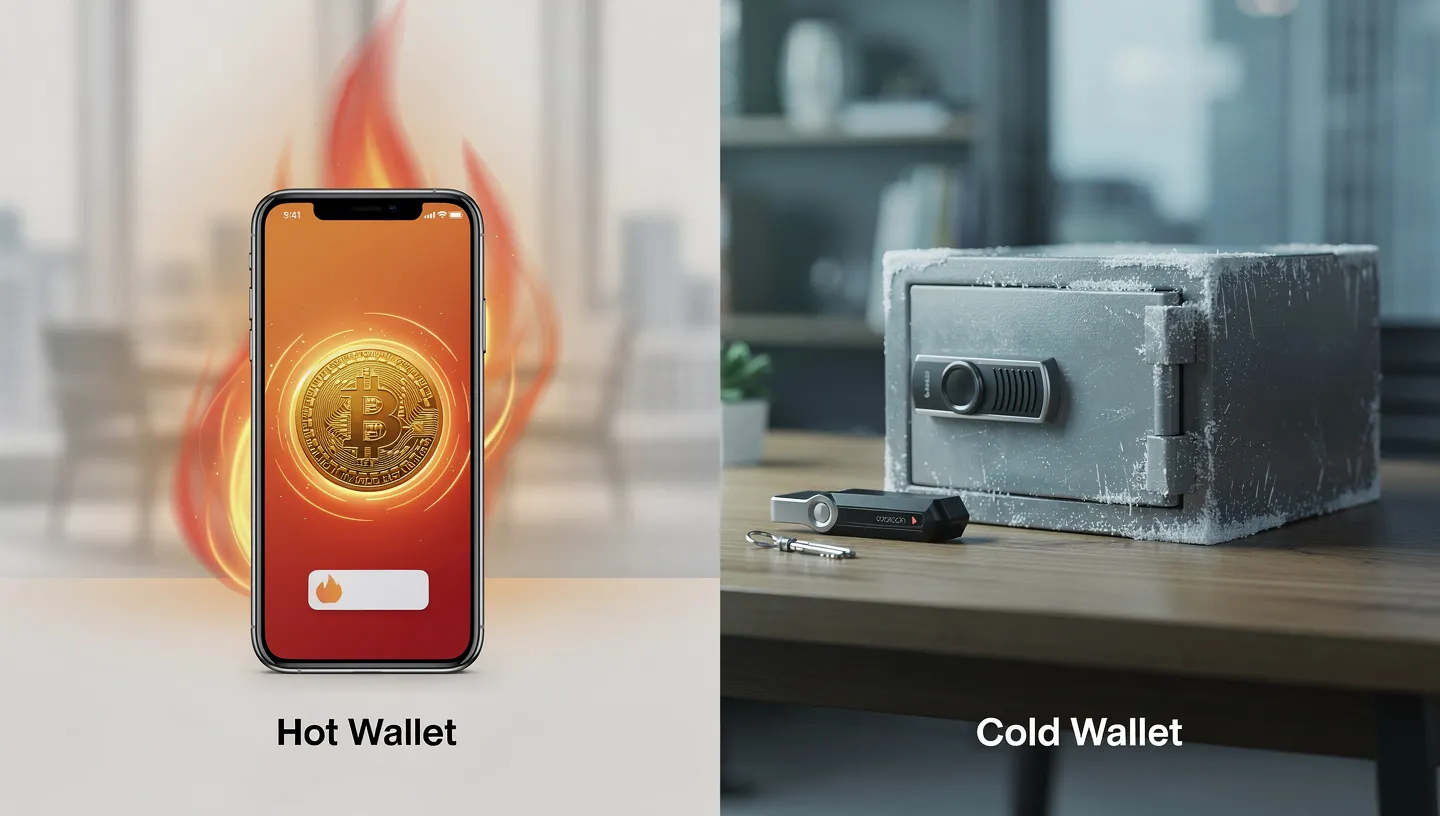
A hot wallet like Phantom Wallet or Solflare keeps your keys on a device connected to the internet. Convenient for daily use, quick to sign transactions, but permanently exposed to browser attacks, malware, and phishing. A hardware wallet like a Ledger Nano X or Trezor keeps keys in a Secure Element chip on a physical device that stays offline except when you physically plug it in to sign a specific transaction. The keys are never exposed to your computer’s operating system.
| Feature | Hot Wallet | Hardware Wallet |
|---|---|---|
| Key storage | Online device | Offline chip |
| Remote hack risk | Yes | No |
| DeFi access | Instant | Via paired hot wallet |
| Cost | Free | $79 to $249 |
| Best for | Daily trading, small balances | Long-term storage, large balances |
| Transaction confirmation | In-browser popup | Physical button on device |
The practical answer for most Solana holders is both. A hot wallet for daily activity with a small working balance, and a hardware wallet in cold storage for the bulk of your holdings. The spending wallet takes the risk from daily on-chain activity. The vault wallet stays protected because it almost never connects to anything.
Ledger pairs directly with both Phantom and Solflare through the Connect Hardware Wallet option. Every transaction you prepare in the wallet interface routes to the Ledger for signing. Your private keys never leave the device. If your computer is fully compromised, the keys on the Ledger cannot be extracted remotely. For a full comparison of all major Solana wallet options, our guide on the best Solana wallets covers hot and cold options with detailed use case breakdowns.
The Two-Wallet Strategy: Spending Wallet and Vault
The two-wallet strategy is the standard security setup among experienced Solana holders. It works by separating your capital into two distinct categories: an active spending wallet with a small balance for daily on-chain activity, and a vault wallet on hardware that holds your significant position and almost never connects to anything new.
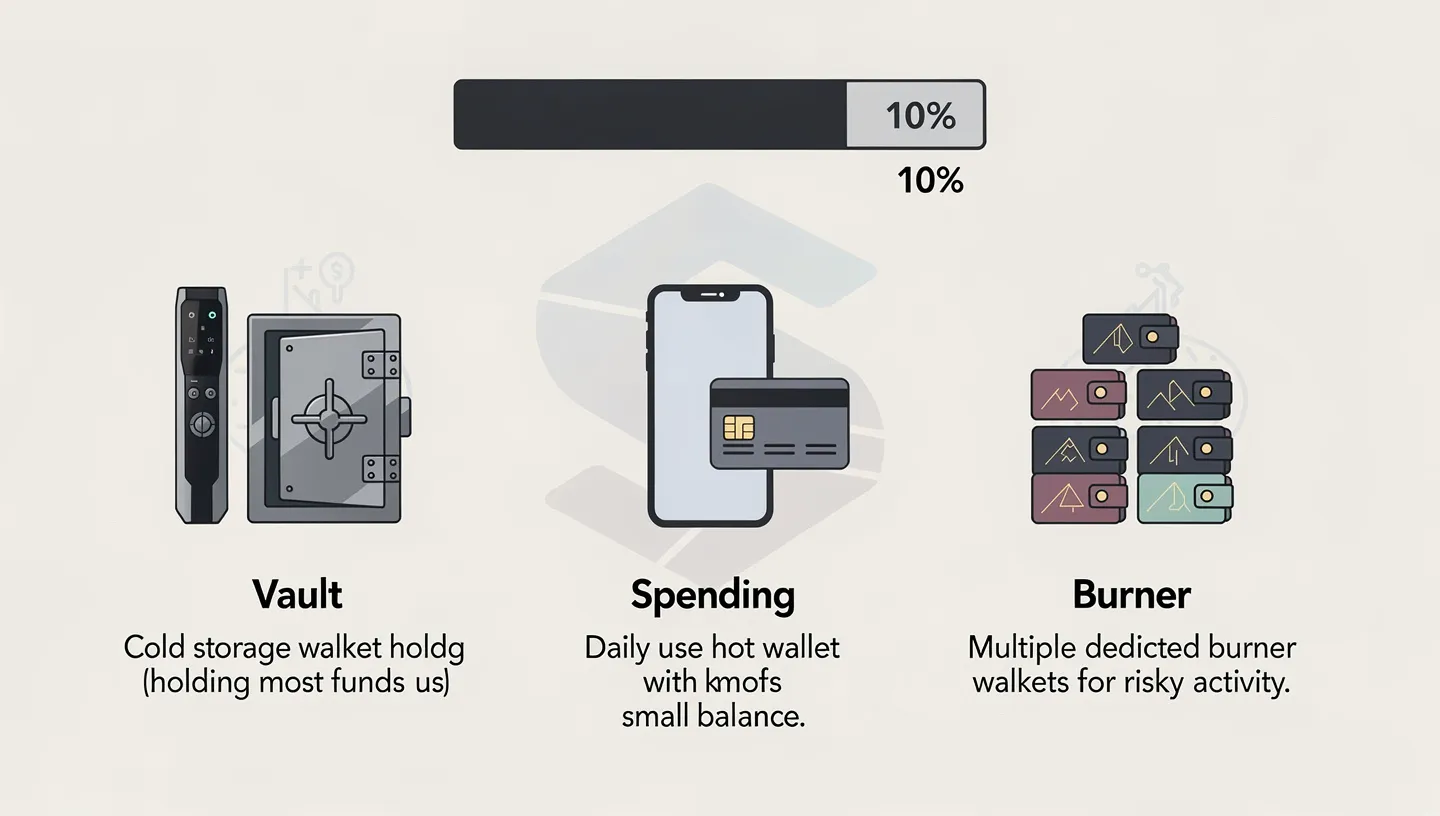
If your hot wallet gets drained through a phishing attack, a bad signature, or a malicious dApp approval, the damage is limited to whatever you kept in the spending wallet. Your vault is untouched because it was never connected to the compromised session. This containment is the entire value of the separation.
The 10% Rule for Hot Wallet Balances
The 10% rule is a straightforward risk management principle from the active Solana trading community: never keep more than 10% of your total crypto position in any hot wallet at one time. The rest stays in cold storage or a hardware wallet vault.
For most users this means keeping a few hundred dollars worth of SOL in the hot wallet for transaction fees, DeFi interactions, and small trades, while moving anything beyond that to cold storage after each session. The 10% rule applies to each individual burner wallet used for trading bots or specific protocols, not just your main wallet. A single compromised dedicated burner should never be able to take down your total position.
Using a Dedicated Burner for Risky Activity
A dedicated burner is a separate wallet with a small balance, used specifically for activity where the risk of a bad approval is higher: new protocol launches, minting, airdrop claims, and any dApp you have not previously used. Keep only what you need for the specific activity in the burner wallet. Move anything valuable out before connecting to anything new.
Each major activity category should have its own burner wallet. If you use trading bots like Photon or Trojan, each bot gets its own dedicated wallet. Never import your main Ledger seed phrase into a bot. If the bot’s environment is compromised, you lose only what was in that specific wallet, not your entire position.
The spending wallet handles your regular DeFi activity with established protocols. The vault wallet on hardware holds the majority of your holdings. The dedicated burner handles anything you are not sure about. This three-way separation is what Cointrenches refers to as a tiered security strategy, and it is the right approach for anyone active on Solana in 2026.
To set up each wallet correctly from scratch, our guide on how to create a Solana wallet covers the full process including seed phrase backup for each new wallet you generate.
How to Set Up a Ledger Hardware Wallet for Solana
A Ledger hardware wallet is the most widely used cold storage solution for Solana. The Ledger Nano X stores your private keys inside a Secure Element chip certified to EAL5+ standards, the same certification used in banking cards and passports. The chip is physically isolated from your computer. Even if your machine is fully infected with malware, the keys on the chip cannot be extracted remotely.
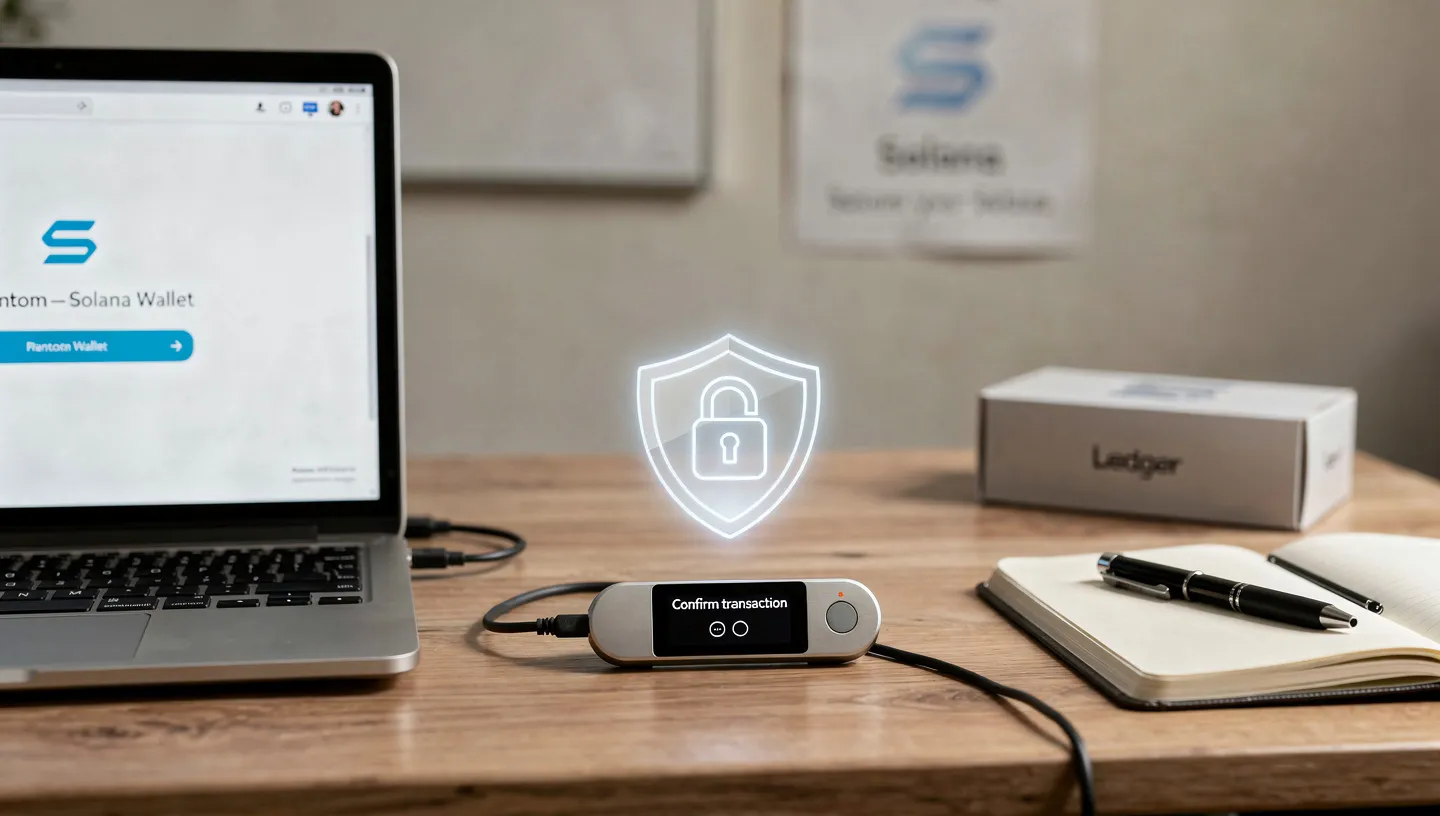
Every transaction requires physical confirmation on the device screen before it broadcasts. You prepare the transaction in Phantom or Solflare, the request routes to the Ledger, you review the details on the device display, and you physically press the button to approve or reject. This physical confirmation step is what stops agentic drainers, clipboard hijackers, and remote signing attacks cold.
Setup steps for Ledger with Solana:
- Order directly from ledger.com only. Never buy from third-party resellers on Amazon or eBay.
- Connect the device and set a PIN code of 4 to 8 digits. The device wipes after three incorrect attempts.
- Generate and write down your seed phrase on paper during setup. This is the only time it displays. Store it as described in the seed phrase section above.
- Install Ledger Live from ledger.com on your desktop. Run the firmware update before installing any chain apps.
- Install the Solana app from the Ledger Live App Catalog. Open it on the device to confirm it loaded.
- In Phantom, click Connect Hardware Wallet and follow the Ledger pairing steps. In Solflare, select Access via Hardware Wallet. Both apps import your Ledger Solana address automatically.
- Send a small test amount to verify the address before transferring any significant balance.
From this point, every transaction you initiate through Phantom or Solflare requires offline signing on the Ledger device before it confirms on-chain. The transaction signing step is where Ledger physically verifies the transaction contents. You can also connect a Trezor through the same workflow if you prefer its fully open-source firmware. Both Ledger and Trezor work well with Solflare. Our Phantom setup guide at how to set up Phantom Wallet includes the hardware wallet pairing steps in detail.
Revoke Token Approvals: Why It Cannot Wait
Revoking approvals is the single most neglected security habit in the Solana community, and it is the one that prevents ongoing damage after a wallet has already been partially exposed. When you interact with a DeFi protocol or dApp, you often grant it spending permissions on specific tokens in your wallet. Those permissions remain active permanently unless you explicitly revoke them. Disconnecting from the site does nothing. The approval persists on-chain until you remove it.
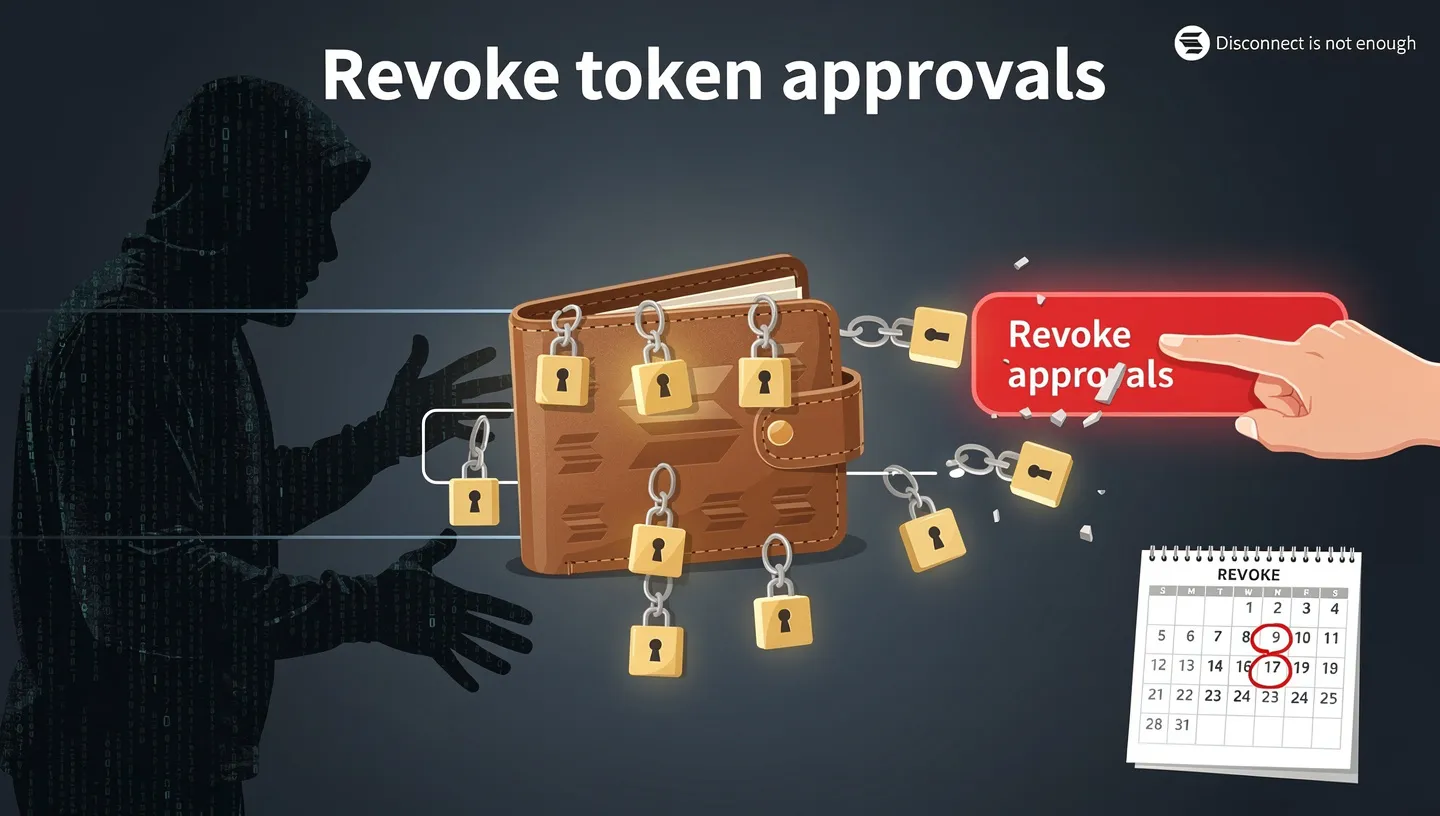
Every active token approval you have granted to a contract you no longer use is a potential attack surface. If that protocol is later exploited or if its admin keys are compromised, any contract holding a live spending permission on your wallet can be used to drain it without any further action on your part. Cointrenches put it plainly: if your approval list is longer than your profit list, it is time to clean house.
The process takes five minutes and should happen on a weekly basis:
- Go to Revoke.cash and connect your wallet.
- The tool displays every active token approval your wallet has granted across all chains.
- Review the list. Revoke any approval for a protocol you no longer use or do not recognise.
- After any interaction with a new or suspicious site, revoke all approvals from that session immediately.
- Phantom’s built-in approval manager also lets you do this from within the wallet without visiting an external site.
Famous Foxes Revoke is a Solana-specific alternative to Revoke.cash that some active Solana users prefer. Either tool works. The important thing is using one of them consistently rather than assuming disconnecting from a site was sufficient. It was not.
The weekly revoke habit, combined with using a dedicated burner for new protocols, keeps your active approval list short and your exposure from past interactions limited. A drainer that relies on a stale approval from six months ago finds nothing to work with if you have been revoking consistently.
Transaction Safety: Read Before You Sign
The most common way people lose funds to malicious transactions is approving something they did not read. The transaction simulation tools built into modern Solana wallets exist specifically to prevent this. Blockaid, integrated into Phantom, shows a plain-language preview of what a transaction will do before you sign it: which tokens will leave your wallet, what approvals will be granted, and whether the receiving contract has been flagged as malicious. This preview is not optional decoration. It is the most important screen in any wallet interaction.
The Approval Crasher: What It Looks Like
The approval crasher attack follows a specific pattern. You visit a site, try to perform an action, and receive an error message telling you the transaction failed to simulate. The site then asks you to “Sign All Transactions” or “Verify Your Account” to fix the issue. This message is fabricated. The simulation error was deliberately triggered. What the site is actually asking you to sign is a malicious transaction granting unlimited spend permissions on your entire wallet to the attacker’s contract.
The approval crasher is effective because it disguises an attack as a troubleshooting step. The fix looks plausible to anyone who has experienced genuine simulation errors from network congestion. The distinction is straightforward: a genuine simulation failure from the network produces no request to sign anything. A request to sign following a simulation failure is the attack. Never sign all on a failed simulation. Close the tab and move on.
How to Read a Transaction Before Approving
Before confirming any transaction, check the transaction preview screen in your wallet. In Phantom with Blockaid enabled, the preview shows the estimated token movements, the contracts involved, and a risk assessment. If the preview shows tokens leaving your wallet that you did not expect to send, reject immediately.
Pay specific attention to any transaction requesting token approvals for amounts beyond what the specific action requires. A token swap should request approval only for the token you are selling and only for the amount of that swap. An approval for “unlimited” amounts, or for multiple tokens you did not select, is a red flag regardless of how legitimate the interface looks.
Disable blind signing in your wallet settings and only enable it for specific sessions when you know you need it. Blind signing allows the wallet to approve transactions whose full contents are not displayed on screen. Leaving it enabled permanently means you can approve an agentic drainer attack without ever seeing what you signed.
Phishing Protection and RPC Security
Phishing in Solana has become a category that encompasses everything from fake wallet websites to manipulated RPC endpoints. Over $90 million was lost to phishing on Solana in the first half of 2025 according to available data. The 2026 threat landscape has grown more sophisticated, with AI-generated phishing sites that are harder to distinguish from legitimate platforms and that update faster than manual detection methods can flag them.
Bookmark Official URLs and Verify Before Connecting
The simplest and most effective phishing defense is also the most obvious: bookmark the real URLs for every platform you use and navigate through those bookmarks rather than search results. Search ads for fake versions of Jupiter, Phantom, and major DeFi protocols appear regularly. A lookalike domain like jupiterexchange.io or phantomwallet.net looks indistinguishable from the real thing at a glance, especially under time pressure.
Bookmark the official websites the first time you visit them after verifying the URL through an independent source, such as the project’s Twitter profile link, not through a search result. Use those bookmarks every subsequent time. This habit eliminates the most common entry point for phishing site attacks entirely.
Clipboard Hijackers and Address Poisoning
A clipboard hijacker is malware that monitors your clipboard and replaces any wallet address you copy with an attacker-controlled address before you paste it. You copy your recipient’s address, switch to your wallet, paste, and send directly to the attacker. On Solana, this confirms in under a second and cannot be reversed.
Always verify the first and last four characters of any pasted address against the original source before confirming. This single habit defeats clipboard hijackers completely because the substituted address will not match those characters.
Address poisoning works differently. The attacker sends a tiny amount of SOL from an address that looks nearly identical to one you have used recently, with the same first and last characters but different characters in the middle. The goal is to get you to copy that address from your transaction history the next time you want to send to that recipient. Always copy addresses fresh from the intended recipient rather than from your transaction history for anything beyond dust amounts.
Why Active Traders Need a Paid RPC
For users who run trading bots or make frequent transactions, public RPC endpoints carry a specific risk called node-injection attacks. A malicious or compromised public RPC node can intercept your transaction data, observe your pending transactions, and in some cases manipulate the data before it broadcasts. This is not theoretical. Cointrenches documented this attack vector specifically for traders using free public endpoints on Solana.
A paid phishing-resistant RPC from providers like Helius or QuickNode gives you a dedicated endpoint that is not shared with thousands of other users and is not a target for injection attacks. The cost is typically $20 to $50 per month depending on usage level. For any user running significant trading volume, this is a reasonable expense relative to the exposure from using a compromised public node. Paid RPCs also provide MEV protection through private transaction bundling that prevents sandwich bots from seeing and front-running your trades.
To understand how Solana’s transaction fee structure and network prioritization work in practice, our guide on Solana transaction fees explains priority fees and how they interact with RPC routing.
DeFi and Smart Contract Safety on Solana
The Drift Protocol exploit was a reminder that even heavily used, audited protocols carry smart contract risk. Smart contract exploits account for a significant portion of total losses on Solana because the protocols that hold the most value, lending platforms, perpetuals exchanges, and cross-chain bridges, are also the most complex and therefore the most likely to contain exploitable edge cases.
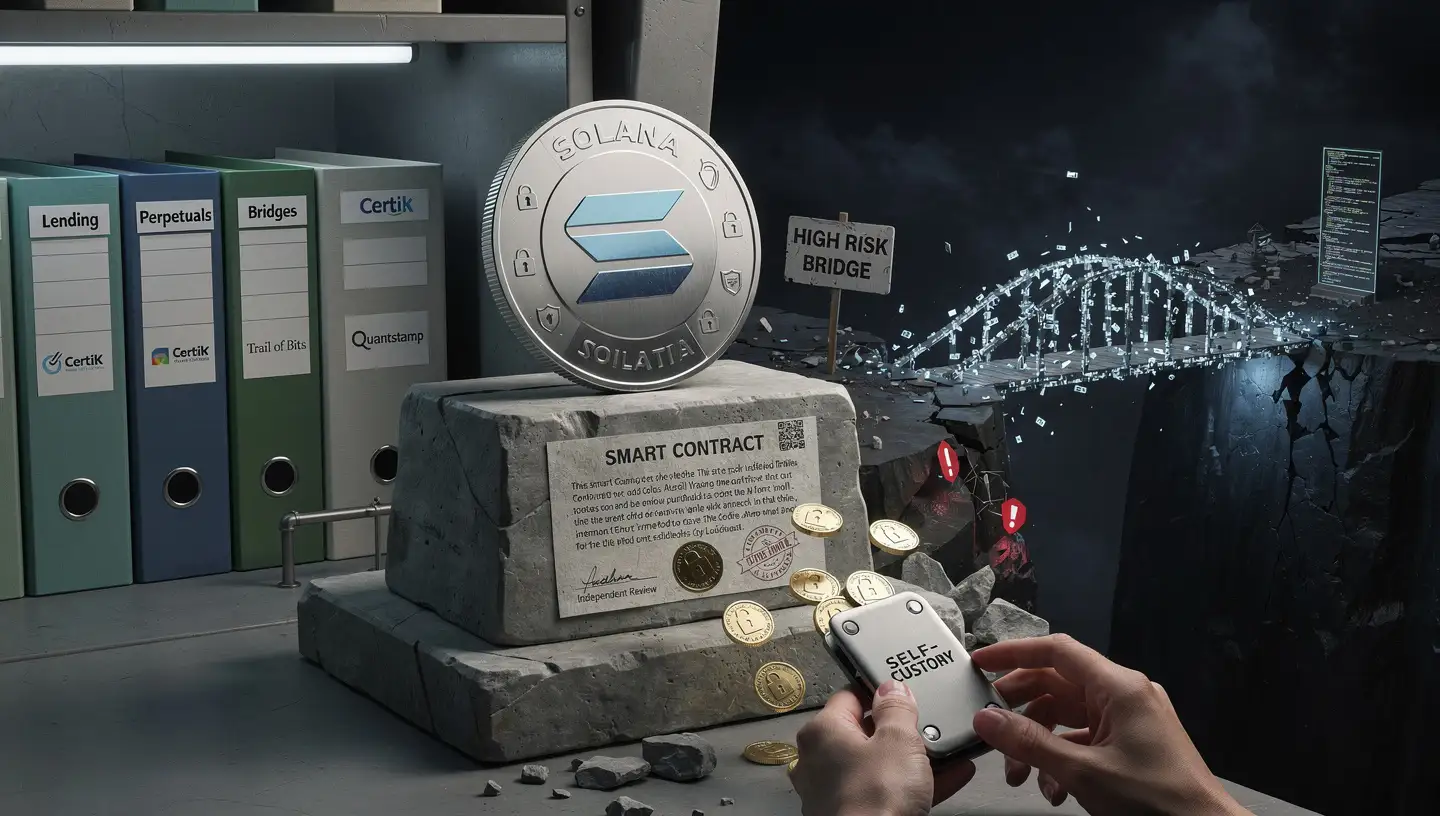
Before depositing significant amounts into any DeFi protocol, check whether the smart contract has been audited and by whom. Reputable audit firms for Solana protocols include CertiK, Trail of Bits, and Quantstamp. An audit does not guarantee safety, but an unverified DeFi protocol with no audit history is a much higher risk than one that has had its code reviewed by an independent firm.
Cross-chain bridges are particularly high-risk. The Wormhole bridge hack in 2022 resulted in approximately $320 million in losses. Bridges lock large amounts of collateral in smart contracts that interact with multiple chain environments simultaneously, which multiplies the attack surface. Treat any bridge as a temporary transit tool rather than a holding environment. Move assets through bridges and immediately withdraw them to self-custody on the receiving chain.
Keep DeFi positions size-appropriate. The amount you hold in any single protocol should reflect the risk level of that protocol, not just your return expectations. Protocols that offer unusually high yields are often taking unusual risks with your capital. Revoke approvals from any DeFi protocol you exit. Use RugCheck.xyz before interacting with any new token or pool that has not been independently verified.
The underlying execution environment that processes every Solana smart contract transaction is covered in our guide on the Solana Virtual Machine, which explains how program execution works and what audit standards actually cover.
Advanced Protection: Multisig and MPC Wallets
For users who hold significant amounts, run a DAO treasury, or manage protocol funds, a single private key is an unacceptable single point of failure. Two advanced approaches eliminate that risk: multisig wallets and MPC wallets.
Multisig With Squads Protocol
A multisig wallet requires multiple independent signers to approve a transaction before it executes. The M-of-N model means you define how many signers are required out of a total group: 2-of-3, 3-of-5, and so on. No single compromised key can authorize a transaction. An attacker who steals one key has nothing unless they can also compromise the required number of additional signers.
Squads Protocol is the leading multisig solution on Solana. It runs as a smart contract on-chain and handles everything from DAO treasury management to personal vaults for individual holders who want to eliminate the single point of failure that a standard self-custody wallet creates. A multisig treasury under Squads can be controlled by hardware wallets on separate devices, distributing the risk across physical and geographic separation. If one device is compromised or stolen, the remaining signers can block any unauthorized transaction and rotate out the compromised key.
MPC Wallets: Splitting the Private Key
MPC, or Multi-Party Computation, takes a different approach to the same problem. Instead of requiring multiple separate signatures on-chain, it splits the private key itself into multiple cryptographic key shards distributed across different parties or devices. No single shard is a usable key. Reconstructing the key requires a threshold number of shards coming together, only during the specific moment a transaction is being signed, and never in a form that persists afterward.
The practical benefit over standard seed phrase wallets is that there is no single secret that, if stolen, gives complete access. Bitget Wallet and HOT Labs have both deployed MPC-based wallet infrastructure on Solana. For institutional users and high-net-worth individuals who want the protection of distributed key management without the operational overhead of running a full multisig setup, MPC wallets represent the next generation of self-custody protection.
How Solana Is Making the Network Safer
Individual wallet security habits operate on a foundation of network-level improvements that Solana’s development community continues to ship. Two major upgrades directly address the reliability and security concerns that have historically affected the network.
Firedancer, developed by Jump Crypto, is an alternative validator client for Solana that runs independently of the original Solana Labs client. Having two fully independent implementations of the validator software means that a bug in one client does not automatically affect the entire network. Most blockchain networks that have suffered significant network outages had single-client dependencies that made them vulnerable to any bug in that client’s codebase. Firedancer’s deployment changes this for Solana.
Alpenglow is the next major protocol upgrade targeting consensus speed and reliability. With a target finality time of 150 milliseconds, it aims to reduce the window during which pending transactions can be manipulated or front-run. Faster, more deterministic finality also reduces the impact of network congestion events that have historically caused temporary outages.
Both upgrades address the validator centralization concern that critics have raised about Solana’s hardware requirements. More validator client diversity and improved scheduling reduce systemic risk from any single point of failure in the validator set. The combination of Proof of History for ordering and Proof of Stake for consensus has always been Solana’s technical strength. These upgrades build on that foundation while closing the gaps that past incidents revealed.
The Bulletproof Security Checklist for 2026
Keeping how to keep Solana safe as a practical daily habit rather than a one-time setup comes down to a set of consistent actions. Run through this list when setting up any new wallet and return to it weekly for the ongoing maintenance items.
- Write your seed phrase on paper and store two physical copies in separate, secure, offline locations. No digital copies. No cloud storage. No exceptions.
- Use a hardware wallet for any balance above what you would be comfortable losing in a single bad signature. Ledger Nano X paired with Phantom or Solflare is the standard setup.
- Apply the 10% rule. Never keep more than 10% of your total crypto position in any hot wallet. Move the rest to cold storage after each session.
- Use dedicated burner wallets for new protocols, minting, airdrop claims, and any site you have not used before. Each bot or trading tool gets its own separate wallet.
- Revoke token approvals weekly using Revoke.cash or Phantom’s built-in approval manager. Disconnecting from a site is not enough.
- Read every transaction preview before confirming. If the preview shows unexpected token movements or approvals, reject it. Never sign all on a failed simulation.
- Disable blind signing in wallet settings. Enable it only for specific sessions when required and disable it immediately after.
- Bookmark official URLs for every platform you use. Never navigate through search results for wallet-connected platforms.
- Verify pasted addresses. Check the first and last four characters of any address after pasting before sending.
- Check smart contract audits before depositing into any new DeFi protocol. Avoid any protocol with no public audit history, regardless of the advertised yield.
How to Keep Your Solana Safe: FAQs
What Is the Safest Way to Store SOL?
A hardware wallet paired with either Phantom or Solflare is the safest way to store significant SOL. The Ledger Nano X keeps your private keys in an offline chip that cannot be accessed remotely. Transaction signing requires physical confirmation on the device. Combine this with a written seed phrase stored on paper or a metal plate in two separate secure locations. Your cold storage setup is only as secure as your seed phrase backup.
How Often Should I Revoke Token Approvals?
Once a week is the right standard for active DeFi users. After any session involving a new protocol or unfamiliar dApp, revoke immediately. Use Revoke.cash or Phantom’s built-in approval manager. Revoking approvals is not a one-time action. Every new interaction potentially adds new token approvals to your wallet. Weekly maintenance keeps the list short and the attack surface small.
What Is an Agentic Drainer?
An agentic drainer is an automated AI script that actively scans wallets for specific vulnerabilities rather than waiting for a victim to click a phishing link. These tools identify the highest-value tokens in a connected wallet and target the approval most likely to succeed given that wallet’s history. The agentic drainer model is what replaced basic phishing kits in 2026 and is behind the sharp increase in per-incident losses. The approval crasher variant specifically triggers a simulation error to manufacture a context where a victim signs unlimited spend permissions thinking they are fixing a bug.
Should I Use a Hardware Wallet for Solana?
Yes, for any balance you take seriously. A hardware wallet like Ledger removes the entire class of remote signing attacks, agentic drainers, and malware-based key theft by keeping your keys completely offline. Even if your computer is fully compromised, the keys on a Ledger cannot be extracted. For small amounts used for daily trading, a hot wallet is fine. For significant holdings, cold storage is not optional.
What Is the 10% Rule in Crypto Security?
The 10% rule states that you should never keep more than 10% of your total crypto net worth in any single hot wallet. The rest should be in cold storage or a hardware vault. This limits the maximum loss from any single wallet compromise to a manageable fraction of your total position. Apply the same principle to each individual burner wallet you use for specific protocols or trading bots.
Is My Seed Phrase Safe in the Cloud?
No. Your seed phrase is not safe in any form of cloud storage, including password managers, notes apps, email, or encrypted cloud drives. Any service that stores data on a connected server is a potential attack surface. The only safe storage for a seed phrase is a physical, offline copy that has never touched an internet-connected device. Never store digitally in any form.
What Is the Approval Crasher Scam?
The approval crasher is an attack that deliberately triggers a simulation error in your wallet and then prompts you to “Sign All Transactions” to fix the problem. The transaction it asks you to sign grants the attacker unlimited spend permissions on your entire wallet. It is not a bug fix. It is the attack. The rule: never sign all on a failed simulation. No legitimate platform requires this. Close the tab immediately when you see this prompt.
Is Solana Safe to Use in 2026?
Yes, but with informed precautions. Knowing how to keep Solana safe means understanding that the network itself is improving, with Firedancer increasing validator client diversity and Alpenglow targeting faster, more reliable finality. Protocol-level incidents like Drift Protocol and individual wallet attacks through agentic drainers are real risks. Applying the practices in this guide, hardware wallets, weekly revocation, burner wallets, and reading transaction previews, addresses the majority of the practical threat surface for most users.
What Is Multisig and Do I Need It?
Multisig requires multiple independent signatures before any transaction executes. With Squads Protocol on Solana, you set an M-of-N threshold, such as 2-of-3 signers, eliminating the single point of failure of a standard wallet. Individual holders with significant balances benefit from the protection. DAOs and protocol treasuries essentially require it. For personal wallets holding under $50,000, a hardware wallet with a strong seed phrase backup covers most of the same ground. Above that threshold, a multisig setup is worth the additional configuration.
Once you have your security setup in place, our guide on how to buy Solana covers the full purchase process including how to withdraw from an exchange directly to a hardware wallet address to start your cold storage setup immediately after buying.