Every time you open a Solana wallet for the first time, the app shows you something that looks simple but is the most important thing you will ever see in crypto: a list of 12 or 24 random words. That list is your seed phrase, also called a recovery phrase or mnemonic phrase. Whoever holds those words holds your SOL. Lose them and there is no way back. Share them and your funds are gone in seconds. This guide covers what a seed phrase is, how it works on Solana, how to store it correctly, and what to do when things go wrong.
What is a seed phrase?
A seed phrase is a sequence of 12 to 24 randomly generated words that acts as the master key to your cryptocurrency wallet. It is created the moment you set up a self-custodial wallet like Phantom or Solflare. Every private key in your wallet, every address you own, every token and SOL balance you hold comes from this one phrase.
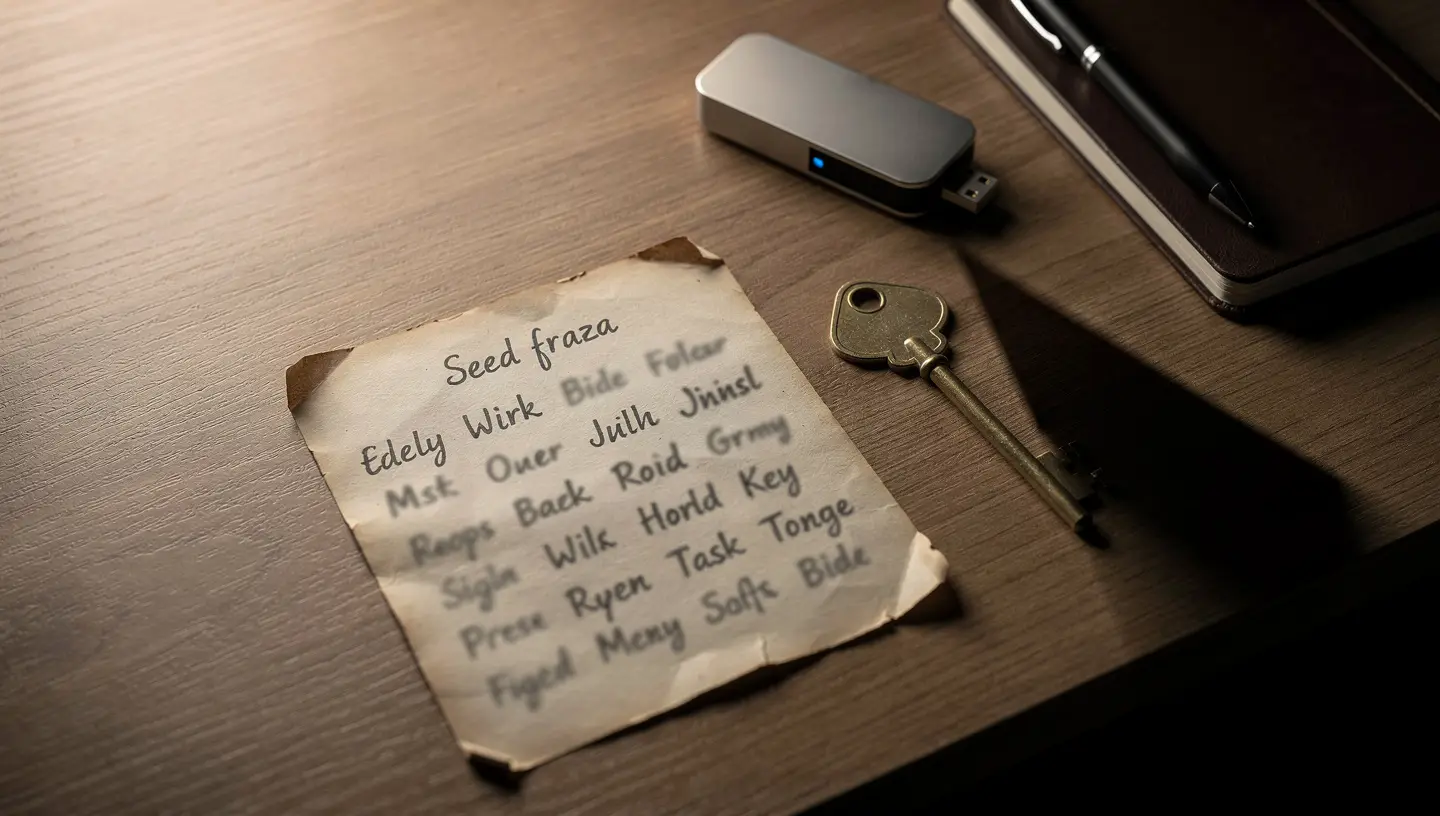
The seed phrase goes by several names depending on the wallet you use. Phantom calls it a Secret Recovery Phrase. Ledger uses the term Secret Recovery Phrase (SRP). Other wallets say mnemonic phrase or backup phrase. They all mean the same thing: a human-readable backup of your entire wallet and everything connected to it.
The clearest way to understand it is this: your wallet works like a password manager for your crypto. The seed phrase is the master password. As long as you have those words written down and stored safely, you can open your wallet on any compatible app, on any device, at any time. Without them, the funds stay on the blockchain forever, untouched and unreachable.
This is not a feature of Solana specifically. It is how every major non-custodial wallet works, whether you hold Bitcoin, Ethereum, or SOL. The standard behind it is called BIP-39, and it was introduced by the Bitcoin community in 2013 precisely because nobody could reliably write down and store a raw private key without making errors.
How does a seed phrase work on Solana?
The process that turns a seed phrase into a working Solana wallet address follows a set of open cryptographic standards. Understanding the basics helps you see why the system works the way it does and why the phrase must be protected so carefully.
From random numbers to readable words
When you create a new wallet, the software does not start with words. It starts with a large random number, between 128 and 256 bits of entropy. That number is then translated into 12 or 24 plain English words using the BIP-39 standard. BIP-39 uses a fixed list of exactly 2,048 predefined English words. Every word on the list starts with a different combination of letters, which makes it easier to write each one correctly and harder to confuse two words when reading them back.
At the end of the process, a checksum is added to the phrase. The checksum works as an error detector. If you mistype a word or write the words in the wrong order, most wallets will immediately reject the phrase as invalid. This prevents you from accidentally restoring a completely different wallet.
Words are used instead of raw numbers because humans write and read “army fabric opera stereo” far more reliably than a 256-character string of random letters and digits. The security level is identical. The usability is much higher.
From seed phrase to private keys and wallet addresses
Once the seed phrase exists, the wallet uses BIP-32 and BIP-44 standards to derive a tree of private keys from it. This structure is called a Hierarchical Deterministic (HD) wallet. From one seed phrase, the wallet generates hundreds of separate addresses across multiple blockchains, all derived in a predictable order.
For Solana, the derivation path is m/44'/501'/0'/0'. The number 501 is Solana’s assigned coin type in the SLIP-44 registry. Ethereum uses 60. Bitcoin uses 0. This is why the same seed phrase imported into Phantom gives you a Solana address and an Ethereum address at the same time, while a Solana-only tool will only show you the Solana path.
The entire process is deterministic. The same seed phrase will always generate the exact same set of addresses and private keys, in the same order, on any wallet that follows these standards. There is no randomness after the initial phrase is created. This is what makes the phrase powerful as a backup and what makes it dangerous in the wrong hands.
Seed phrase vs private key: what is the difference?
These two terms appear together constantly and many new users treat them as the same thing.
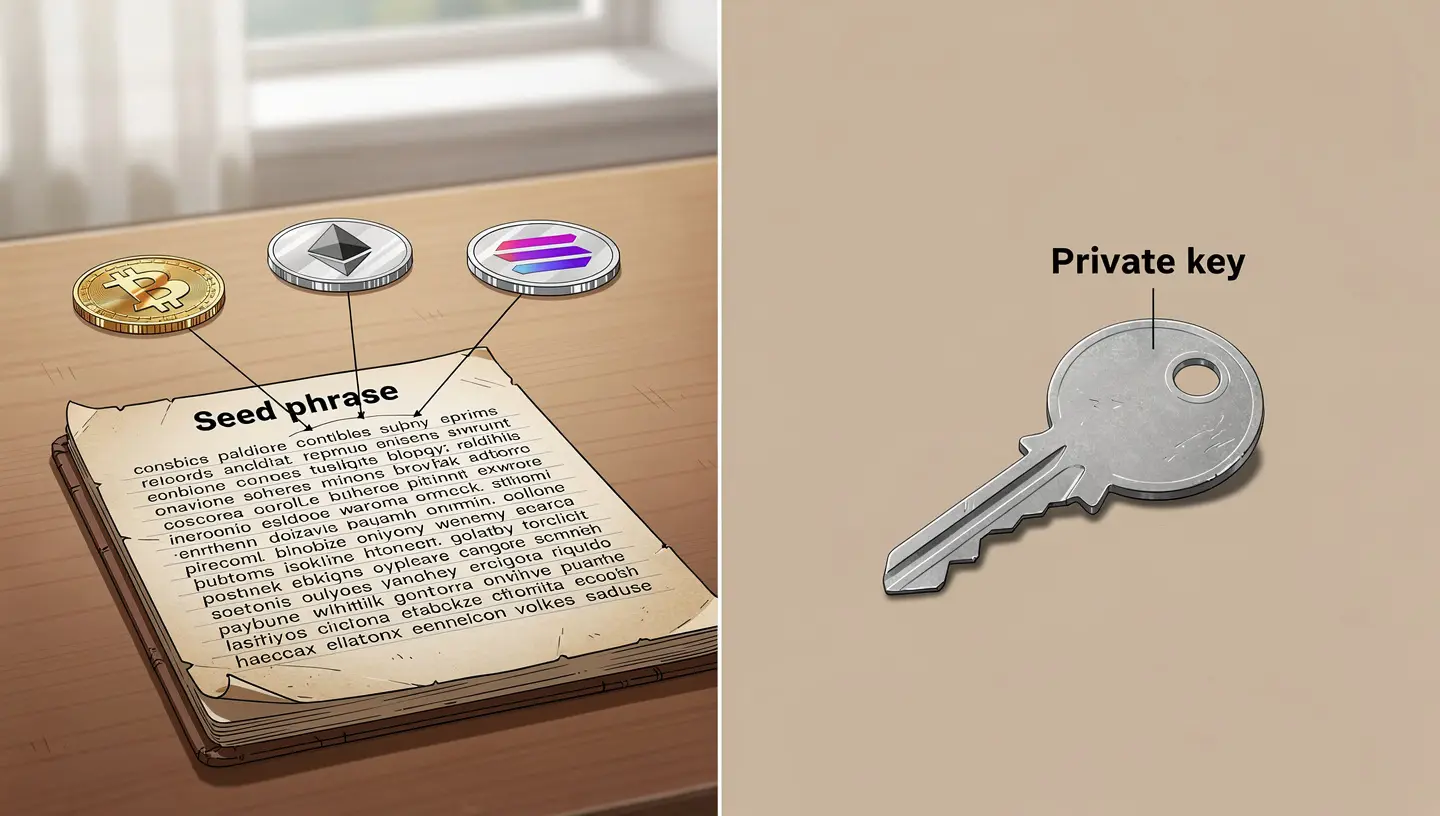
They are related but they work at different levels.
| Seed phrase | Private key |
|---|---|
| 12 to 24 English words | Long alphanumeric string |
| Controls the entire wallet | Controls one address on one blockchain |
| Generates all private keys in the wallet | Cannot generate a seed phrase |
| Used to restore or migrate your wallet | Used to sign individual transactions |
| You write it down and keep it offline | Your wallet manages it automatically |
In practical terms: if your Phantom wallet holds a Solana address, an Ethereum address, and a Bitcoin address, the seed phrase controls all three at once. Each address has its own private key. The private key signs every transaction from that address. The seed phrase sits above all of them. Whoever has the seed phrase can derive every private key and access every address in the wallet instantly.
When you export a private key from Phantom, you export control over one single address. When you write down your seed phrase, you write down control over the entire wallet, every address, every token, every chain.
12 or 24 words: which is safer?
Both lengths are secure for practical use. The difference comes down to the level of entropy and the real risk of writing errors.
- 12-word seed phrase: 128 bits of entropy. Brute-forcing this combination would take longer than the age of the universe, even with the computing power available today or in the foreseeable future.
- 24-word seed phrase: 256 bits of entropy. A larger theoretical security margin, which becomes relevant only if quantum computing ever reaches a level that threatens 128-bit cryptography.
In practice, the threat to your seed phrase is never brute force. The threat is human error. A 24-word phrase doubles the number of words you need to write down correctly, which doubles the chance of a transcription mistake. One wrong word or one word written in the wrong position and the phrase restores a completely empty wallet when you need it most.
Phantom generates a 12-word recovery phrase by default. Solflare offers both 12 and 24 words. Both are fully BIP-39 compatible and both work with hardware wallets like Ledger. For a full comparison of how each Solana wallet handles this, see our guide to the best Solana wallets.
Why your seed phrase matters for your SOL
Crypto is built on self-custody: the idea that you, and only you, hold the keys to your money. No bank. No middleman. No support desk that can reset your access. That freedom is real, but it comes with full personal responsibility. The seed phrase is where that responsibility becomes concrete.
No seed phrase, no access
There is no “forgot password” option for a non-custodial wallet. If you lose your seed phrase and lose access to your device, your SOL, your tokens, your NFTs on Solana, all of it stays on the blockchain permanently. Nobody can move it. Not Phantom. Not Solflare. Not the Solana Foundation. In 2013, James Howells accidentally threw away a hard drive containing private keys to 8,000 Bitcoin worth hundreds of millions of dollars today. The same outcome happens to Solana users who lose their seed phrase with no physical backup anywhere.
Anyone who has it controls your SOL
The seed phrase is not tied to your identity, your phone, or your email address. It is pure cryptographic access. Anyone who types those 12 or 24 words into any BIP-39 compatible wallet instantly controls every address derived from that phrase. There are no confirmation emails. No two-factor codes. No waiting period. The transfer is immediate and it is irreversible. This is why the phrase must stay completely private with no exceptions, in every situation.
Your wallet app is not your backup
Phantom does not store your recovery phrase. Solflare does not store it either. If you delete the app, switch phones, or your device breaks, the app is gone but the phrase is what brings your wallet back on any device. The app is an interface. Your funds live on the Solana blockchain. The seed phrase is the only key that connects you to them from anywhere. For a full approach to protecting your holdings, see our guide on how to store SOL long term.
How to store your seed phrase safely
The right storage method depends on how much SOL you hold and how long you plan to hold it. What matters in every case is that your backup survives device loss, theft, and physical damage, while staying out of reach from anyone else.
Write it down on paper
Writing the phrase by hand on paper is the most widely used method and it works. Write each word clearly, in the correct order, with the position number next to it. Read back every word after writing. Do not print it. Printing means a digital file existed at some point, even temporarily on the printer’s memory.
Store the paper in a locked location. A fireproof safe at home is a solid starting point. A safety deposit box at a bank adds a second layer of protection. Many security-focused holders keep two physical copies in two separate locations so that one fire, flood, or burglary cannot destroy both at once.
Use metal backup for long-term storage
Paper degrades over time. Ink fades. A house fire destroys paper backups in seconds. For anyone holding a meaningful amount of SOL over the long term, a metal backup is worth the investment. Products like Cryptosteel, BillFodl, and Cryptotag let you stamp or engrave your seed phrase words into stainless steel or titanium. These materials survive fire temperatures above 1,400 degrees Fahrenheit, flooding, and physical impact that would destroy any paper backup.
A steel plate with your recovery phrase engraved on it is still a key to your wallet. It still needs to be locked away, out of sight, in a location only you know about.
Never store it digitally
Storing your seed phrase in any digital format is how the majority of crypto theft happens. There are no safe digital options for this. The list of what to avoid is short and absolute:
- No screenshots: screenshots sync automatically to Google Photos, iCloud, and other cloud services linked to your device
- No cloud storage: Google Drive, Dropbox, iCloud Notes, and OneDrive are all accessible to anyone who gets into your account
- No notes apps: locked notes on a phone are broken by anyone with access to the account linked to that device
- No password managers: a single breach exposes every stored secret at once
- No email drafts: email accounts are high-value targets and email is not encrypted by default
- No phone photos: camera rolls sync to cloud services by default on most devices
The rule is simple: if it connects to the internet, your seed phrase does not belong there.
Use a hardware wallet for extra security
A hardware wallet like Ledger generates and stores your private keys entirely offline. The seed phrase never touches an internet-connected device during setup. Even if your computer has malware, the hardware wallet signs transactions internally and the private key never leaves the device in any readable form.
Both Phantom and Solflare support Ledger integration for Solana. You use the software wallet as your interface while the hardware wallet handles all transaction signing. For anyone holding a large amount of SOL long term, this combination provides the highest level of protection available without giving up daily usability. Our guide on how to keep Solana safe covers hardware wallet setup and other security steps in full detail.
What not to do: the most common seed phrase mistakes
Most people who lose access to their SOL do not lose it to attackers cracking their cryptography. They lose it through preventable mistakes made during setup or storage. These are the ones that happen most often.
Taking a screenshot
When a wallet shows your seed phrase during setup, the reflex for many people is to take a screenshot to save it quickly. Do not do this. Screenshots are files. Files get backed up. Backups go to cloud services. A single account compromise anywhere in that chain hands your wallet to whoever broke in. In 2022, Domenic Iacovone lost $650,000 in crypto through an iCloud breach that exposed his wallet credentials. The same path applies directly to any Solana wallet.
Storing it in a notes app or password manager
A locked note looks private. It is not. Notes apps sync to the account linked to your phone or computer. A password manager keeps everything in one place, which is convenient for you and very convenient for anyone who gets your master password. Your recovery phrase is not a password to manage. It is a physical secret that should stay physical at all times.
Splitting the phrase across multiple locations
Some people try to split their seed phrase into two or three parts stored separately, thinking this adds security. It does the opposite. Each part reduces the total number of words an attacker needs to find your full phrase. If any one part is stored online, your protection reduces to whatever security the weakest digital location has. Monty Munford split his seed phrase across Gmail drafts and was hacked when his account was breached.
Sharing it with anyone
No legitimate service, no Phantom support agent, no Solflare team member, no wallet developer, no exchange representative will ever ask for your seed phrase. This rule has no exceptions. Anyone who asks for it is running a scam. Support tickets, Discord messages, Telegram requests, airdrop verification forms, all of them. If someone asks for your recovery phrase, stop the conversation immediately and do not respond.
Not verifying it after writing it down
Writing the phrase is only half the job. One misspelled word or one word in the wrong position and the phrase restores a completely empty wallet at the moment you need it most. The right approach is to do a test restore on a separate device or fresh wallet installation before sending any significant amount of SOL to that address. Do not skip this step.
Seed phrase scams: how they work on Solana
Scams targeting seed phrases on Solana follow predictable patterns. Knowing how they work is the most direct protection against them. For a broader look at fraud across the Solana network, see our detailed guide to Solana scams.
Phishing sites and fake support
Phishing sites are built to look identical to real Solana wallets and tools. A URL that changes one letter, a fake Phantom extension in a third-party extension store, a Google ad that links to a copycat site instead of the real phantom.app, all of these lead to pages that ask you to “verify” your wallet by entering your seed phrase or recovery phrase. Once you type those words, the site sends them directly to the attacker. The wallet is drained within seconds.
Bookmark your wallet URLs. Never click wallet links in emails, Discord messages, or Telegram groups. Never type your seed phrase into any website under any circumstances, regardless of what the page says or who it claims to be.
Honeypot wallets
Honeypot scams work differently. The attacker posts a seed phrase publicly on Reddit, in YouTube comments, in Discord servers, or even inside printed books. The wallet at that address holds visible tokens, often USDT or SOL. The goal is to make you curious enough to import the phrase and attempt to move the funds. To move anything from that wallet, you need to send a small gas fee first. The moment you send the gas, bots drain it instantly. The tokens in the wallet are frozen or trapped in a smart contract that makes them impossible to withdraw. You lose your gas fee. The attacker profits from every person who tries.
Any seed phrase you find publicly posted anywhere should be treated as a trap without exception. There is no reason a real person would leave a funded wallet accessible to strangers.
The real threat is not cryptography, it is human error
Brute-forcing a 12-word seed phrase is not a realistic attack. The number of possible combinations from the BIP-39 word list is so large that guessing one at random would take longer than the age of the universe. All actual seed phrase theft happens through phishing, malware that reads clipboard content, poor storage choices, or social engineering. The math behind seed phrases is sound. The vulnerability is always on the human side of the process.
What to do if you lose your seed phrase
If you lose your seed phrase but still have access to your wallet on your current device, act immediately. Open the wallet, find the option to view your recovery phrase, write every word down correctly in the right order, and store it properly before you close the app. Do not wait until later.
If you have lost both the phrase and access to the device, search every physical location where you might have stored it: notebooks, drawers, old paper notes, boxes, filing cabinets, wallets, safes. Check whether you ever made a digital copy, even an old screenshot buried in a photo album from the day you first set up the wallet.
If someone else has seen your seed phrase, even briefly, even a family member, treat the wallet as compromised immediately. Create a new wallet, generate a fresh recovery phrase, store it correctly, and move all your SOL and tokens to the new address. The old phrase is permanently unsafe the moment anyone else knows it, regardless of whether they have acted on it yet.
Services that claim to recover a lost seed phrase for a fee are scams. A seed phrase cannot be recovered from outside by any third party. It either exists in a backup you made or it does not.
How to set up your Solana wallet and secure your seed phrase
Setting up a Solana wallet takes a few minutes. Securing the seed phrase properly takes a few more. The second part matters more than the first.
Setting up Phantom wallet
Download Phantom only from the official site at phantom.app or from your device’s official app store. Fake wallet apps and fake browser extensions exist specifically to steal seed phrases at the moment of setup. Check the URL and the developer name before installing anything from any source.
Once installed, select “Create a New Wallet.” Phantom will generate your 12-word Secret Recovery Phrase. Write every word down in order before clicking through. Confirm the phrase when prompted by the app. Then set a device password. That password locks the app on your current device only. It does not replace or protect your recovery phrase in any way. For a full step-by-step walkthrough, see our guide on how to set up Phantom wallet.
Setting up Solflare wallet
Solflare is available as a browser extension and as a mobile app. It is built specifically for Solana and offers deeper staking controls and direct validator selection compared to multi-chain wallets. During setup, Solflare gives you the option of a 12-word or 24-word phrase. The process is the same in both cases: write it down, verify every word, store it offline before doing anything else. If you want a broader look at wallet options and setup across different tools, see how to create a Solana wallet.
Your password is not your seed phrase
This is one of the most common points of confusion for users who are new to self-custody. The password you create during wallet setup locks the app on your current device. If you forget it, you reset it using your seed phrase. The seed phrase is above the password at every level. Protect the password as a daily convenience. Protect the recovery phrase as if it is the only thing standing between you and a permanent loss of your SOL.
Seed phrase on Solana vs other blockchains
The BIP-39 standard is shared across most major blockchains. The same seed phrase can restore a Bitcoin wallet, an Ethereum wallet, and a Solana wallet, because all three follow the same word list and the same core derivation process. This cross-chain compatibility is intentional. Wallet developers did not want to reinvent the system when a working standard already existed.
The difference between chains lies in the derivation path. Solana uses m/44'/501'/0'/0'. Ethereum uses m/44'/60'/0'/0. If you take a seed phrase from a Solana wallet and import it into a tool that only reads the Ethereum derivation path, you will see Ethereum addresses, not Solana addresses. The funds are not lost. They are being looked for in the wrong location. Wallets like Phantom handle multiple paths automatically and show you both sets of addresses from the same phrase.
Solana also uses a different cryptographic signature scheme than Ethereum. Solana relies on ed25519 (Curve25519), while Ethereum uses secp256k1. This is handled entirely by the wallet software and does not change anything about how you write down or store your phrase. It does mean that some older tools built for Ethereum may not correctly derive Solana addresses from the same seed phrase without additional configuration.
If you are ready to start and want to buy Solana for the first time, starting with a fresh wallet and a new seed phrase generated on a Solana-first app is the cleanest approach.
Frequently asked questions about seed phrases on Solana
Can I change my seed phrase?
No. A seed phrase is generated exactly once, when the wallet is created, and it cannot be changed or regenerated afterward. If you want a new phrase, you need to create a completely new wallet and transfer your SOL and tokens to the new address.
What happens to my SOL if Phantom shuts down?
Your SOL stays on the Solana blockchain regardless of what happens to Phantom. Phantom is the interface you use to access your funds, not the place where they are held. If Phantom closes tomorrow, you import your seed phrase into any other BIP-39 compatible wallet that supports Solana, such as Solflare or Backpack wallet, and your funds are right there exactly as you left them.
Is it safe to store my seed phrase in a password manager?
No. A password manager is a digital tool and digital tools can be breached. The LastPass breach in 2022 resulted in encrypted vault data being stolen. Some of that data was later cracked, leading to direct wallet drains for affected users. Your recovery phrase should exist in physical form only, written on paper or engraved in metal, stored offline.
Can the same seed phrase work on both Phantom and Solflare?
Yes. Both Phantom and Solflare follow the BIP-39 standard and use the same Solana derivation path. The same 12-word or 24-word phrase will produce the same addresses in both apps. This also means you can start with one wallet and switch to the other without creating new addresses or moving your funds.
What if someone finds my seed phrase?
If you believe anyone has seen or recorded your seed phrase, create a new wallet immediately, secure the new recovery phrase properly, and transfer all your SOL and tokens to the new address before the attacker acts. Speed matters. Once funds are moved on the Solana network, the transaction is final and irreversible. Do not wait to confirm whether the person has acted. Assume they will.
How many words is a Solana seed phrase?
Most Solana wallets generate a 12-word seed phrase by default. Phantom uses 12 words. Solflare gives you the option of 12 or 24. Hardware wallets like Ledger use 24 words. All of them are generated from the BIP-39 standard word list of 2,048 English words and all are mutually compatible as long as the derivation path matches.
References: Phantom Help Center: Difference between a recovery phrase and a private key · BIP-39 English word list (GitHub)