The best Solana wallets in 2026 cover two distinct needs: a hot wallet for daily trading, staking, and DeFi, and a cold wallet for keeping larger balances off the internet. Phantom and Solflare dominate the hot wallet side. Ledger leads on hardware. The right setup for most SOL holders is both: a hot wallet for activity and a hardware wallet for savings. This guide ranks the top options across both categories, compares their features side by side, and covers how to use them together so your non-custodial setup actually protects what you hold – including your staking positions and NFTs.
What Is a Solana Wallet and How Does It Work?
A Solana wallet does not store your SOL. Your tokens live on the Solana blockchain. What the wallet stores is the private key that proves you own those tokens and authorizes every transaction you sign. Whoever controls that key controls the wallet. Everything else follows from that.
Non-custodial wallets keep that key on your device or hardware, under your control. Custodial wallets, meaning exchange accounts, hold the key for you. Every wallet in this guide is non-custodial, which means full ownership and full responsibility. If you lose your seed phrase, no company can recover your funds.
Solana wallets split into four types. Browser extension wallets like Phantom sit in your browser and connect to dApps with one click. Mobile wallets run on your phone and often use biometrics for login. Hardware wallets are physical devices that keep your private keys offline and require physical confirmation for every transaction. Desktop wallets install as apps on your computer. Most holders use a combination: a hot wallet for regular activity and a hardware wallet for storage.
All Solana wallets support SPL tokens, the standard token format on Solana, comparable to ERC-20 tokens on Ethereum. Most also support NFTs, staking delegation, and connecting to DeFi protocols. The differences come down to how they handle security, how many chains they support, and how they present information before you sign a transaction.
Hot Wallets vs Cold Wallets: The Core Difference
A hot wallet is connected to the internet. It is convenient and fast, which makes it the right tool for daily use: swapping tokens, staking, minting NFTs, and connecting to dApps. Because it is always online, it is also the more exposed option. Phishing attacks, malicious dApps, and signature drainers all target hot wallets specifically.

A cold wallet keeps your private keys on a device that is offline except when you physically plug it in to sign a transaction. Even if your computer is fully compromised, the keys on a hardware device cannot be extracted remotely. Transactions are prepared on your computer, sent to the device for signing, and then broadcast. Your keys never leave the hardware.
The two-wallet strategy is what most experienced Solana users settle on: a spending wallet with a small balance for everyday activity, and a vault wallet on hardware holding the bulk of their funds. If the hot wallet is drained through a bad signature, the savings remain untouched.
| Feature | Hot Wallet | Cold Wallet |
|---|---|---|
| Internet connection | Always online | Offline except when signing |
| Security level | Moderate | High |
| DeFi access | Instant | Via paired hot wallet interface |
| Cost | Free | $49 to $249 |
| Risk of remote hack | Yes | No |
| Best for | Daily trading, staking, NFTs | Long-term storage, large balances |
How to Choose the Best Solana Wallet for Your Needs
There is no single best Solana wallet for every user. The right choice depends on what you actually do with Solana. A beginner who wants to hold SOL and try staking needs something different from an active NFT collector or a long-term holder keeping a significant position in cold storage.
Here are the criteria that matter most when picking a Solana wallet:
- Self-custody: Every wallet in this guide is non-custodial. You hold your private keys. Confirm this before downloading anything that calls itself a wallet.
- Use case match: If you stake SOL regularly, pick a wallet with clear validator analytics. If you collect NFTs, pick one with a full NFT gallery and burn tools. If you trade across chains, pick something with multichain support.
- Staking support: Not all hot wallets show the same level of detail when choosing a validator. Solflare leads here. Phantom is simpler but functional.
- NFT management: Phantom and Backpack both have solid NFT galleries. Backpack adds collection locking for added security on high-value holdings.
- Hardware wallet integration: If you plan to add a hardware wallet later, check that your hot wallet supports pairing with Ledger before you commit to it.
- Two-wallet strategy: Plan from the start to run a hot wallet for daily activity and a separate hardware wallet for savings. This split removes the single point of failure that a hot-only setup creates.
Best Solana Wallets by Use Case: Quick Picks
If you already know what you need, the table below gets you to the right wallet fast. Full reviews of each option follow in the sections below.
| Use Case | Best Wallet | Type | Key Strength |
|---|---|---|---|
| Beginners | Phantom | Hot | Simple setup, clear transaction previews |
| Staking SOL | Solflare | Hot | Native validator analytics, full staking dashboard |
| NFTs and trading | Backpack | Hot | xNFT support, collection locking |
| Mobile users | Trust Wallet | Hot | 70+ chains, polished mobile experience |
| Long-term holders | Ledger | Cold | EAL5+ Secure Element, Ledger Live native SOL support |
| Portfolio tracking | Exodus | Hot | 1,000+ assets, clean dashboard, hardware integration |
| Budget cold storage | SafePal | Cold | Air-gapped QR signing, lowest price point |
| Card-style cold wallet | Tangem | Cold | NFC tap-to-sign, no seed phrase required |
Best Hot Wallets for Solana
The hot wallets below are all fully non-custodial, available as a browser extension or mobile wallet, and support SOL, SPL tokens, staking, and dApp connections. The differences between them come down to staking depth, NFT support, multichain coverage, and how clearly they present transactions before you sign.
| Wallet | Best For | Self-Custody | NFT Support | Staking | Multichain | Hardware Integration |
|---|---|---|---|---|---|---|
| Phantom | Beginners | Yes | Yes | Yes | Yes (ETH, BTC, Polygon) | Ledger |
| Solflare | Staking, security | Yes | Yes | Yes (advanced) | Limited | Ledger, Keystone |
| Backpack | NFTs, multichain, devs | Yes | Yes | Yes | Yes (EVM + Solana) | Ledger, Trezor, Keystone |
| Trust Wallet | Mobile, multichain | Yes | Yes | Yes | Yes (70+ chains) | No |
| Exodus | Portfolio tracking, swaps | Yes | Yes | Yes | Yes (1,000+ assets) | Ledger, Trezor |
| MetaMask Snap | ETH users exploring Solana | Yes | Limited | No | Yes (EVM focus) | No |
Phantom – Best Solana Wallet for Beginners
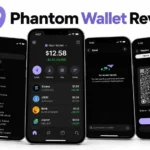
Phantom is the most widely used Solana wallet, with over 15 million users and a $150 million Series C funding round in January 2025. It is available as a browser extension for Chrome, Firefox, Brave, and Edge, and as a mobile wallet on iOS and Android. Setup takes under five minutes and the wallet surfaces clear transaction previews before every approval, which reduces the chance of accidentally signing something malicious.
Phantom supports SOL staking, NFT management with a built-in burn button, and in-wallet token swaps. It also supports Ethereum, Bitcoin, and Polygon alongside Solana, making it the most practical single wallet for users who hold assets across multiple chains. The 2026 Phantom Cloud Sync feature allows secure backup across devices without exposing your keys. Hardware wallet integration with Ledger works via Bluetooth or USB-C, letting you use the Phantom interface while keeping keys on the hardware device.
The main limitation is that Phantom is a hot wallet. It is connected to the internet and vulnerable to browser-based attacks if you approve a malicious transaction. Use it as your daily spending wallet. Keep larger balances on hardware.
- Pros: Easiest setup of any Solana wallet, clear transaction previews, multichain support, built-in swap and staking, Ledger integration, 15 million user track record
- Cons: Hot wallet risk, no account recovery without seed phrase, swap fees slightly higher than going direct to a DEX
Our full setup guide at how to set up Phantom Wallet covers installation, seed phrase backup, and first transaction step by step.
Solflare – Best Solana Wallet for Staking
Solflare is the oldest dedicated Solana wallet, built by community developers from the earliest days of the network. It runs as a browser extension, a downloadable web app, and a mobile wallet on iOS and Android. The staking interface is the most detailed of any hot wallet: you see validator uptime, commission history, and performance data before delegating, and you can track rewards in real time from the same dashboard.
Solflare supports NFTs, DeFi connections, and cross-chain transfers. The 2026 Solflare Shield, a Solana-native NFC hardware wallet designed for mobile-first users, pairs directly with the app. Solflare Guardian provides a social recovery option for users who want a safety net beyond the standard seed phrase. Hardware integration with Ledger and Keystone works through the wallet’s Connect Hardware option, with every transaction requiring physical device confirmation.
The limitation is that Solflare focuses almost entirely on Solana. If you hold significant assets on Ethereum or other chains, you will need a second wallet for those. For users whose activity centers on Solana staking, DeFi, and NFTs, it is the most complete single-chain tool available.
- Pros: Best validator analytics of any hot wallet, full staking dashboard, Solflare Shield hardware option, Guardian recovery, Ledger integration
- Cons: Limited multichain support, no account recovery without seed phrase or Guardian setup, steeper learning curve than Phantom for new users
Backpack – Best Solana Wallet for NFTs
Backpack is the wallet of choice for serious Solana NFT collectors. It is the only wallet with native xNFT support, a format where NFTs act as apps that run directly inside the wallet. Collections like Mad Lads use xNFTs for token-gated chats, embedded minting, and loyalty tools. Backpack also features collection locking, which prevents specific NFT collections from being transferred without an additional confirmation step, reducing the damage from a compromised session.
Backpack supports Solana alongside Ethereum, Polygon, Arbitrum, Optimism, Base, and more, making it the strongest multichain option on the hot wallet side. Built-in Jupiter swap handles token exchanges, and the wallet supports bridging between chains in the same interface. Hardware integration covers Ledger, Trezor, and Keystone. The multisig wallet option adds another layer of security for high-value holdings.
The trade-off is complexity. Backpack is built for active users who understand what they are doing. Total beginners will find Phantom easier to navigate. Advanced users who spend significant time in Solana NFT markets and DeFi will find Backpack the most capable tool.
- Pros: Only wallet with xNFT support, collection locking for high-value NFTs, multichain EVM and Solana, multisig support, hardware integration
- Cons: More complex than beginner wallets, collection locking limited to select NFT projects, xNFT ecosystem is Solana-specific
To understand the DeFi protocols you will connect to through Backpack and the other wallets above, our guide on how to use Solana DeFi covers Jupiter, Raydium, and Orca in detail.
Trust Wallet – Best Mobile Solana Wallet
Trust Wallet is one of the most widely used crypto wallets globally, with over 200 million users across more than 70 blockchains. For Solana users who do most of their activity on a phone, it is the strongest mobile wallet option. The interface supports touch ID and Face ID login, biometric unlock, fingerprint authentication, and a built-in dApp browser that works across chains.
Trust Wallet supports SOL staking, NFT support across multiple chains, a token swap aggregator, and a fiat on-ramp for buying SOL directly with a card. The multichain coverage means you manage Bitcoin, Ethereum, Solana, and dozens of other chains from a single app without importing anything manually. SWIFT smart contract wallet tools simplify dApp interactions for users who are still learning account abstraction.
Trust Wallet does not integrate with hardware wallets, which means it works best as a daily spending wallet rather than a vault. For significant holdings, pair it with a Ledger or use Phantom with hardware integration for the long-term storage side of your setup.
- Pros: 70+ chain support, polished mobile experience, biometric login, built-in staking and swap, fiat on-ramp, 200 million user track record
- Cons: No hardware wallet integration, no desktop app, fewer advanced DeFi controls than Solana-specific wallets
Exodus – Best Solana Wallet for Portfolio Tracking
Exodus launched in 2015 and is one of the most trusted multi-asset wallets in the space. It supports over 1,000 cryptocurrencies including SOL and all SPL tokens, and its portfolio tracking dashboard gives you a clear view of total holdings, individual asset performance, and staking positions across chains. Available on Windows, macOS, Linux, iOS, Android, and as a browser extension for Chrome and Brave.
Exodus handles SOL staking with a one-click interface and in-wallet swaps starting at 0.5%. Hardware wallet integration with Ledger and Trezor keeps your private keys offline while you use the Exodus interface as the visual layer. The 24/7 live support team is unusual in a space where most wallets offer only documentation.
The main limitation is DeFi depth. Exodus connects to Web3 apps but does not have the same level of Solana dApp integration as Phantom or Solflare. For users who want to track a large multi-asset portfolio, occasionally swap, and stake SOL without managing multiple wallet interfaces, it is the most comfortable option.
- Pros: Clean interface across all platforms, 1,000+ assets, hardware integration, 24/7 support, strong portfolio tracking
- Cons: Weaker DeFi integration than Solana-native wallets, no native dApp browser, swap fees higher than going direct to a DEX
Best Hardware Wallets for Solana
Every hardware wallet on this list stores your private keys in a chip that never exposes them to the internet. When you sign a transaction, it happens on the device itself. Your computer sees only the signed transaction, never the key that signed it. This is what makes cold storage the right choice for significant Solana holdings.
| Wallet | Solana Support | Price | Secure Element | Connection | Staking | Best For |
|---|---|---|---|---|---|---|
| Ledger Nano X | Native | ~$149 | EAL5+ | Bluetooth, USB-C | Yes (Ledger Live) | Most Solana users |
| Ledger Flex | Native | ~$249 | EAL6+ | Bluetooth, NFC, USB-C | Yes (Ledger Live) | Advanced users |
| Trezor Safe 3 | Via NuFi | ~$79 | EAL6+ | USB-C | Limited | Open-source advocates |
| Trezor Safe 7 | Via NuFi | ~$219 | EAL6+ | Bluetooth, USB-C | Limited | Mobile-first cold storage |
| Tangem | Native | ~$54-$72 | EAL6+ | NFC | Yes | Simplicity, travel |
| SafePal S1 | Native | ~$49 | No | Air-gapped (QR) | Yes | Budget cold storage |
Ledger – Best Hardware Wallet for Solana
Ledger is the most widely used hardware wallet brand, trusted by over 7 million users. For Solana specifically, it is the strongest option because it supports SOL natively inside Ledger Live, connects directly with Phantom and Solflare without requiring a third-party interface, and handles staking SOL through Ledger Live without sending your keys anywhere.
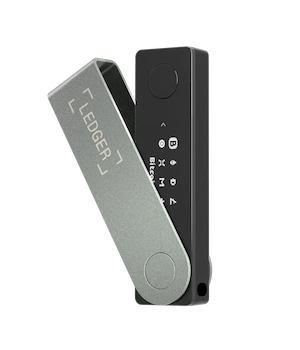
The Ledger Nano X stores keys in a bank-grade Secure Element chip certified to EAL5+ standards. The Ledger Flex upgrades to EAL6+ and adds a larger touchscreen and NFC. Both devices wipe after three incorrect PIN code attempts. Setup generates a 24-word seed phrase on the device itself, which never appears on your computer screen. Every transaction requires offline signing on the physical device before it broadcasts to the network.
Pairing Ledger with Phantom or Solflare gives you the familiar hot wallet interface with hardware-grade security. You prepare transactions in the app, approve them physically on the device, and the signed transaction broadcasts. Your keys stay on the hardware throughout.
- Pros: Native SOL support in Ledger Live, direct pairing with Phantom and Solflare, EAL5+/EAL6+ Secure Element, staking through Ledger Live, 7 million user track record
- Cons: Higher price than budget options, Bluetooth raises minor connectivity concerns for strict air-gap users, requires setup time compared to hot wallets
Trezor – Best Open-Source Hardware Wallet for Solana
Trezor is the longest-established hardware wallet brand and the only major option where both the firmware and hardware schematics are fully open-source. Independent researchers can audit everything. The Trezor Safe 3 uses a Secure Element chip certified to EAL6+. The Trezor Safe 7 adds Bluetooth, a larger touchscreen, wireless charging, and a dual secure element design.
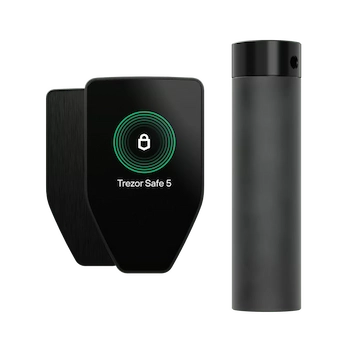
Solana support on Trezor runs through third-party interfaces. The most reliable is NuFi, a Solana-native wallet interface that connects directly to Trezor devices for sending, receiving, and SPL token management. Trezor Suite, the companion desktop app, handles firmware updates and basic account management. The Shamir Backup feature lets you split your seed phrase into multiple shares, for example three copies where any two can restore the wallet, which adds meaningful protection against single-point loss.
- Pros: Fully open-source firmware, EAL6+ Secure Element, Shamir Backup, strong reputation, Trezor Safe 7 Bluetooth option
- Cons: Solana requires NuFi third-party interface rather than native Trezor Suite support, no staking through Trezor Suite directly, higher price on Safe 7
Tangem – Best Card-Style Cold Wallet for Solana
Tangem is a card-shaped hardware wallet the size of a credit card. It taps to your phone via NFC to sign transactions, with no battery, no screen, no cables, and no charging required. The key is generated inside the card’s EAL6+ chip and never leaves it. Tangem’s default setup ships with three identical cards, any of which restores access, rather than a written seed phrase.
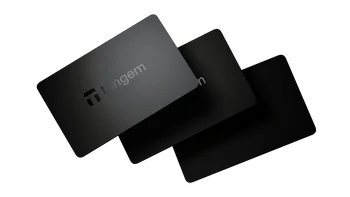
The no seed phrase model removes the most common attack vector for hardware wallet users: a stolen or photographed written phrase. The trade-off is that if you lose all three cards with no other backup, the wallet cannot be recovered by any method. The Tangem mobile app supports Solana natively, staking SOL, SPL tokens, and NFC tap-to-sign for every transaction.
- Pros: No seed phrase exposure, EAL6+ Secure Element, card form factor for travel, native Solana and staking support, affordable
- Cons: Recovery depends on physical cards rather than a written backup, losing all three cards means permanent loss, mobile-only interface
SafePal – Best Budget Hardware Wallet for Solana
SafePal S1 is the most affordable fully air-gapped hardware wallet with native Solana support. Air-gapped means it has no USB connection, no Bluetooth, and no wireless capability. Transactions are signed by scanning a QR code on the device screen with your phone camera. The signed transaction broadcasts from your phone. Your private keys never have any physical connection to an internet-connected device.
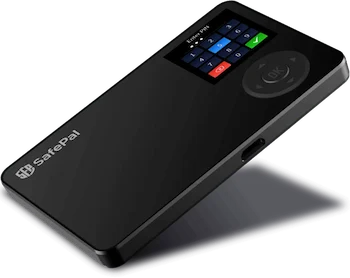
This makes SafePal one of the most isolated cold storage options available at any price. The SafePal X1 and S1 Pro models add more features at a slightly higher price. The budget positioning means no Secure Element chip, which is a trade-off compared to Ledger and Trezor. For users who prioritize air-gap isolation and cannot justify the Ledger price, it is a reasonable starting point.
- Pros: True air-gapped QR code signing, lowest price point, native Solana support, SafePal mobile app integration
- Cons: No Secure Element chip, slower signing workflow than plug-in devices, SafePal mobile app required
The Two-Wallet Strategy: Hot + Cold Together
The two-wallet strategy is the standard setup for anyone holding a meaningful amount of SOL. Run a hot wallet with a small balance for daily activity: swapping tokens on Jupiter, connecting to DeFi, minting, and staking. Keep the bulk of your holdings in a cold wallet that only comes online when you need to move funds. If your hot wallet is compromised through a malicious signature or drainer link, your vault wallet is untouched because it was never online.
The most common implementation is Ledger paired with either Phantom or Solflare. The hot wallet interface handles the day-to-day view. The hardware device handles every signing event. This combination gives you the familiar hot wallet experience with hardware-grade security on every transaction approval. Staking SOL is possible from this paired setup, with your keys staying on the Ledger throughout the delegation process.
The spending wallet should hold only what you need for active use, typically a few days or weeks of trading capital. The vault wallet holds the rest and only transacts when you have a specific reason to move funds. This is the approach that holds up when a phishing site, a bad NFT approval, or a compromised dApp creates a loss event. The damage stays contained to the spending side.
How to Pair Ledger With Phantom
Open Phantom and click the menu icon in the top left. Select Add or Connect Wallet, then choose Connect Hardware Wallet. Select Ledger. Connect your Ledger device via USB-C or Bluetooth and open the Solana app on the device screen. Phantom detects the device and imports your Solana address. Every transaction prepared in Phantom now requires physical transaction signing on the Ledger screen before it broadcasts. Your keys never touch your computer.
How to Pair Ledger With Solflare
Open Solflare and select Access via Hardware Wallet. Choose Ledger. Connect the device and open the Solana app. Solflare imports your address automatically. The full staking SOL interface, including validator selection and delegation confirmation, works with your keys staying offline on the hardware. Every delegation transaction requires physical device confirmation before it submits.
For a complete breakdown of how staking works on Solana, including validator selection criteria and APY estimates, our guide on how to stake Solana covers the full process from start to first reward.
Solana Wallet Security: How to Stay Safe in 2026
In January 2026 alone, signature phishing attacks on Solana resulted in $12.25 million in losses. Signature phishing is up 207% year over year. The Atomic Wallet breach in June 2023 exposed $35 million in user funds, a reminder that not all wallet software is equally safe. Picking the right wallet is the first step. The habits you build around using it determine how much of that protection you actually keep.
Back Up Your Seed Phrase the Right Way
Your seed phrase is the master key to your wallet. Write every word down on paper in the correct order. Store one copy at home in a secure location and keep a second copy in a separate place. Never photograph your seed phrase. Never type it into any website or app except during a fresh wallet restore on the hardware device itself. Never save it in notes, cloud storage, email, or a password manager.
For balances above $5,000 to $10,000, a metal backup plate like a Cryptosteel is worth the cost. It survives fires and floods that destroy paper. Store it in a fireproof, locked location. Two copies in two separate locations protects against both theft and physical damage to one copy. Treat your recovery phrase with the same care you would give to that amount of cash in physical form.
Avoid Blind Signing and Drainer Links
Blind signing allows your wallet to approve transactions whose full details are not shown on screen. Some dApps require it, but leaving blind signing permanently enabled means you can approve a malicious transaction without seeing what it does. Disable it in your wallet settings and only enable it for specific sessions when you know you need it. After you finish, turn it off again.
Drainer links are the primary delivery mechanism for wallet thefts on Solana in 2026. They arrive in NFT descriptions, Discord DMs, Twitter replies, and airdrop claims. Any link promising free tokens, a reward, or a refund that requires connecting your wallet should be treated as a scam until you have independently verified it through the project’s official channels. Scam NFTs that appear in your wallet as airdrops work the same way. Do not interact with tokens you did not buy.
Always read the full transaction preview in Phantom or Solflare before approving. The preview shows which assets will leave your wallet and where they are going. If it does not match what you expected to happen, reject it.
Use a Separate Wallet for Minting and DeFi
Keep a low-balance burner wallet for risky on-chain activity: new protocol launches, minting, airdrops, and connecting to contracts you have not used before. This spending wallet holds only what you need for the immediate activity. Your vault wallet on hardware never connects to anything new. Most drainer attacks target active wallets. If a burner wallet is compromised through a bad NFT approval or a malicious dApp, the damage is limited to what you put in it. Move valuable NFTs and large SOL positions to your hardware device after minting, rather than keeping them in the active hot wallet.
For a deeper look at the network mechanics that underpin every transaction you sign, our guide on how Solana works explains how validators process transactions and what happens at the consensus level.
Common SOL Transfer Mistakes to Avoid
Most practical problems with Solana wallets happen not during setup but during transfers. These are the errors that come up most often, and each one is avoidable with a single check before confirming.
- Sending on the wrong network. Solana has its own network. Sending SOL over the Ethereum or BNB chain sends it to an inaccessible address. Always confirm the Solana network is selected on both the sending and receiving end before submitting. SOL on Base is wrapped SOL on a different chain. It is not the same asset as native SOL on Solana.
- Copying the wrong wallet address. Address poisoning attacks send small amounts from addresses designed to look almost identical to ones you have used before. If you copy an address from your transaction history rather than from the recipient directly, check the first and last four characters carefully against what the recipient shared with you.
- Sending without a test transaction. For large transfers, always send a small test amount first. Verify it arrives in the right wallet before sending the full amount. The extra transaction fee on Solana is fractions of a cent. It is worth it.
- Running out of SOL for fees. Every transaction on Solana requires a small SOL balance to cover the network fee. If your wallet balance is exactly the amount you want to send, the transaction will fail. Keep at least 0.05 SOL separate from any amount you plan to transfer.
- Assuming transactions are reversible. They are not. Blockchain transactions are irreversible once confirmed. A wrong address, a wrong amount, or an accidental approval is final. Verify before you click confirm, every time.
If you need to move SOL between wallets or to an exchange, our guide on how to transfer Solana covers the full withdrawal and sending process including network selection and address verification.
How to Stake SOL Using a Wallet
All the major hot wallets support SOL staking directly. You choose a validator, enter an amount, and confirm. The SOL stays in your wallet throughout. You are delegating your stake weight to the validator, not transferring ownership. Rewards accumulate every epoch, roughly every two to three days, and compound automatically in your stake account.
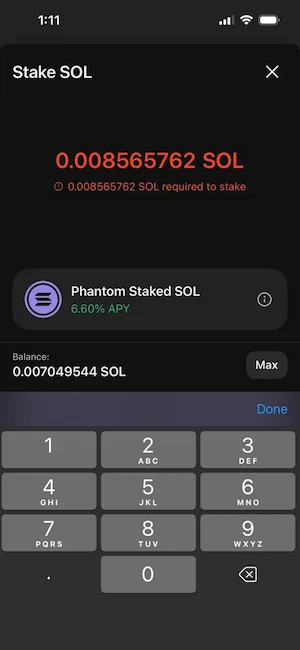
Current staking yields on Solana sit between 6% and 8% APY depending on your validator’s commission and uptime. A validator charging 5% commission on a 7% gross yield delivers around 6.65% net to delegators. Choose validators with 99%+ uptime, a commission under 10%, and a mid-sized stake weight to support network decentralization.
Phantom offers staking through the SOL balance screen with a simple validator list. Solflare shows detailed validator analytics including commission history and performance data, which makes it easier to compare options before committing. Ledger Live supports staking natively for Ledger device holders, with the delegation transaction signed on the hardware device and your private keys staying offline throughout.
Liquid staking through Jito or Marinade is an alternative for users who want to keep their SOL position flexible. You receive a liquid staking token in return, which represents your staked position and can be used in DeFi protocols while still earning staking rewards. The trade-off is smart contract risk on top of the standard validator risk. For the full breakdown of native versus liquid staking, validator selection, and reward mechanics, our guide on how to stake Solana covers everything from setup to first reward.
To understand the Solana transaction fees involved in staking actions like delegation and unstaking, our guide on Solana transaction fees explains the fee structure and when priority fees apply.
Best Solana Wallets: FAQs
What Is the Best Solana Wallet for Beginners?
Phantom is the best starting point for beginners. Setup takes under five minutes, the interface is clean and well-documented, transaction previews are clear before you approve anything, and it supports staking, NFTs, and in-wallet swaps out of the box. It is available as a browser extension and a mobile wallet. For most new users, Phantom is the right first wallet. Once you are comfortable with how it works, add a Ledger for cold storage on your larger holdings.
Is Phantom Wallet Safe?
Phantom is a well-audited, widely used non-custodial wallet with no history of its core code being compromised. Your private keys are stored on your device, not on Phantom’s servers. The main security risk is not in Phantom itself but in how you use it: approving a malicious transaction, clicking a phishing link, or connecting to a fake website. Use the transaction preview before every approval and never click unsolicited links that ask you to connect your wallet. As a hot wallet, it carries inherent online risk that a hardware wallet does not.
Is Solflare or Phantom Better?
For beginners and general Solana use, Phantom is simpler and more approachable. For users who actively stake SOL and want detailed validator data, Solflare is the stronger tool. The staking dashboard in Solflare shows commission history, uptime over time, and delegation analytics that Phantom does not surface. Many experienced users run both: Phantom for daily dApp connections and Solflare for staking management.
Do I Need a Hardware Wallet for Solana?
Not for small amounts. For holdings you would be upset to lose permanently, yes. A hardware wallet like Ledger keeps your private keys completely offline, which makes remote theft effectively impossible. The two-wallet strategy is the practical answer: use a hot wallet for activity and a cold storage device for savings. The cost of a Ledger is around $149. If your Solana holdings are worth more than that, the insurance is worth buying.
Which Solana Wallet Is Best for NFTs?
Backpack is the strongest option for active NFT collectors because of its xNFT support and collection locking feature. Phantom is the most practical for users who hold NFTs alongside other Solana activity, with a built-in gallery, bulk send, and a burn button for unwanted airdrops. For storing high-value NFTs long-term, move them to a hardware-paired wallet so they require physical device confirmation to transfer.
Can I Use MetaMask for Solana?
Yes, through the MetaMask Snap developed by Solflare and other contributors. This plugin lets MetaMask communicate with the Solana network, which means Ethereum users can interact with some Solana dApps without switching wallets entirely. The experience is less polished than a Solana-native wallet and staking is not supported through the Snap. It is the right option for users who are already deep in the MetaMask workflow and want to experiment with Solana, not the right primary wallet for active Solana users.
What Happens if I Lose My Hardware Wallet?
Nothing, as long as you have your seed phrase. Your SOL lives on the Solana blockchain, not on the physical device. Buy a replacement hardware wallet and restore your wallet by entering your recovery phrase in the correct order during setup. Any BIP-39 compatible wallet can restore your full balance from the same phrase. This is why protecting the phrase matters more than protecting the device itself.
Which Solana Wallet Is Best for Staking?
Solflare is the strongest hot wallet for staking because of its detailed validator analytics and full delegation dashboard. For users who want cold storage security alongside staking, Ledger Live supports native staking SOL through the Ledger device, with keys offline throughout. Both let you choose your own validator, track rewards by epoch, and redelegate without leaving the wallet interface.