If you want to know how to store Solana long term, the answer comes down to one decision: get your SOL off an exchange and into a wallet where you hold the private keys. For large amounts you plan to hold for months or years, a hardware wallet is the right tool. It keeps your keys completely offline, away from malware, phishing attacks, and exchange insolvencies. Your seed phrase is the backup for everything. This guide walks through every option, from picking a cold storage device to setting it up and transferring your first SOL.
Why Cold Storage Matters for SOL
Cryptocurrency transactions are irreversible. If someone gains access to your private keys, they can empty your wallet in seconds and nothing can be done to recover the funds. That single fact is why cold storage exists and why it matters more as your SOL balance grows.
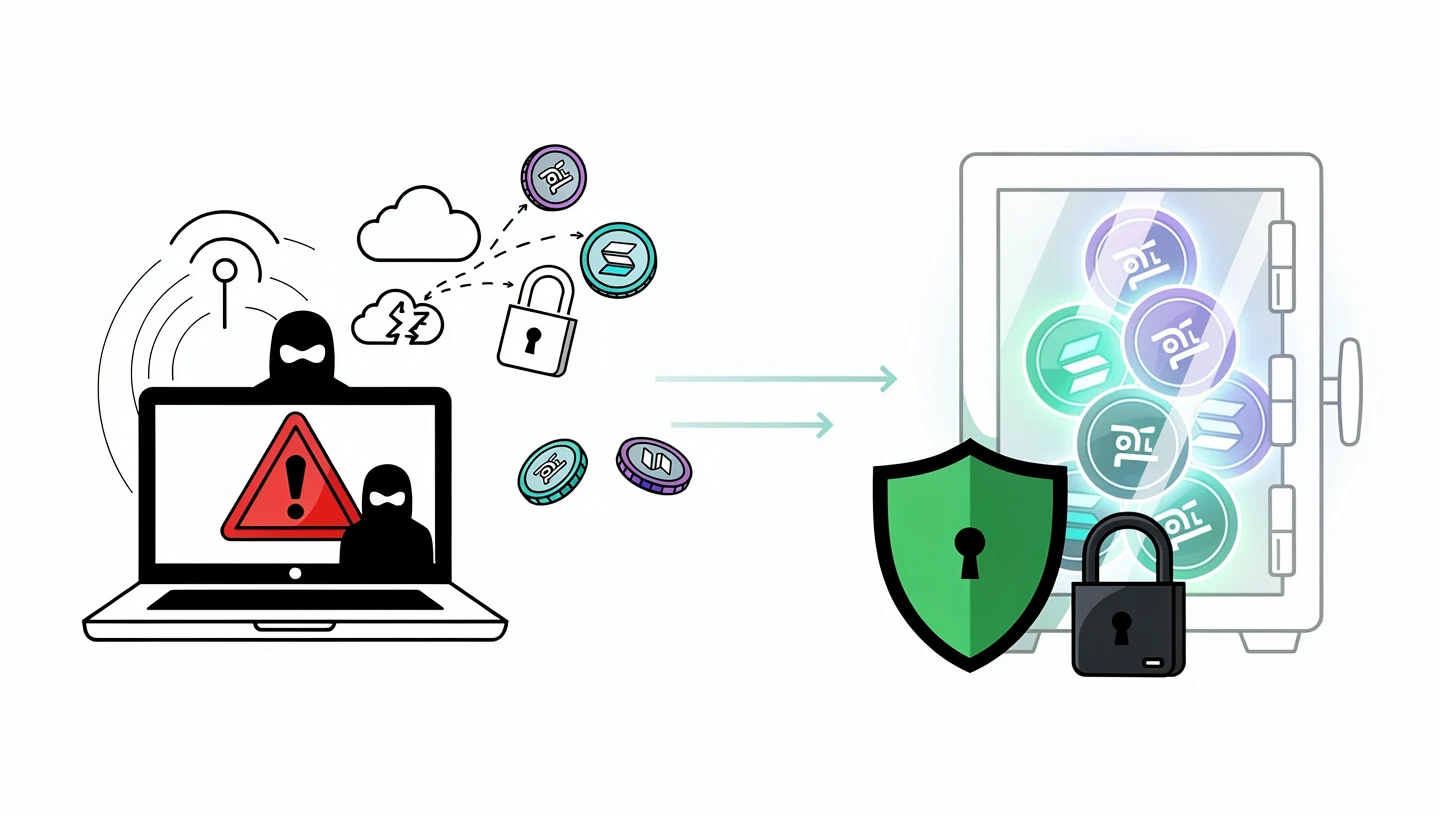
Most losses in crypto do not come from flaws in the Solana network itself. They come from wallets connected to the internet, exchanges that get hacked or go insolvent, and users who click the wrong link. A hardware wallet removes the largest class of those risks by keeping your private keys on a physical device that never touches the internet when it is not in active use.
The phrase that gets repeated across every serious crypto security guide is worth repeating here: “not your keys, not your crypto.” When your SOL sits on Coinbase, Kraken, or any other exchange, the exchange holds the keys, not you. If that platform freezes withdrawals, gets hacked, or collapses the way FTX did in 2022, your funds are at risk regardless of how secure your personal password is. Self-custody through a non-custodial wallet means that risk disappears entirely.
Cold storage also protects against malware. A keylogger or screen-capture tool on your computer cannot steal keys that live on a separate physical device. Even if your computer is fully compromised, an attacker cannot sign a transaction without physical access to your hardware wallet and your PIN.
To understand what SOL actually is and why it needs to be stored carefully, our overview of what SOL is covers the token’s role within the network.
Hot Wallet vs Cold Wallet: What Is the Difference?
A hot wallet is any wallet connected to the internet. Browser extensions like Phantom Wallet, mobile apps like Solflare, and exchange accounts all fall into this category. They are convenient for daily use, swapping tokens, staking, and connecting to dApps, but because they are always online, they are exposed to remote attacks.
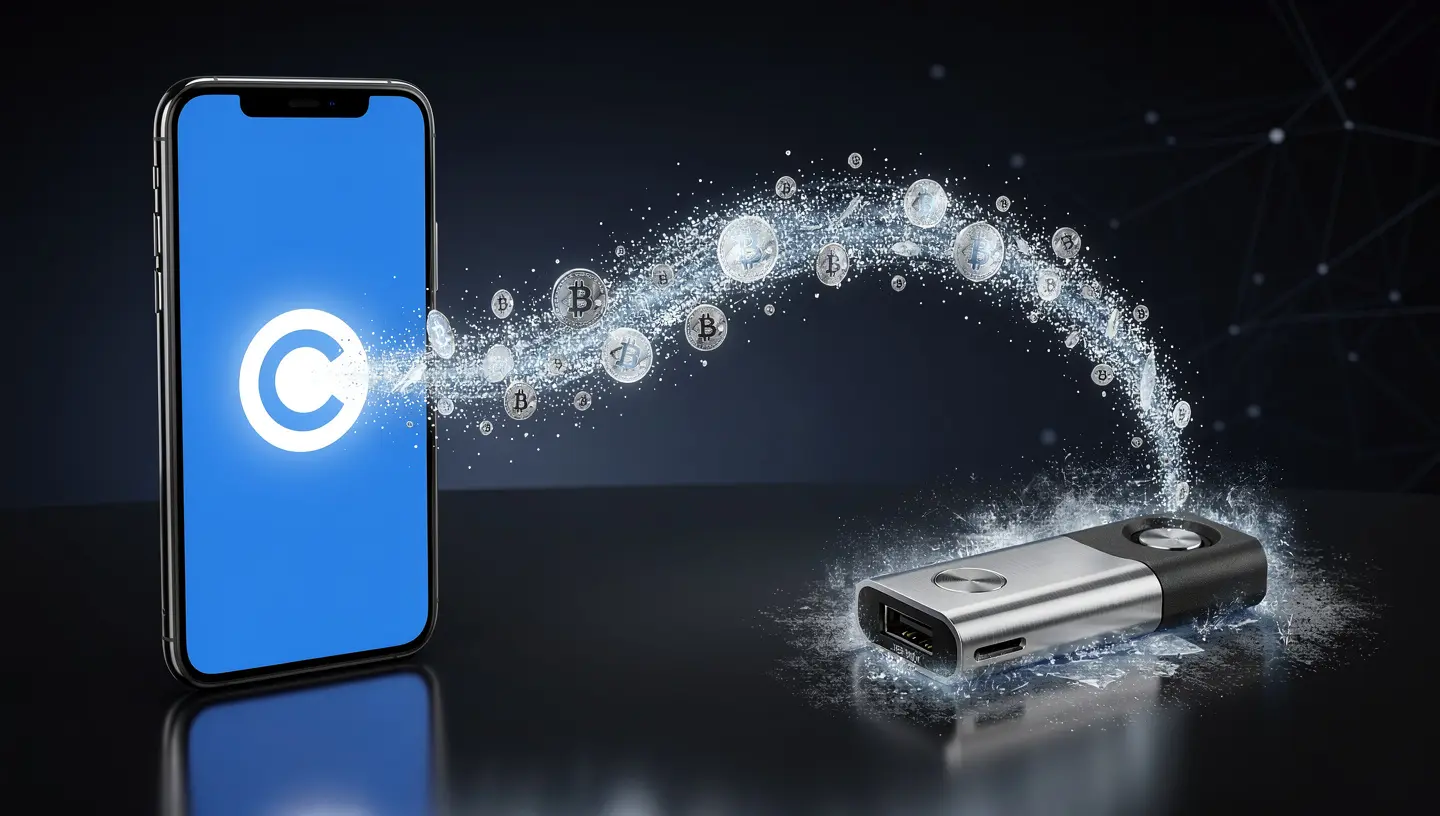
A cold wallet stores your private keys on a device that stays offline except when you actively plug it in to sign a transaction. The most common form is a hardware wallet like Ledger or Trezor. A software wallet installed on a device that never touches the internet technically qualifies as cold storage too, but in practice the hardware approach is far more reliable because the signing happens on the device itself, isolated from your computer’s operating system.
The key difference is not where your SOL lives. Your SOL always lives on the Solana blockchain. What the wallet holds is the key that proves ownership. A cold wallet keeps that key offline. A hot wallet keeps it on an internet-connected device, which is why phishing attacks and malware can target it.
| Feature | Hot Wallet | Cold Wallet |
|---|---|---|
| Connection | Always online | Offline except when signing |
| Security | Moderate | High |
| Risk of remote hack | Yes | No |
| DeFi access | Instant | Via paired hot wallet interface |
| Setup time | Minutes | 15-30 minutes |
| Cost | Free | $50-$250 |
| Best for | Daily trading, DeFi, NFTs | Long-term storage, large balances |
Most experienced holders use both. A spending wallet is a hot wallet with a small balance used for daily DeFi activity. A vault wallet is a hardware wallet holding the bulk of their SOL, only plugged in when needed. This split keeps daily convenience intact while keeping large holdings protected.
Should You Store SOL on an Exchange?
Exchanges are the right place to buy and sell SOL. They are not the right place to store SOL long term. When your SOL sits on an exchange, you do not hold the private keys. The exchange does. That means you are trusting their security practices, their financial health, and their withdrawal policies.
The collapse of FTX in November 2022 wiped out billions in customer funds that were sitting on the platform. Users who held their own keys lost nothing from that event. Users whose SOL was on FTX had no way to recover it. Coinbase and Kraken are regulated and more stable than FTX was, but the fundamental counterparty risk is the same: if the platform has a problem, your funds are caught in it.
Exchanges also freeze withdrawals during periods of high volatility or regulatory pressure. If you need to move your SOL quickly and the platform has restricted withdrawals, you have no recourse. With self-custody through a non-custodial wallet, you can send your SOL whenever you choose, to wherever you choose, with no permission required.
A reasonable approach is to keep a small working balance on an exchange for trading and move everything else into cold storage. The few minutes it takes to withdraw to a hardware wallet is worth the protection it provides.
Best Hardware Wallets for Storing Solana in 2026
Not every hardware wallet supports Solana natively. The options below all support SOL and SPL tokens, have been audited, and have meaningful user bases. Choosing one of these four covers the full range from budget to maximum security.
| Hardware Wallet | Solana Support | Price | Secure Element | Bluetooth/NFC | Staking | Best For |
|---|---|---|---|---|---|---|
| Ledger Nano X | Native | ~$149 | EAL5+ | Bluetooth | Yes (Ledger Live) | Most users |
| Ledger Flex | Native | ~$249 | EAL6+ | Bluetooth + NFC | Yes (Ledger Live) | Advanced users |
| Trezor Safe 3 | Via NuFi/third-party | ~$79 | EAL6+ | No | Limited | Open-source advocates |
| Trezor Safe 5 | Via NuFi/third-party | ~$169 | EAL6+ | No | Limited | Touchscreen users |
| Tangem | Native | ~$54-$72 | EAL6+ | NFC | Yes | Simplicity, travel |
| SafePal S1 | Native | ~$49 | No | No (air-gapped) | Yes | Budget cold storage |
Ledger – Best for Long-Term SOL Holders
Ledger is the most widely used hardware wallet brand in the world, with over 7 million customers. For Solana cold storage, it is the most practical choice because it supports SOL natively through Ledger Live, connects directly with both Phantom Wallet and Solflare, and handles SOL staking without sending your keys anywhere.
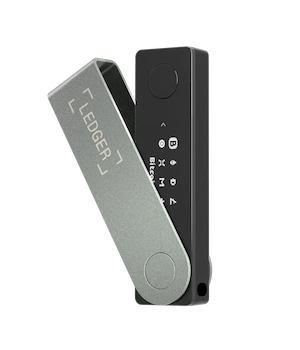
The Ledger Nano X and Ledger Flex both store your private keys in a bank-grade Secure Element chip certified to EAL5+ standards, the same level used in passports and banking cards. The chip is physically isolated from your computer. Even if your computer is infected with malware, the keys on the chip cannot be extracted remotely.
The Nano X connects via USB-C and Bluetooth, which lets you manage SOL from your phone without a cable. The Ledger Flex adds NFC and a larger touchscreen. Both devices wipe themselves after three incorrect PIN code attempts, which protects against physical theft. Setup starts with generating a 24-word seed phrase on the device itself, which never appears on your computer screen.
Ledger Live, the companion desktop and mobile app, lets you send, receive, and stake SOL without connecting to a third-party interface, though most users pair it with Phantom or Solflare for full DeFi and NFT access. The staking flow inside Ledger Live lets you delegate SOL to a validator while your private keys stay offline throughout.
Trezor – Best Open-Source Option
Trezor is the other major name in hardware wallets and is the preferred choice for users who prioritize transparency. Both the firmware and hardware schematics for Trezor are fully open-source, which means independent security researchers can audit them at any time. No other major hardware wallet company offers the same level of public transparency.
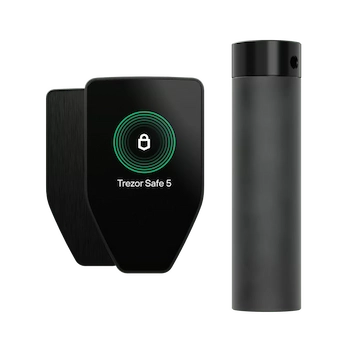
The Trezor Safe 3 and Trezor Safe 5 both use a Secure Element chip for key storage. The Safe 5 adds a color touchscreen and supports more advanced features. Trezor Suite is the companion app used to manage assets, verify firmware, and sign transactions on desktop and mobile.
Solana support on Trezor works through third-party interfaces. The most reliable is NuFi, a wallet interface built for Solana that connects directly to Trezor devices. This adds one step compared to Ledger’s native Solana support in Trezor Suite, but it works reliably for sending, receiving, and managing SPL tokens.
Trezor’s Shamir Backup feature lets you split your seed phrase into multiple shares, for example three shares where any two are enough to restore the wallet. This is a meaningful security upgrade for users who want to protect against both theft and single-point loss without relying on a single written copy of their phrase.
Tangem – Best for Simplicity and Travel
Tangem takes a completely different approach to cold storage. Instead of a screen-and-button device, it uses a card-shaped wallet the size of a credit card. You tap it to your phone via NFC to sign transactions. There is no battery, no screen, and no cables.
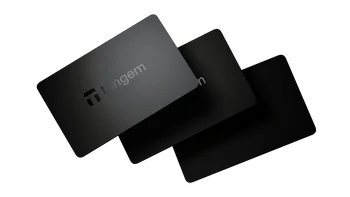
The most notable feature is that Tangem generates keys inside the card itself and does not display a seed phrase at setup. Instead, it ships in a set of three identical cards, any of which can restore access. This removes the risk of a lost or stolen seed phrase but introduces a different trade-off: if you lose all three cards, the wallet cannot be recovered by any other method.
For users who travel frequently, keep significant SOL holdings in cold storage, and want the simplest possible signing experience on a phone, Tangem is a serious option. The companion mobile app supports Solana, staking, and SPL tokens with the same tap-to-sign flow.
SafePal – Best Budget Hardware Wallet
SafePal S1 is the most affordable fully air-gapped hardware wallet that supports Solana. Air-gapped means it has no USB connection, no Bluetooth, and no wireless capability of any kind. Transactions are signed by scanning a QR code displayed on the device with your phone camera, and the signed transaction is broadcast from your phone. The device’s private keys never have any physical connection to an internet-connected device.
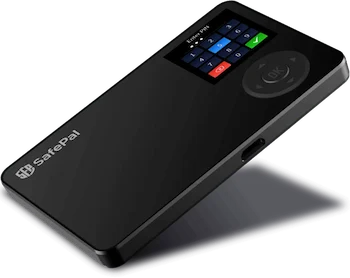
This makes SafePal one of the most isolated cold storage options available at any price. The trade-off is a smaller screen, no Secure Element chip, and a slightly slower signing workflow than plug-in devices. For users who want maximum air-gap security on a tight budget, it is a reasonable choice. SafePal’s companion app supports Solana and most major SPL tokens.
How to Set Up a Ledger Wallet for Solana
Setting up Ledger for the first time takes about 20 minutes if you do not rush the seed phrase step. Rushing that step is where most problems occur.
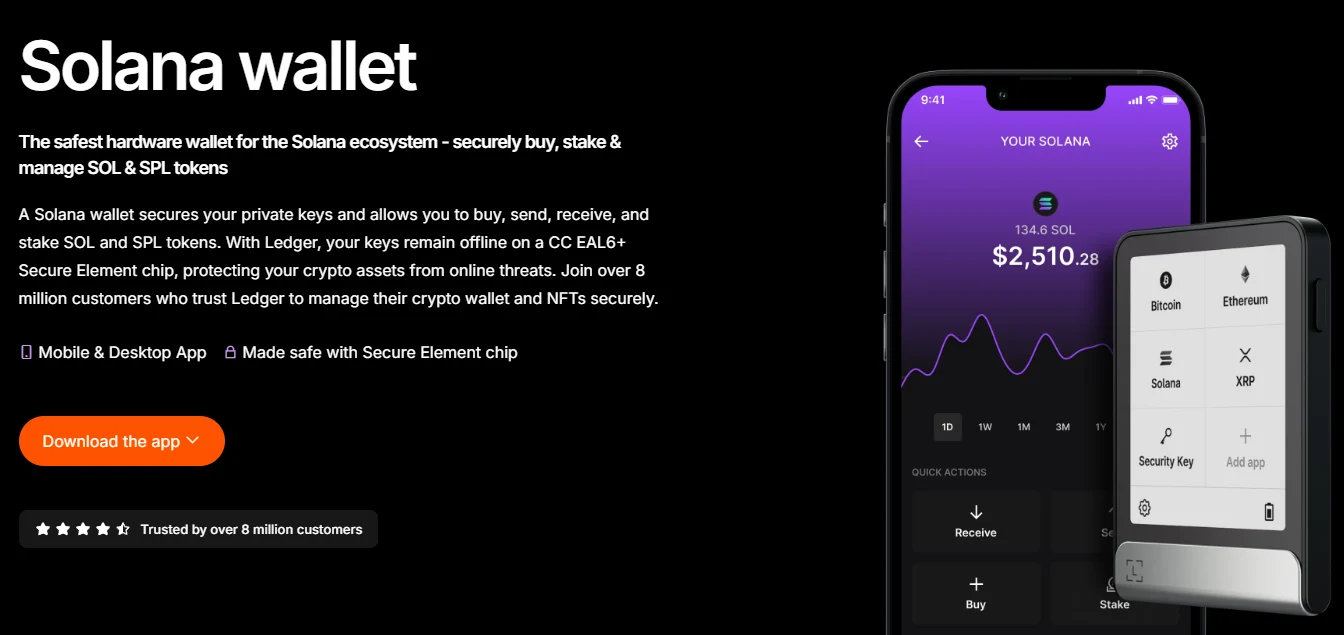
This process applies to both the Nano X and the Flex. The key principle throughout is that how to store Solana long term securely starts with the setup — every shortcut taken here creates a vulnerability that persists for as long as you hold that wallet.
Step 1: Buy From the Official Website
Order your Ledger directly from ledger.com. Do not buy from third-party resellers on Amazon or eBay. A device purchased from an unofficial source may have been tampered with before it reaches you. When the package arrives, check that the box and seal are intact. Genuine Ledger devices never arrive with a pre-configured seed phrase or PIN written on a card. If yours does, do not use it.
Step 2: Set Your PIN Code
Connect the device and follow the on-screen setup. The first step is creating a PIN code of 4 to 8 digits. Choose a PIN code that is not your birthday, phone number, or any sequence someone who knows you could guess. The device wipes itself automatically after three incorrect PIN attempts, which protects against someone who finds or steals it trying to brute-force access.
Step 3: Write Down Your Seed Phrase
After setting the PIN, the device generates and displays your 24-word seed phrase one word at a time on the screen. Write every word down on paper, in order, exactly as displayed. Do not take a photo of the screen. Do not type the seed phrase into your phone or computer. Do not save it in a notes app or cloud storage. The only safe copy of a seed phrase is one that has never touched a device connected to the internet.
After writing it down, the device asks you to confirm several words in sequence to verify you recorded them correctly. This step is not optional. Once setup completes, there is no way to retrieve the phrase from the device again. Write it down carefully the first time.
Store the written phrase somewhere safe and offline. For larger holdings, engrave it on a metal backup plate such as a Cryptosteel or Billfodl, which survive fire and water damage that paper cannot.
Step 4: Install the Solana App on Ledger Live
Download Ledger Live from ledger.com on your desktop. Open it, connect your device, and complete the firmware update if one is available. Always run the latest firmware before installing any chain apps. In the App Catalog inside Ledger Live, search for Solana and click Install. The Solana app takes about 30 seconds to install. Once installed, open it on the device itself to confirm it loaded correctly.
Step 5: Receive Your Solana Address
In Ledger Live, go to Receive, select your Solana account, and the app will display your Solana address. Before copying it, click Verify on Device. The full address appears on the Ledger screen. Compare it character by character with what is shown in Ledger Live. This step protects against address substitution malware that changes the clipboard address on your computer. If the two addresses do not match exactly, stop immediately and run a malware scan on your computer before proceeding.
Step 6: Send a Test Transaction First
Before sending your full SOL balance to the hardware wallet, send a small test transaction of 0.05 to 0.1 SOL. Wait for it to confirm on-chain and verify the balance appears correctly in Ledger Live. You can also check the address on Solscan to confirm the funds arrived. Only after the test transaction confirms successfully should you transfer the rest of your SOL.
This habit costs almost nothing in transaction fees on Solana and removes any doubt about whether you copied the address correctly or whether the device is receiving funds properly. Always test before transferring large amounts.
How to Transfer SOL to Your Hardware Wallet
Once your hardware wallet is set up and you have verified the address with a test transaction, transferring the rest of your SOL follows the same steps as any standard Solana transfer.
If your SOL is on an exchange like Coinbase or Kraken, go to the withdrawal section, select Solana as the network, and paste your hardware wallet address as the destination. Double-check the first and last four characters of the address before confirming. Most exchanges require email or two-factor authentication confirmation for withdrawals.
If your SOL is in a hot wallet like Phantom, open the wallet, click Send, select SOL, and enter your hardware wallet address. Review the wallet address carefully on the confirmation screen before approving. Check the wallet address again after pasting, since address-poisoning attacks send small amounts from addresses designed to look identical to ones you have used before, hoping you copy the wrong one from your transaction history.
Always confirm the Solana network is selected on both ends. Sending SOL over the wrong network means the funds go to an inaccessible address. For a full walkthrough of the transfer process, our guide on how to transfer Solana covers each step in detail.
If you hold SPL tokens alongside SOL, transfer them the same way. Each SPL token transfer requires a small amount of SOL for the transaction fee, so keep at least 0.05 SOL in the receiving wallet before sending tokens.
How to Pair Your Hardware Wallet With Phantom or Solflare
A hardware wallet on its own is a secure signing device. Pairing it with Phantom Wallet or Solflare gives you a full wallet interface for managing NFTs, connecting to DeFi protocols, and monitoring your portfolio, while keeping your private keys in cold storage throughout.
The pairing works through offline signing. You prepare a transaction in the hot wallet interface, the transaction is sent to the hardware device for signing, you confirm it physically on the device screen, and the signed transaction is returned to the interface for broadcast. At no point do your keys leave the hardware device. This is what makes the combination of a vault wallet on Ledger and a spending wallet on Phantom the most practical setup for active Solana users who also want strong long-term security.
Pairing Ledger With Phantom
Open Phantom Wallet and click the menu in the top left. Select Add or Connect Wallet, then choose Connect Hardware Wallet. Select Ledger from the list. Connect your Ledger via USB or Bluetooth and open the Solana app on the device. Phantom will detect the device and import your Solana address. From this point, every transaction prepared in Phantom Wallet requires a physical confirmation on the Ledger screen before it broadcasts. The transaction signing happens on the device, not in the browser.
Pairing Ledger With Solflare
Open Solflare and select Access via Hardware Wallet. Choose Ledger from the options. Connect the device and open the Solana app on it. Solflare imports your address automatically. The interface for staking, sending, and connecting to dApps works identically to a standard Solflare setup, except every transaction requires physical confirmation on the hardware wallet screen. This pairing is particularly useful for users who want to stake SOL through Solflare while keeping keys completely offline.
To understand the staking process and how validators work within Solana, our full guide on how to stake Solana covers delegation, rewards, and validator selection from start to finish.
How to Store Your Seed Phrase Safely
Your seed phrase is the master key to your entire wallet. Whoever holds it controls every token, NFT, and account associated with that wallet on every blockchain it supports. The hardware device itself is replaceable. The seed phrase is not.
A recovery phrase generated by Ledger is 24 words long. Trezor and most other devices also use either a 12-word or 24-word seed phrase in the BIP-39 standard format, which means any BIP-39 compatible wallet can restore your funds from it. Write every word down in the correct order. A single wrong word or transposed word makes the phrase unusable.
Here is what you must never do with your seed phrase:
- Never photograph it. Phone cameras back up to cloud storage automatically on most devices.
- Never type it into any website or app except during a fresh wallet restore on the hardware device itself.
- Never save it in a notes app, password manager, or cloud storage of any kind.
- Never share it with anyone, including people claiming to be support agents for Ledger, Trezor, or any other wallet company. No legitimate support process ever asks for your seed phrase.
- Never store only one copy. If that copy is destroyed, your funds are gone permanently.
- Never store it digitally in any form, even encrypted.
For your physical backup, write the seed phrase on paper in clear handwriting and store it in a location that is fireproof, waterproof, and not accessible to others. For balances above $5,000 to $10,000, a metal backup plate such as a Cryptosteel or Billfodl is worth the $50 to $100 cost. These tools let you engrave or stamp the words into stainless steel, which survives fires that destroy paper.
Store the phrase in two separate locations. If one is destroyed in a fire, flood, or theft, the second copy remains accessible. Some users also add a passphrase, sometimes called the 25th word, which is an additional custom word appended to the seed phrase during wallet generation. Even if someone finds your written phrase, they cannot access the wallet without the passphrase. This is an advanced option that adds real security but also adds real risk if you forget the passphrase.
Understanding why Solana uses cryptographic keys in this specific way connects to how the network validates ownership of assets. Our guide on how Solana works explains the underlying validation structure.
Can You Stake SOL With a Hardware Wallet?
Yes. Staking SOL through a hardware wallet is one of the best reasons to use one beyond pure storage. You earn staking rewards and generate passive income from your SOL while your private keys remain completely offline throughout the entire process.
With Ledger, you can stake SOL directly inside Ledger Live without connecting to any third-party app. The staking flow lets you choose a validator, enter the amount, and confirm the delegation on the device. Rewards accumulate in your staking account every epoch and can be restaked or withdrawn at any time.
Alternatively, pair your Ledger with Solflare for more detailed validator analytics. Solflare shows uptime, commission history, and performance data for every validator on the network, which lets you make a more informed delegation choice. Every transaction, including staking and unstaking, still requires physical approval on the hardware device.
Trezor supports SOL staking through third-party interfaces paired with the device, though the process involves more steps than the native Ledger flow. For most users who want to both store SOL long term and earn staking rewards, Ledger with either Ledger Live or Solflare is the more practical setup.
Current staking yields on Solana sit between 6% and 8% APY. Your SOL never leaves your wallet during staking. You delegate your stake weight to a validator and the validator cannot access or move your funds. For a complete breakdown of yields, validator selection, and the full staking mechanics, our guide on how to stake Solana covers everything you need.
Cold Storage Security Best Practices
A hardware wallet removes most remote attack risks, but the habits you build around using it determine how much of that protection you actually keep. Here are the practices that matter most.
- Keep firmware updated. Firmware updates on Ledger and Trezor patch security vulnerabilities as they are discovered. Check for updates regularly in Ledger Live or Trezor Suite and install them before each use. Always verify the update hash on the manufacturer’s official site before installing.
- Disable blind signing unless you need it. Blind signing allows your hardware wallet to approve transactions whose full details are not displayed on the device screen. Some DeFi applications require it, but leaving blind signing permanently enabled means you can approve a malicious transaction without seeing what it does. Turn it off in settings and only enable it for specific sessions when needed.
- Verify the address on the device screen every time. When receiving funds, always click Verify on Device and confirm the displayed address matches what you share with the sender. Malware that substitutes clipboard addresses is common and this single habit defeats it entirely.
- Use a burner wallet for minting and risky DeFi. Keep a separate low-balance spending wallet for connecting to new protocols, minting NFTs, and interacting with contracts you are not fully confident about. Your vault wallet on hardware should only connect to platforms you have used before and trust.
- Never click links inside NFT descriptions or DMs. Drainer links disguised as minting opportunities, reward claims, or airdrops are the most common way active DeFi users lose funds. Assume any unsolicited link or DM offering something for free is an attack until proven otherwise.
- Watch out for phishing sites. Fake versions of Ledger Live, Phantom, and Solflare websites appear regularly in search results and social media ads. Bookmark the official URLs and go directly to them rather than clicking through search results.
- Revoke unused approvals. If you have used your paired hot wallet to connect to DeFi protocols, use Solscan’s approval checker periodically to see which contracts have spending permissions on your tokens. Revoke anything you no longer use.
- Buy only from official sources. A tampered hardware device from an unofficial seller can come pre-loaded with a compromised seed or modified firmware. Only buy from the manufacturer’s own website or official authorized resellers listed there.
The Solana network itself processes transactions quickly and cheaply, but every transaction is final once confirmed. Our guide on Solana transaction fees explains how priority fees work and what happens during periods of high network congestion.
How to Store Solana Long Term: FAQs
What Is the Safest Way to Store Solana Long Term?
The safest way to store Solana long term is a hardware wallet with your seed phrase backed up on a metal plate stored offline in two separate locations. A cold storage device like Ledger keeps your private keys completely isolated from the internet. No remote attack can access keys that never touch an online device. Pairing the hardware wallet with Phantom or Solflare gives you full DeFi and staking access while keeping that security intact.
What Happens if I Lose My Hardware Wallet?
Nothing, as long as you have your seed phrase. Your SOL lives on the Solana blockchain, not on the physical device. Buy a replacement hardware wallet and restore your wallet by entering the recovery phrase during setup. Any BIP-39 compatible wallet, whether a new Ledger, Trezor, or even a software wallet, can restore your full balance from the same 24-word phrase. This is why protecting the phrase matters more than protecting the device itself.
Is Ledger or Trezor Better for Solana?
Ledger is the stronger choice for most Solana users because it supports SOL natively inside Ledger Live and connects directly with Phantom and Solflare. Staking, sending, and receiving all work without a third-party interface. Trezor requires NuFi or another third-party app for Solana management, which adds a step. However, Trezor’s fully open-source firmware is a significant advantage for users who want independent auditability of the code running on their device.
Can I Store SOL on a Paper Wallet?
Technically yes, but a paper wallet is not recommended. Generating a paper wallet requires printing keys on a printer, which stores an image of those keys in its memory. The computer used to generate them may also have malware. Hardware wallets generate keys inside the device itself without any internet exposure. For any significant amount of SOL, a hardware wallet is substantially safer than a paper wallet in both security and practical usability. Paper also burns, fades, and tears, which is why a metal backup is the preferred physical storage format even for seed phrases.
Should I Store SOL on an Exchange?
Not for long-term holdings. When you leave SOL on an exchange, you do not control the private keys, the exchange does. That creates counterparty risk: if the exchange is hacked, goes insolvent, or freezes withdrawals, your funds are affected. For amounts you plan to hold for more than a few days, moving to a self-custody wallet gives you full control. Keep only what you are actively trading on the exchange. Our guide on how to buy Solana includes the steps for withdrawing from an exchange to a personal wallet.
What Is the Difference Between a Hot and Cold Wallet?
A hot wallet is connected to the internet and keeps your private keys on an online device. It is convenient but exposed to malware and phishing. A cold wallet stores your keys on a device that stays offline except when signing a specific transaction. The keys on a cold wallet cannot be reached remotely because they are never connected to the network. Both are non-custodial and both give you full control, but a cold wallet makes remote theft effectively impossible.
Can I Stake SOL While It Is in Cold Storage?
Yes. You can stake SOL directly through Ledger Live or through Solflare paired with your Ledger device. Your keys stay completely offline throughout the staking process. The delegation transaction is signed on the device, not on your computer. Staking rewards accumulate in your stake account every epoch and you can restake or withdraw them while the wallet remains in cold storage mode.
What Is a Seed Phrase and How Do I Keep It Safe?
A seed phrase is a list of 24 words, or sometimes 12, generated by your wallet when it is first created. These words encode your private keys in a format a human can write down and store. Anyone who has these words has full access to your wallet and all its funds. Keep it written on paper or engraved on a metal backup plate, stored offline in a location only you can access. Never share it with anyone under any circumstances. Storing two copies in two separate locations protects against physical loss or damage to one copy.
To understand what Solana actually does with these keys and why ownership on the blockchain works the way it does, our overview of what Solana is explains the network architecture behind it.
Wrapping Up
Knowing how to store Solana long term means moving your SOL off exchanges and into a wallet where you control the keys. For amounts worth protecting, a hardware wallet is the right choice. Set it up carefully, write down your seed phrase on paper or a metal plate, store it in two separate locations, and never share it with anyone. The cold storage setup takes 20 minutes. The protection it provides lasts as long as you hold your SOL.
Pair your hardware wallet with Phantom or Solflare for day-to-day access. Keep a separate low-balance spending wallet for DeFi and minting. Move larger amounts to your hardware vault wallet and leave them there. This split between a hot wallet for activity and cold storage for savings is the approach most experienced Solana holders use, and it covers both convenience and security without having to choose between them. When you are ready to sell or move your SOL, our guide on how to sell Solana covers the withdrawal and exchange process step by step.