Selling Solana works the same way on most major exchanges. You log in, navigate to the sell or trade section, select a SOL trading pair, enter the amount, confirm the order and withdraw the proceeds to your bank account. The process takes under ten minutes if your account is already verified and your withdrawal method is set up. Where it gets more involved is if your SOL sits in a self-custody wallet like Phantom, if it is currently staked, or if you are selling a large enough amount that slippage and fees become meaningful. This guide covers all of those situations.
How to sell Solana in five steps
If your SOL is already on a centralized exchange, this is all you need.
- Log in to your exchange account. Coinbase, Kraken and Binance all support SOL sales. Go to the trading or portfolio section.
- Find the sell interface. On Coinbase, tap “Buy & Sell” then select “Sell.” On Kraken, go to “Trade” and search for SOL. On Binance, use the “Spot” market and search the SOL/USDT pair.
- Select your trading pair. Choose SOL/USD if you want US dollars directly, or SOL/USDT to convert to a stablecoin first. Both routes work – the SOL/USDT route is sometimes faster to execute and you can convert USDT to USD separately.
- Choose your order type and enter the amount. A market order sells immediately at the current price. A limit order lets you set a target price and waits until the market reaches it. Enter how much SOL you want to sell or the dollar amount you want to receive.
- Confirm the sell order and withdraw. Review the fee breakdown before confirming. Once the order fills, the USD or USDT balance appears in your exchange account. From there, initiate a withdrawal to your bank account.
That covers the straightforward case. The sections below handle the situations where additional steps are required: selling from a wallet, unstaking first, selling large amounts, and the tax side of the transaction.
How to sell Solana from Phantom or a self-custody wallet
If your SOL is in Phantom or another self-custody wallet, you cannot sell it directly from the wallet to your bank account. You need to send it to an exchange first, sell it there, and then withdraw the proceeds.
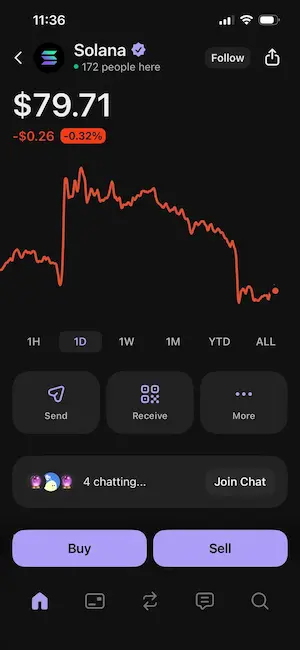
The Phantom wallet does not connect directly to bank accounts – it is a self-custody tool for the Solana network, not a payment processor. The process has three parts.
Step 1: get your exchange deposit address
Log in to the exchange where you plan to sell Solana. Go to the wallet or deposit section and search for Solana (SOL). The exchange will show you a unique deposit address – a string of letters and numbers. Copy it exactly. Do not type it manually.
Before you send anything, verify that the network shown is Solana. Some exchanges list multiple networks for the same asset. If you select Ethereum or BNB Chain by mistake, the SOL goes to an incompatible address and the funds are almost certainly unrecoverable. The exchange cannot reverse it. For a full explanation of how Solana addresses and Solana transaction fees work, including why fees stay under $0.001, the fees guide covers the mechanics.
Step 2: send SOL from Phantom to the exchange
Open your Phantom wallet. Select SOL from your balance, tap “Send”, and paste the exchange deposit address you copied. Enter the amount of SOL you want to transfer. Leave a small amount of SOL in the wallet to cover the network fee if you plan to use the wallet again – the fee is under $0.001 but your balance needs to be above zero to send anything.
Before confirming, send a small test transaction first if you are moving a large amount for the first time. Send 0.1 SOL, wait for it to arrive at the exchange (usually under 30 seconds), then send the rest. The test transaction costs less than $0.001 and protects the full amount from an address error.
Once the SOL arrives at the exchange, the balance shows in your spot wallet or portfolio. Confirmation on the Solana network typically takes under one minute.
Step 3: sell SOL on the exchange
Follow steps 2 through 5 from the five-step section above. Select your trading pair, choose a market or limit order, enter the amount, review the fee, and confirm the sell order.
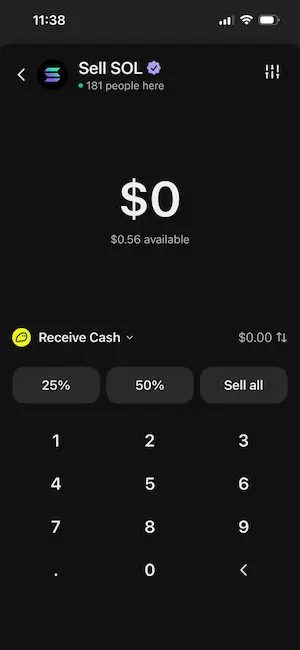
The proceeds land in your exchange account as USD or USDT, ready to withdraw.
How to sell Solana from a Ledger hardware wallet
Selling from a Ledger hardware wallet requires one extra step because every transaction needs physical confirmation on the device itself. A remote attacker who compromises your computer cannot approve the send without pressing the button on the Ledger.
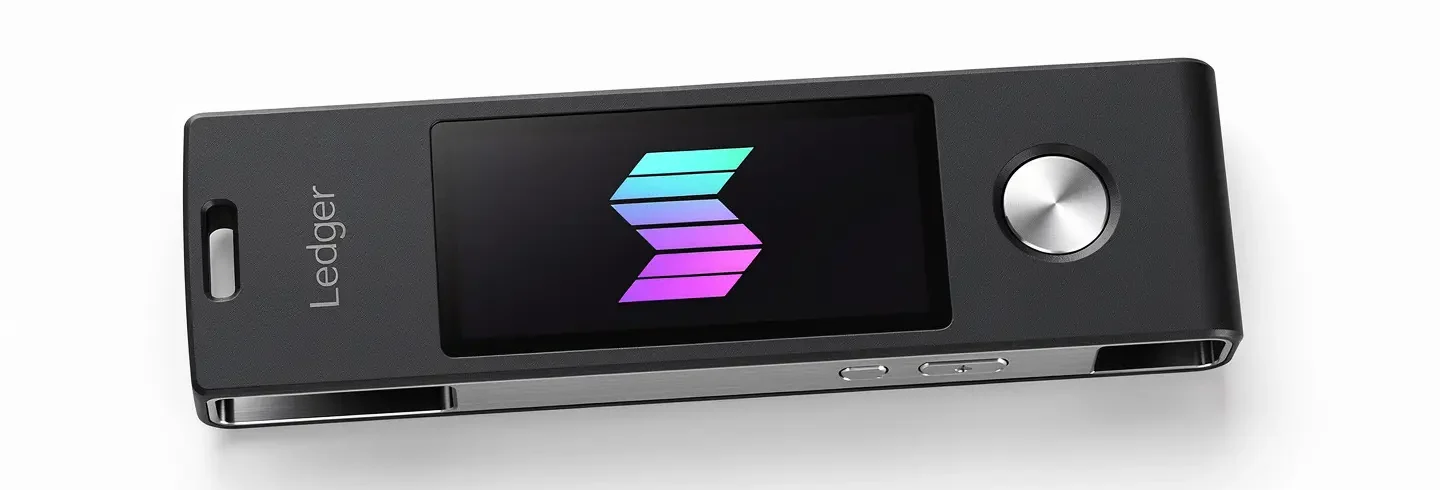
Connect your Ledger to your computer and unlock it. Open the Solana app on the device (you need it installed via Ledger Live first). You have two options for the actual transfer: use Ledger Live directly, or connect your Ledger to Phantom via the hardware wallet integration.
In Ledger Live, go to your Solana account, click “Send”, paste the exchange deposit address, enter the amount and confirm the transaction details on the Ledger screen by pressing the right button. In Phantom with Ledger integration, the flow is the same as a standard Phantom send, but a screen on the Ledger device shows the transaction details and requires physical confirmation before it broadcasts.
Once the SOL arrives on the exchange, the selling process is identical to what is described above. The Ledger step only applies to the transfer out – not the exchange sell itself.
Which exchange should you use to sell Solana?
You pay two types of fees when you sell SOL: exchange fees on the trade itself, and a withdrawal fee when you move the proceeds to your bank. Knowing both in advance prevents surprises.
Coinbase: the simplest option for selling SOL
Coinbase is the most beginner-friendly choice. The simple sell interface charges 1.49% for bank-funded sales – on a $1,000 sale that is $14.90. Switching to Coinbase Advanced Trade (the same account, no new verification) drops the fee to 0.4% for takers, or $4.00 on the same $1,000. Always use Advanced Trade if you are selling more than $200 worth. ACH withdrawal to a US bank account is free and takes one to three business days. Wire transfer costs $25 and arrives the same or next business day.
Kraken: competitive fees and fast withdrawals
Kraken charges 1.5% on the instant sell interface and 0.25% on Kraken Pro for takers. ACH withdrawal in the US is free. Kraken’s withdrawal speed is typically faster than Coinbase for bank transfers, and Kraken Pro is straightforward enough for users who have never used a trading interface before. For users selling regularly, Kraken Pro is worth the two minutes it takes to switch.
Fee comparison: what selling $1,000 of SOL actually costs
| Exchange and method | Sell fee | Cost on $1,000 | Withdrawal fee (ACH) |
|---|---|---|---|
| Coinbase simple sell | 1.49% | $14.90 | Free |
| Coinbase Advanced Trade (taker) | 0.40% | $4.00 | Free |
| Kraken instant sell | 1.50% | $15.00 | Free |
| Kraken Pro (taker) | 0.25% | $2.50 | Free |
| Binance spot (standard) | 0.10% | $1.00 | Varies by region |
The fee difference between the simple sell screen and the pro interface on the same exchange is roughly ten times. Over a year of regular selling, that gap adds up to hundreds of dollars. Switching interfaces takes under a minute and requires no additional verification. These exchange fees apply to the sell order itself – withdrawal fees are separate and covered in the next section.
How to withdraw your money after selling Solana
After the sell order fills, the proceeds sit in your exchange account as USD, EUR or a stablecoin. Moving that to your bank account is a separate step with its own fees and timelines.
Bank transfer (ACH): free but takes 1-5 days
ACH transfers are the standard option for US users. They are free on Coinbase and Kraken. Processing takes one to three business days for most users, though some accounts with a history of withdrawals get same-day processing. ACH is the right choice for most sellers – the wait is worth the zero fee.
To initiate an ACH withdrawal on Coinbase: go to “Assets”, click “Withdraw”, select USD, choose your linked bank account and enter the amount. On Kraken: go to “Funding”, click “Withdraw”, select USD and choose ACH. Both exchanges show the expected arrival date before you confirm.
Wire transfer: faster but costs $5-25
Wire transfers arrive the same business day if sent before the cutoff time (typically 3:00 PM EST). Coinbase charges $25 for domestic wire withdrawals. Kraken charges $5 for domestic wires via the Silvergate Exchange Network for eligible accounts. Wire transfers are worth the fee if you need the money quickly or are withdrawing a large amount where the fee is a small percentage of the total.
PayPal: instant for US users on Coinbase
PayPal withdrawals from Coinbase are instant for US users and carry no fee from Coinbase itself. PayPal may apply its own fee depending on how you move the funds from PayPal to your bank. This is the fastest route if you already have a PayPal account linked to Coinbase and need the funds the same day.
Market order vs limit order when selling Solana
The order type you choose affects the price you receive and how quickly the sale executes. The right choice depends on whether timing or price matters more.
A market order sells your SOL immediately at the best available price in the order book. You get filled within seconds. The trade-off is that during volatile periods, the actual price you receive can differ slightly from the price you saw when you placed the order. For amounts under $5,000, this difference is usually less than 0.1% on a liquid exchange like Coinbase or Kraken.
A limit order lets you set the minimum price you are willing to accept. If SOL is trading at $90 and you set a limit sell at $95, your SOL sits in the order book until the market reaches $95. If the market never reaches that price, the order does not fill. Limit orders are the right choice when you are not in a hurry and want to avoid selling below a specific level.
A stop-limit order combines the two: you set a trigger price and a limit price. When SOL falls to the trigger price, the exchange places a limit order at your specified price. This is useful for protecting gains – if you bought at $50 and SOL is now at $90, you might set a stop-limit at $80 trigger / $79 limit to lock in most of the gain if the price drops. For context on how SOL is used on the network and what drives its price, the SOL token overview covers its role in fees, staking and governance.
How to sell Solana that is staked
You cannot sell SOL that is currently staked. You have to unstake it first, wait for the unstaking period to finish, and then sell. How long that takes depends on how you staked.
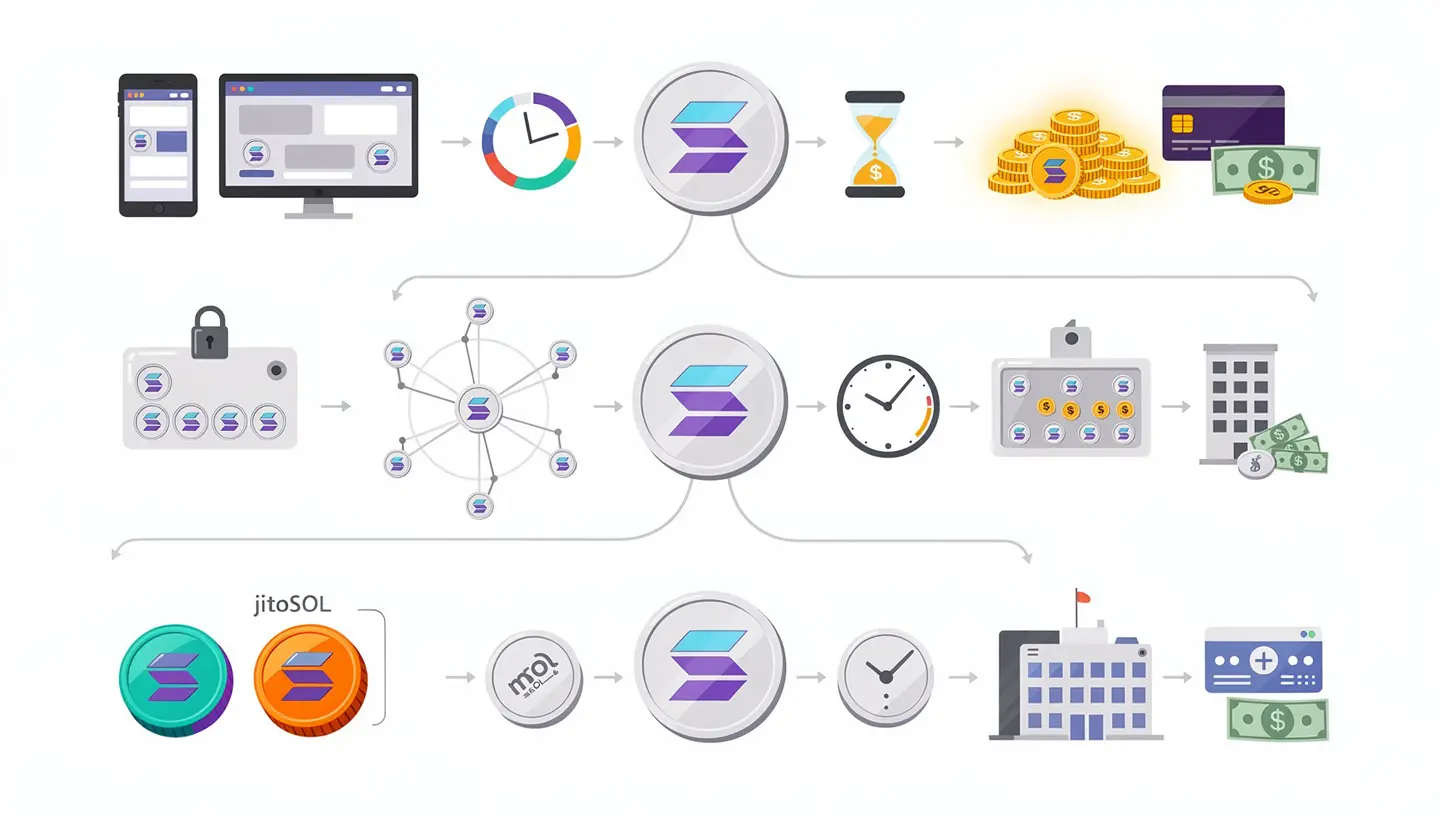
Unstaking from an exchange (Coinbase or Kraken)
If you staked SOL directly through Coinbase or Kraken, go to the staking or earn section of your account and click “Unstake.” Coinbase processes unstaking requests within two to four business days. Kraken offers flexible staking on SOL with no lock-in period – you can unstake immediately though the SOL may take up to one epoch (approximately two days) to return to your available balance. Once the SOL shows as available, you can sell it using the standard sell process.
Unstaking from a validator directly
If you staked directly to a validator using Phantom or Solflare, the unstaking period is one epoch, which runs approximately every two days on the Solana network. Open your wallet, go to the staking section, select your active stake account and click “Unstake” or “Deactivate.” When you unstake SOL this way, the balance returns to your wallet liquid at the start of the next epoch. You can then send it to an exchange and cash out Solana using the standard sell process described above.
Selling liquid staking tokens (mSOL or jitoSOL)
If you hold liquid staking tokens like mSOL or jitoSOL, swap them back to SOL on Jupiter immediately without any waiting period. You can then send the SOL to an exchange and cash out Solana to USD. To unstake SOL from any source and then sell it, allow at least two to four days before you need the cash, or use liquid staking tokens which skip the waiting period entirely. For more on how validators, epochs and the staking mechanism work, the guide on how Solana works covers validators, epochs and the staking mechanism.
Selling large amounts of SOL: slippage and OTC
For sales under $10,000, the process described above works without any special considerations. For larger amounts, price slippage and liquidity become meaningful factors.
Price slippage happens when your sell order is large enough relative to the available buy orders that you push the price down as your order fills. On a decentralized exchange like Jupiter or Raydium, a $50,000 SOL sell can cause 2% to 5% slippage depending on current liquidity conditions. On Coinbase or Kraken spot markets, which have deep order books, slippage on the same amount is typically under 0.1%.
If you are selling more than $10,000 at once on a DEX, split the order into smaller parts – $2,000 to $3,000 each – spaced a few minutes apart. This reduces the price impact of each individual order. Alternatively, sell on a centralized exchange where the order book is deep enough to absorb the full amount.
For amounts above $100,000, over-the-counter (OTC) desks are worth considering. Coinbase Institutional and Kraken both offer OTC services where a dedicated trader handles the sale at an agreed price, avoiding market impact entirely. OTC trades typically settle within one business day and the fee is negotiated rather than a fixed percentage. Contact the exchange’s institutional team to set up an OTC account.
P2P selling: how to sell SOL directly to another person
P2P selling lets you sell SOL directly to a buyer without going through an exchange order book. Binance P2P is the most widely used platform for this. It charges zero trading fees and supports over 100 payment methods including bank transfers, Zelle, Revolut and cash.
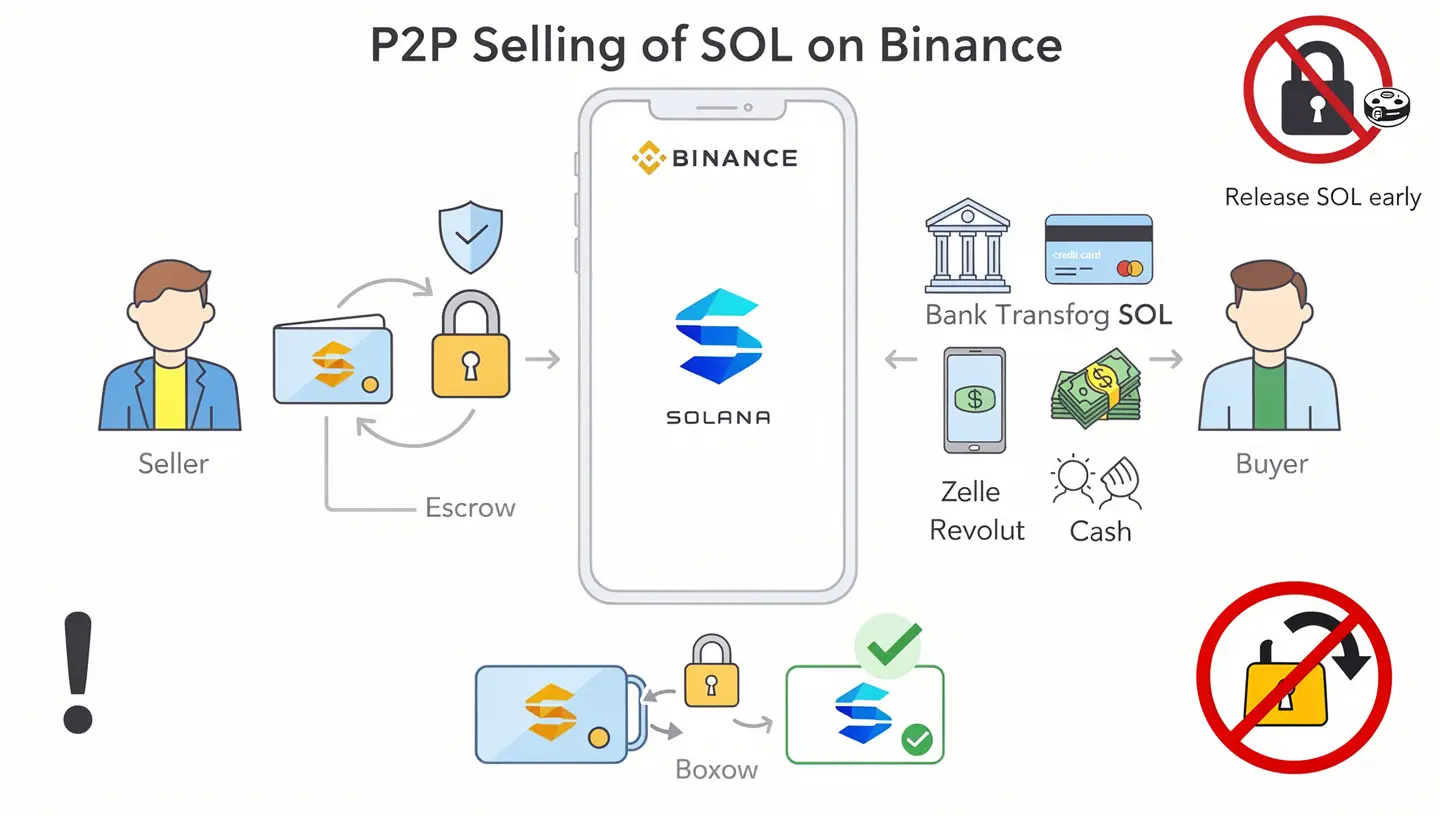
The process: log in to Binance, go to “Trade” and select “P2P.” Find a buyer listing at or above the current market price for SOL. Click “Sell” and enter the amount. Binance’s escrow service holds your SOL until the buyer confirms they have sent payment to your account. Once you confirm receipt of the funds, the escrow releases the SOL to the buyer. Never release the SOL from escrow before the payment arrives in your bank account – regardless of any messages or pressure from the buyer.
P2P is useful if you want more payment options than a standard exchange offers, or if you want to negotiate price directly with a buyer. The escrow service protects both parties as long as you use it correctly. Avoid any arrangement where someone asks you to release the escrow before you have confirmed the payment.
Tax basics when you sell Solana
Every time you sell SOL in the US, it is a taxable event. The IRS treats cryptocurrency as property, so selling SOL for USD, trading it for another cryptocurrency, or using it to pay a fee all trigger capital gains calculations.
If you held the SOL for less than one year before selling, the profit is taxed as short-term capital gains at your ordinary income tax rate. If you held for more than one year, it qualifies as long-term capital gains, taxed at 15% to 20% for most taxpayers. The difference between short-term and long-term treatment can be several percentage points on the same gain, so the holding period matters.
Cost basis is what you paid for the SOL originally. Your taxable gain is the sale price minus the cost basis. If you bought 10 SOL at $50 each ($500 total) and sold them for $90 each ($900 total), your taxable gain is $400. Keep records of every purchase: date, amount, price and exchange. US exchanges began issuing Form 1099-DA in 2025, which reports your transaction data to the IRS. Without your own records, the IRS can default your cost basis to zero, treating the entire sale price as gain.
Tax-loss harvesting means selling SOL at a loss to offset gains elsewhere in your portfolio. If you are down on a SOL position and have gains from other crypto sales, selling the losing SOL position reduces your net taxable gain for the year. The IRS wash sale rule – which normally prevents you from immediately rebuying an asset after a loss sale – does not currently apply to cryptocurrency, though this may change. Consult a tax professional before using this strategy in size. For background on buying Solana and how the purchase side of cost basis tracking works, that guide covers the exchange and fee details.
When should you sell Solana?
The right time to sell SOL depends on your reasons for holding it in the first place, not on short-term price movements. A few situations where selling makes clear sense: you need the cash for a specific purpose and the current price meets your target, the price has reached a level that meaningfully changes your financial situation, or the SOL represents a percentage of your total portfolio that makes you uncomfortable with the volatility.
A take profit level is a price you set in advance at which you plan to sell some or all of your position. Setting it before the price moves removes the emotional difficulty of making the decision while watching a chart. A stop-loss is the reverse: a price below which you decide you were wrong about the position and want to limit further loss.
The alternative to selling is using SOL to generate income while waiting for a better price. Staking SOL directly to a validator yields approximately 5% to 8% APY. Liquid staking via Marinade or Jito gives the same yield with the ability to sell at any time without waiting for an unstaking period. If you are not in immediate need of the cash, staking gives the SOL a productive role while you hold. For a complete breakdown of the Solana network’s design and why its transaction model differs from other blockchains, the Solana overview covers the full picture.
Frequently asked questions
How do I sell Solana for cash?
Log in to Coinbase, Kraken or Binance. Navigate to the sell or trade section, select the SOL/USD trading pair, enter the amount you want to sell and confirm the order. Once the order fills, initiate a withdrawal to your linked bank account. ACH transfers to US banks are free on Coinbase and Kraken and take one to three business days.
How do I sell Solana on Coinbase?
On the Coinbase app, tap “Buy & Sell” then “Sell.” Select Solana from the list, enter the USD amount you want to receive or the SOL amount you want to sell, review the fee and confirm. For lower fees, switch to Coinbase Advanced Trade: go to “Trade”, search SOL/USD, select the sell side and place a market or limit order at 0.4% taker fee rather than the 1.49% simple sell fee.
How long does it take to sell Solana and get the money?
The sell order itself fills within seconds for a market order. Withdrawing the proceeds to your bank account takes one to three business days via ACH. Wire transfers arrive the same day if sent before the cutoff, typically 3:00 PM EST, but cost $5 to $25. The total time from clicking “sell” to money in your bank account is usually two to four business days.
Can I sell Solana directly from Phantom wallet?
Not directly to a bank account. You need to send the SOL from Phantom to a centralized exchange first, then sell it there and withdraw the proceeds. Send the SOL to your exchange deposit address using the Solana network. The transfer takes under one minute to confirm. Then follow the standard sell process on the exchange.
How do I sell staked Solana?
You have to unstake first. If you staked through Coinbase or Kraken, click “Unstake” in the earn or staking section – the SOL returns to your available balance within two to four days. If you staked directly to a validator via Phantom, click “Deactivate” on the stake account – the SOL becomes available at the start of the next epoch, roughly one to two days. If you hold liquid staking tokens like mSOL or jitoSOL, swap them back to SOL on Jupiter immediately without any waiting period.
What fees do I pay when selling Solana?
You pay two types of fees: the trading fee when you sell SOL on the exchange, and the withdrawal fee when you move the proceeds to your bank. Trading fees range from 0.1% on Binance spot to 1.49% on Coinbase simple sell. Coinbase Advanced Trade and Kraken Pro both charge around 0.25% to 0.40%. ACH withdrawal fees are free on Coinbase and Kraken. Wire transfer fees run $5 to $25 depending on the exchange.
What is slippage when selling Solana?
Slippage is the difference between the price you expect to receive and the price your order actually fills at. It happens when your sell order is large relative to the available buyers. On a DEX like Jupiter, selling $50,000 of SOL in one order can cause 2% to 5% slippage. On Coinbase or Kraken with deep order books, the same sale would cause less than 0.1% slippage. For large sells on a DEX, split the order into smaller parts to reduce price impact.
Do I pay taxes when I sell Solana?
Yes, in the US every SOL sale is a taxable event. If you held the SOL for less than one year, the profit is taxed at your ordinary income rate as a short-term capital gain. If you held for more than one year, it is taxed at 15% to 20% as a long-term capital gain. Keep records of your purchase price and date for every lot of SOL you own. US exchanges issue Form 1099-DA starting from the 2025 tax year.
Can I sell Solana without ID verification?
On decentralized exchanges like Jupiter or Raydium you can swap SOL to USDC or another token without any account or ID verification. However, this does not give you fiat money – you end up with crypto, not USD in a bank account. To convert SOL to actual cash (USD, EUR, etc.) and withdraw to a bank, you need a verified account on a regulated exchange. All major exchanges require KYC for fiat withdrawals.
What is the difference between SOL/USD and SOL/USDT when selling?
SOL/USD sells your SOL directly for US dollars. SOL/USDT sells your SOL for USDT (Tether), a stablecoin pegged to the dollar. Both give you the same economic outcome. SOL/USDT often has higher trading volume and tighter spreads on some exchanges, which can mean slightly better prices. The USDT then needs a second step – converting USDT to USD – before you can withdraw to a bank, which adds a small extra fee on some platforms.
How do I sell a large amount of Solana without affecting the price?
Use a centralized exchange with a deep order book (Coinbase, Kraken or Binance) rather than a DEX. On Coinbase and Kraken, a $50,000 SOL sell causes minimal price impact. For amounts above $100,000, contact the exchange’s OTC desk. Coinbase Institutional and Kraken both offer OTC services where a trader handles the sale at a negotiated price, settling within one business day with no market impact.
What should I do with the money after selling Solana?
Once the USD lands in your bank account, it is like any other cash. Common approaches: keep it as cash if you think SOL will fall further, redeploy it into a diversified portfolio, use it for the purpose that prompted the sale, or put it in a high-yield savings account while you decide. From a tax standpoint, the sale is already recorded the moment the order filled on the exchange, regardless of when you withdraw the proceeds to your bank.