Backpack Wallet is not just another Solana wallet. It was built from the ground up by the team behind the Mad Lads NFT collection and the Backpack Exchange, with a specific goal: make the wallet and the exchange feel like one product rather than two separate tools you have to move between. The core hook is the xNFT protocol, a format where NFTs run as apps directly inside the wallet, and zero swap fees on Solana that no other major wallet matches. In 2026, Backpack Wallet supports Solana, Ethereum, Bitcoin, and a growing list of EVM chains, making it a serious option for anyone who wants one non-custodial interface for everything they do on-chain. This review covers what it does, where it leads, where it falls short, and exactly who it is built for.
What Is Backpack Wallet?
Backpack Wallet is a non-custodial crypto wallet launched in 2023 by Armani Ferrante, creator of the Mad Lads NFT project, alongside engineers with backgrounds in FTX’s Solana-side infrastructure. The company behind it, Coral, built the wallet as the entry point into a broader product environment that includes the Backpack Exchange and the xNFT protocol.
The wallet stores your private keys on your device, which means full self-custody throughout. No company holds your keys. The Backpack Exchange operates separately from the wallet on the custody side, so exchange balances are exchange-side and wallet balances are wallet-side until you move them deliberately. The integration is in the interface, not in the key management.
What distinguishes Backpack Wallet in the Solana space is the combination of three things that no other wallet offers together: the xNFT runtime that lets applications run inside the wallet itself, zero swap fees on Solana trades, and native access to the Backpack Exchange order books from the same interface. For users who spend significant time inside Solana dApps, NFT tools, and DeFi protocols, this combination reduces the tab-switching and fee accumulation that builds up over active use.
The wallet is available as a browser extension for Chrome, Brave, and Firefox, and as a mobile app for iOS and Android. When downloading, verify the publisher name matches Coral or Backpack in the browser store. Third-party copies exist and are not safe to install.
To understand the Solana network that Backpack was built around and why its speed and fee structure make it practical for daily on-chain activity, our overview of what Solana is covers the architecture that sits underneath every transaction you sign in the wallet.
Key Features of Backpack Wallet
Here is what Backpack Wallet actually delivers in 2026:
- Zero swap fees on Solana: Backpack charges 0% platform fee on swaps and bridges on Solana. You pay only the underlying DEX fee and the Solana network fee. No markup from the wallet layer.
- xNFT apps: The xNFT format lets NFTs run as sandboxed applications inside the wallet. Projects like Mad Lads use this for token-gated tools that run directly in your wallet without opening external browser tabs.
- Backpack Exchange integration: Native access to the Backpack Exchange from within the wallet interface. Limit orders, spot trading, and gasless swaps all operate through the same interface you use to manage your self-custody holdings.
- Multichain coverage: Solana, Ethereum, Bitcoin, Arbitrum, Polygon, Base, BNB Chain, Aptos, Sui, and Monad, all supported from a single wallet and a single recovery phrase.
- NFT management: Full NFT gallery for Solana-native tokens, with collection locking that prevents high-value collections from being transferred without an additional confirmation step.
- Staking SOL: Built-in staking interface showing APY, accrued rewards, and claiming options without leaving the wallet.
- Ledger integration: Hardware wallet support for users who want keys offline while still using the Backpack interface for daily activity.
What Makes Backpack Different From Phantom and MetaMask
Most wallets treat exchange integration as an add-on. Backpack Wallet flips this. The wallet-native exchange model means that when you swap tokens inside Backpack, you are routing through the Backpack Exchange order books and liquidity pools directly, not bouncing to a browser tab. Traditional workflows require moving assets from a non-custodial wallet to an exchange, depositing, waiting for confirmations, and reversing the process when you want to take holdings back to self-custody. Backpack Wallet collapses those steps into one interface.
Phantom is the cleaner, simpler option for beginners. Its interface is the most approachable of any Solana wallet and it has the widest dApp compatibility. MetaMask leads on EVM chain depth and browser integration for Ethereum users. Neither offers the xNFT runtime or the exchange integration that Backpack does, and neither matches the zero swap fees on Solana. The trade-off is that Backpack is a more complex product that rewards users who understand how to use it.
| Feature | Backpack | Phantom | MetaMask | Solflare |
|---|---|---|---|---|
| Chain support | 14+ (SOL, ETH, BTC, EVM) | 8 (SOL, ETH, BTC, Polygon) | EVM + SOL (July 2025) | Solana-native |
| Swap platform fee | 0% on Solana | ~0.85% | 0% (SOL, via Jupiter) | ~0.85% |
| Exchange integration | Native (Backpack Exchange) | No | No | No |
| xNFT support | Yes | No | No | No |
| NFT gallery | Full + collection locking | Full + burn tool | Basic | Full |
| Hardware wallet | Ledger, Trezor, Keystone | Ledger | Ledger (EVM only) | Ledger, Keystone |
| Open source | Partially | No (audited) | Yes | No |
| Staking SOL | Basic | Basic | Limited | Advanced analytics |
| DeFi dApp access | Full + xNFT apps | Full | Growing (Solana) | Full |
For users specifically interested in MetaMask’s Solana support and how it compares to dedicated Solana wallets, our guide on whether MetaMask supports Solana covers the July 2025 native integration and its current limitations in detail.
What Is an xNFT and Why Does It Matter?
An xNFT, or executable NFT, is a token that runs as a sandboxed application inside Backpack Wallet rather than just displaying as a static image in a gallery. The xNFT protocol was developed by the Coral team as a way to bring applications directly into the wallet interface, eliminating the need to navigate to external websites to use tools associated with your on-chain holdings.
The most visible example is Mad Lads. Holders of Mad Lads NFTs can access token-gated features, a dedicated community interface, embedded tools, and holder-only functions by opening the xNFT directly inside their Backpack wallet. None of this requires opening a new browser tab, connecting to an external domain, or trusting a website’s URL not to be a phishing copy. The application runs in a sandboxed environment with explicit per-app permissions that the user controls and can revoke at any time.
For developers, the xNFT model offers a distribution channel that puts their application directly inside users’ wallets. A trading tool, portfolio tracker, or DeFi interface published as an xNFT appears in Backpack’s app store within the wallet. Users install it once and access it without bookmarks, URL verification steps, or connection prompts every session. The permission model for xNFTs is more granular than standard dApp connections because each app declares exactly what it needs upfront, and the xNFT protocol enforces those boundaries at the runtime level.
The limitation is adoption. The xNFT ecosystem is built around Solana-native projects. Outside the Solana NFT space, the format has limited coverage. For users whose on-chain activity centers on Ethereum DeFi or multichain protocols, the xNFT value proposition is less relevant than it is for active Solana NFT participants. This is one of the clearest signals that Backpack is built for a specific type of user rather than for everyone.
Backpack Exchange Integration: How It Connects to the Wallet
The Backpack Exchange is a separate centralized product that shares infrastructure with the wallet. The connection between the two is what sets Backpack Wallet apart from every other self-custody option on the market. Standard wallets route swaps through DEX aggregators in a browser tab. Backpack Wallet routes through the Backpack Exchange order books and liquidity layer directly from the wallet interface, enabling limit orders, spot trading, and instant internal transfers without blockchain confirmation delays.
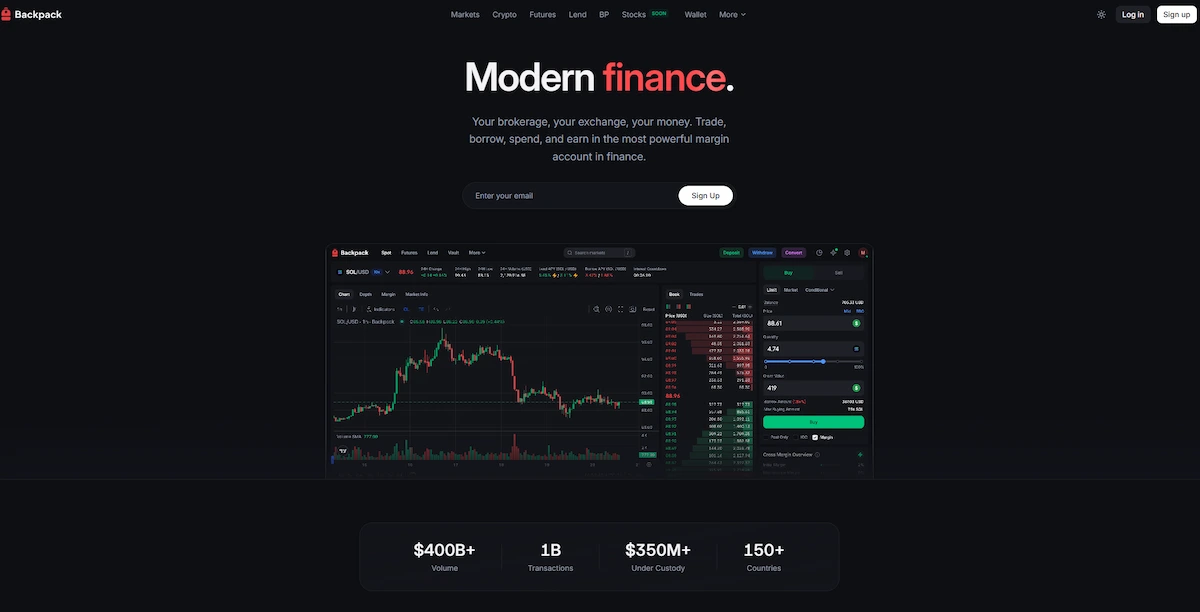
The practical effect is that exchange integration in Backpack removes the round-trip that every other wallet forces: export from self-custody, deposit to exchange, trade, withdraw, import back to self-custody. In Backpack, you open the Trade tab, place a limit order or execute a market order, and the result lands in your wallet without a separate withdrawal step. For active traders who move between positions frequently, this cuts transaction costs and waiting time significantly compared to routing through a separate exchange.
Gasless swaps are a specific feature of the Backpack Exchange integration that deserves separate mention. When you have tokens in your wallet but not enough SOL to cover the network fee for a swap, Backpack handles this automatically by deducting the cost from the swap output. The zero swap fees on the wallet side, combined with the gasless mechanism, make Backpack the lowest-friction swap interface currently available for Solana users who trade regularly.
The important caveat is the custody split. The Backpack Exchange holds assets you deposit into it. Wallet balances remain self-custodial until you deliberately move them to the exchange. If you want the protection of full non-custodial ownership, keep assets in the wallet and use the exchange only when actively trading. The exchange integration makes this movement seamless, but the distinction between the two sides remains real and matters for security.
Multichain Support: Solana-First but Not Solana-Only
Backpack Wallet added Ethereum and Bitcoin layer support in 2025 and 2026 updates, expanding from its Solana-native roots into a broader multichain wallet that covers 14 or more networks. Current chain support includes Solana, Ethereum, Bitcoin, Arbitrum, Polygon, Base, BNB Chain, Aptos, Sui, and Monad, all manageable from one interface under one recovery phrase.
The multichain coverage puts Backpack ahead of Phantom, which supports 8 networks, on raw chain count. In practice, the experience quality varies by chain. Solana support is the deepest: full SPL token detection, xNFT runtime, zero swap fees, and direct exchange access all operate at full capacity. On EVM chains like Arbitrum, Polygon, and Base, Backpack functions similarly to a standard EVM wallet with token management, dApp connections, and bridge tools. Bitcoin support covers sending and receiving BTC and Ordinals.
One feature that distinguishes Backpack’s multichain setup from most wallets is custom RPC support. You can set your own RPC endpoint for any supported network, which gives more control over privacy and connection reliability than wallets that force a single provider. This matters for users who want to route their traffic through dedicated RPC services or avoid relying on the default public nodes.
The mobile app reached full multichain feature parity with the desktop browser extension in 2026, which means iOS and Android users now have the same chain coverage, xNFT access, and exchange integration as desktop users. Hardware wallet integration with Ledger is available on desktop. Mobile Ledger support is listed as limited in current builds.
To understand the virtual machine that processes Solana transactions within Backpack, our guide on the Solana Virtual Machine explains how programs run on-chain and why the SVM’s architecture differs from the EVM that powers the other chains Backpack supports.
NFT Management and xNFT Apps in Backpack
Backpack Wallet offers the most complete NFT toolset of any Solana wallet, with capabilities that extend beyond standard gallery viewing and sending. Solana NFTs display natively in the wallet with full metadata, collection grouping, and ownership verification. Ethereum NFTs are accessible through the browser extension on the relevant EVM chain.
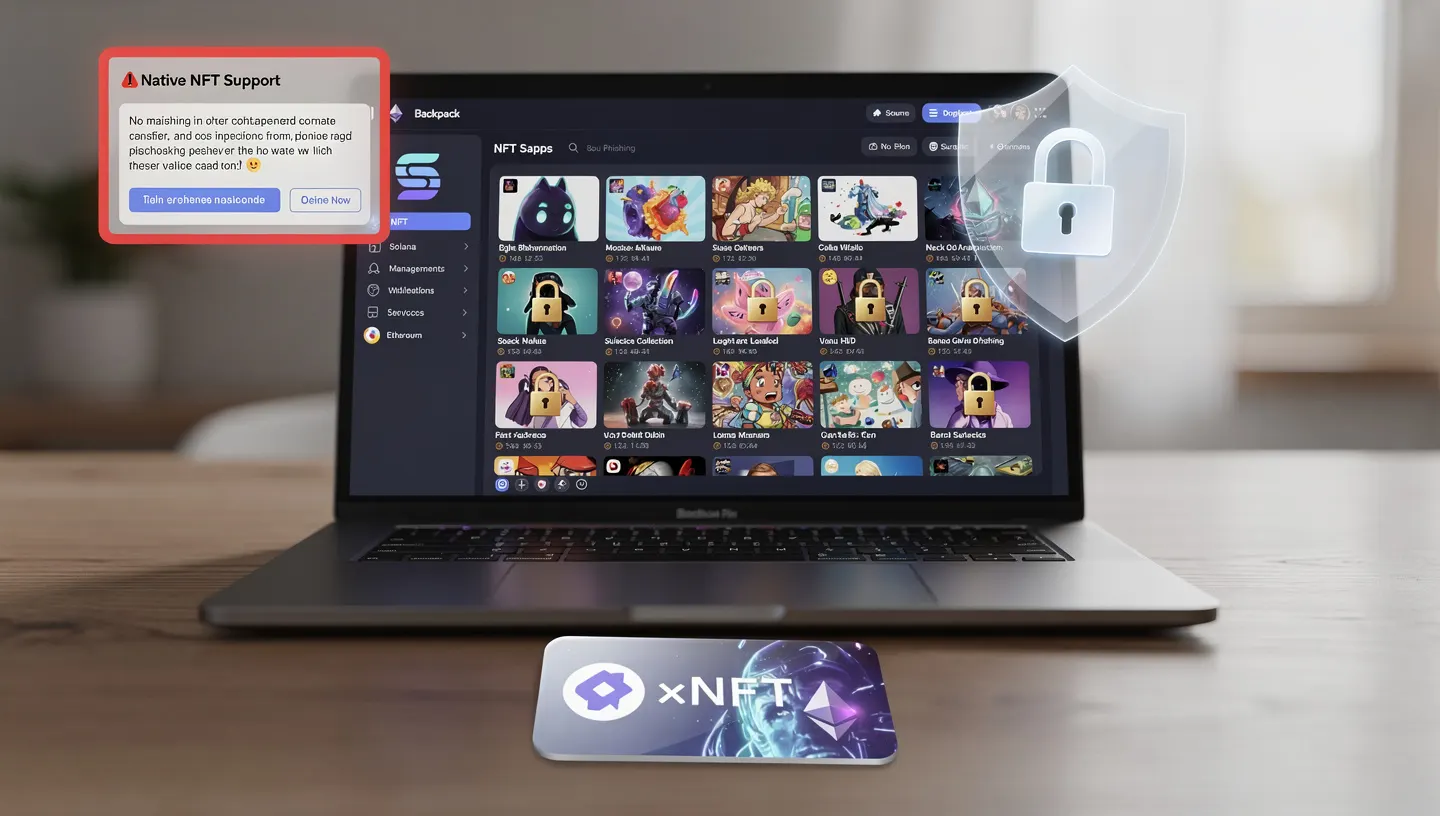
The standout feature is collection locking. You can lock specific NFT collections inside Backpack so that no transfer transaction can be signed for those tokens without an additional deliberate unlock step. For high-value collections where a single malicious approval could drain everything, this is a meaningful layer of protection that neither Phantom nor Solflare currently matches. A phishing site that tricks you into signing a transfer approval hits the lock before anything moves.
The xNFT layer adds another dimension that standard NFT management does not cover. Projects built on the xNFT format, with Mad Lads as the flagship example, use their NFTs as app keys. The holder installs the executable NFT in Backpack and gets access to the full application experience from within the wallet. This model closes one of the most common attack surfaces in Solana NFT activity: fake project websites. When your project tools run inside your wallet via the xNFT runtime, there is no external URL to spoof.
For Solana NFT collectors who hold positions across multiple collections, the combination of native NFT gallery, collection locking, and xNFT app access makes Backpack the strongest tool in this category. Casual holders who mostly view and occasionally sell will not use most of these features. Active collectors who interact regularly with their collections will find the combination worth the slightly steeper learning curve compared to Phantom.
Staking and DeFi With Backpack Wallet
Backpack Wallet supports staking SOL directly from the wallet interface. The staking screen shows available validators, current APY estimates, and accrued staking rewards with a claim option, all in one place. The validator selection is less granular than what Solflare offers, where you can compare commission history and uptime over rolling periods, but it covers the basic needs of users who want to delegate and collect rewards without managing the technical details.
On the DeFi side, Backpack connects to the full range of Solana protocols. You can access Jupiter for swaps, Raydium for liquidity provision and farming, and any other protocol that supports standard wallet connections. The xNFT layer adds a second entry point for DeFi: protocols that have published xNFT apps run directly inside the wallet without needing a separate browser tab. For the handful of protocols that have adopted this format, the DeFi interaction is cleaner and more contained than connecting through an external website.
Token approval management is built into the wallet. You can review which contracts hold spending permissions on your tokens and revoke approval directly from within Backpack. This is a meaningful security feature that most wallets require external tools like Revoke.cash to handle. For active DeFi users who interact with multiple protocols, being able to audit and revoke permissions without leaving the wallet reduces the friction that prevents most users from doing this regularly.
Limit orders and spot trading through the Backpack Exchange integration extend the trading capabilities beyond what a standard wallet swap offers. If you want to set a buy order at a specific price and walk away, you can do that from the same interface you use for everything else on-chain. This is a workflow that previously required moving assets to a separate exchange platform every time.
Understanding the smart contracts that power the DeFi protocols you connect to from Backpack helps when evaluating which ones to trust. Our guide on Solana smart contracts explains how programs are deployed, what audits cover, and what on-chain risk looks like in practice.
How to Set Up Backpack Wallet: Step by Step
Setting up Backpack Wallet for the first time takes about five minutes. The same flow applies whether you are creating a new wallet or importing an existing one from another app. The most important step is saving your recovery phrase before you add any funds.
Step 1: Download Backpack From the Official Source
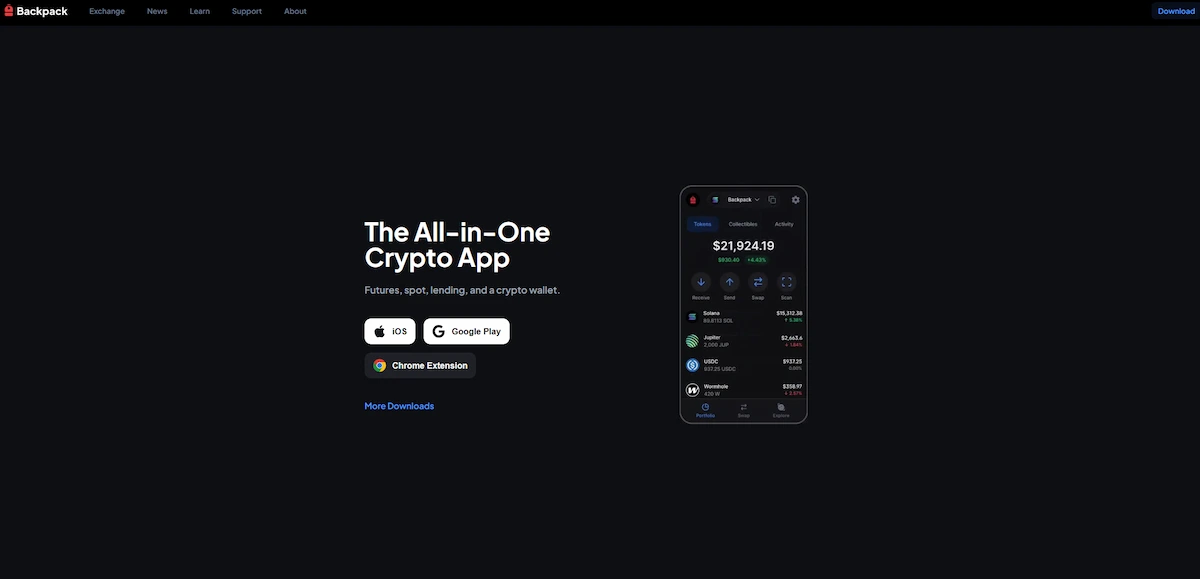
Go to backpack.app and click Download. For the browser extension, you are taken to the Chrome, Brave, or Firefox extension store. Before clicking Install, check that the publisher name is listed as Coral or Backpack. Never install from third-party links, search result ads, or repositories that are not the official browser store listing. For mobile, download from the App Store on iOS or Google Play on Android. Check the developer name and review count before installing.
Step 2: Create a New Wallet or Import an Existing One
Open the extension or app and choose Create a New Wallet or Import an Existing Wallet. For a new wallet, Backpack generates a 12-word or 24-word seed phrase. Write every word down on paper immediately before doing anything else. For importing, enter your existing seed phrase from Phantom or any other wallet that uses the BIP-39 standard. The same recovery phrase works across any compatible wallet, which means the same wallet and balances appear in Backpack after the import.
Step 3: Back Up Your Recovery Phrase
Your seed phrase is the only way to restore your wallet if you lose the device. Write it down in order on paper. Never screenshot it. Never type it into any notes app, email, or cloud storage service. Store the written copy somewhere safe and offline. For significant holdings, a metal backup plate that survives fire and water damage is a practical upgrade from paper. Two copies in separate locations removes the single-point-of-failure risk that a single paper copy creates.
Step 4: Add Networks and Fund Your Wallet
Backpack Wallet connects to Solana mainnet by default. To add EVM chains, open Settings, go to Networks, and add the chains you need. You can use a custom RPC endpoint for any supported chain if you prefer more privacy or reliability than the default public nodes. Fund the wallet by sending SOL from an exchange to your Solana address in Backpack, or by bridging from another chain. Always send a small test transaction first to verify the address is correct before transferring larger amounts. Keep at least 0.05 SOL in the wallet to cover network fees on future transactions.
Step 5: Connect to dApps and the Backpack Exchange
Visit any Solana dApp and click Connect Wallet. Select Backpack from the wallet list. If Backpack does not appear immediately, look for a Show More Wallets option. Approve the connection in the wallet popup. For the Backpack Exchange, access it directly from the Trade tab inside the wallet interface. For xNFT apps, open the Apps section in Backpack and browse or install available applications. Review the permissions each app requests before approving. Check Jupiter and other major Solana DeFi protocols for swap and liquidity options accessible directly from the wallet.
If you do not yet have SOL to fund your wallet, our guide on how to buy Solana covers every purchase method available including card, bank transfer, exchange, and on-ramp options.
Backpack Wallet Security: What You Need to Know
Backpack Wallet is a non-custodial product, which means the security model is entirely in your hands. The wallet encrypts your private keys on your device using your password. No company holds copies. If you lose your seed phrase and lose access to the device, the wallet cannot be recovered by any support team. This applies to Backpack the same way it applies to Phantom, Solflare, or any other self-custody wallet.
On the code side, Backpack is partially open-source. Core components of the wallet are publicly available for review, which allows independent researchers to examine certain functions. It is not fully open-source in the way that MetaMask or Trezor firmware are, but it references third-party audit reports. Verify the specific auditing firms and report dates directly from Backpack’s official channels rather than relying on secondary sources, as this information is subject to change.
The risks specific to Backpack usage in 2026 are the same ones that apply across all active on-chain wallets:
- Phishing: Fake Backpack websites and cloned xNFT app interfaces exist. Verify the URL before connecting or entering any credentials. Bookmark backpack.app and use the bookmark rather than search results each time.
- Malware: Clipboard hijackers and keyloggers target crypto users. A clipboard hijacker replaces the wallet address you copy with an attacker-controlled one before you paste. Always double-check the first and last four characters of any address after pasting.
- Token approval risk: Connecting to DeFi protocols grants spending permissions on your tokens. Review your active approvals regularly and revoke approval for any protocol you no longer use. Backpack has a built-in approval checker for this.
- Smart contract risk: Every DeFi interaction touches a smart contract that may contain bugs or be deliberately malicious. Use only audited, established protocols for significant amounts.
- Exchange-side custody: Assets deposited into the Backpack Exchange are held by the exchange, not by you. The self-custody protection of the wallet does not extend to exchange deposits. Keep only active trading capital on the exchange side.
- phishing through xNFT apps: The xNFT runtime reduces external URL risk, but malicious apps published to the Backpack app store before detection remain a possible vector. Only install xNFT apps from projects you have independently verified.
- Ledger for significant holdings: Connecting a Ledger hardware wallet to Backpack keeps your private keys completely offline. Every transaction still routes through the Backpack interface but the signing happens on the device. This is the right setup for anyone holding amounts they cannot afford to lose to a single bad approval.
Our guide on how to store SOL long term covers hardware wallet setup and seed phrase backup in full, including how to pair Ledger with hot wallets like Backpack for the best combination of daily convenience and key security.
Who Should Use Backpack Wallet?
Backpack Wallet is built for a specific type of Solana user. It rewards people who already understand the basics of on-chain activity and want a wallet that does more than store and send. It is not the gentlest onboarding experience for someone who has never used a self-custody wallet before.
- Use Backpack if: You are an active Solana NFT collector who interacts regularly with your collections and wants collection locking and xNFT app access. You trade frequently and want zero swap fees with direct exchange order book access. You want one wallet for Solana, Ethereum, and Bitcoin without managing separate apps. You are a developer building on Solana and want to test xNFT publishing or programmable wallet interactions.
- Use Phantom or Solflare instead if: You are new to self-custody wallets and want the simplest possible setup. Phantom is the cleaner starting point. You stake SOL regularly and want per-validator uptime history and commission analytics. Solflare is the stronger tool for this. You need full Ledger integration on mobile, which Backpack currently only supports partially. You primarily use a hardware wallet and want the deepest pairing options available.
CoinBureau’s assessment captures this well: Backpack is the most interesting wallet option in 2026 for users who run active Solana DeFi positions and want everything in one interface. CryptoAdventure’s review frames the trade-off honestly: it still looks strongest in Solana-native mode even as it builds toward a broader multichain footprint.
For anyone starting from scratch who wants to compare all the major Solana wallets before choosing, our guide on the best Solana wallets covers Phantom, Solflare, Backpack, and hardware options side by side with detailed use case recommendations.
Backpack Wallet Pros and Cons
Pros:
- Zero swap fees on Solana, the lowest cost swapping of any major wallet
- xNFT runtime turns NFTs into apps, unique to Backpack
- Native Backpack Exchange integration with limit orders and spot trading
- Collection locking for NFT security
- 14+ chain multichain coverage under one recovery phrase
- Partially open-source with third-party audits
- Hardware wallet support for Ledger, Trezor, and Keystone
- Built-in token approval revocation tool
- Gasless swaps when SOL balance is low
Cons:
- More complex interface than Phantom, steeper learning curve for beginners
- xNFT ecosystem is limited to Solana-native projects
- Staking validator analytics are less detailed than Solflare
- Exchange integration creates a distinction between wallet and exchange custody that requires user awareness
- Partially open-source rather than fully auditable like MetaMask firmware
- Mobile Ledger integration is limited compared to desktop
To understand what the Solana transaction fees look like when you use Backpack for daily swaps and DeFi interactions, our guide on Solana transaction fees explains the cost structure, when priority fees apply, and why Solana remains far cheaper than Ethereum for high-frequency on-chain activity.
Backpack Wallet FAQs
Is Backpack Wallet Safe?
Backpack Wallet uses standard non-custodial security practices. Your private keys are stored on your device and encrypted by your password. The wallet has undergone third-party audits, and core components of the code are publicly available for review. The main security risks are the same as any hot wallet: phishing attacks, malicious transaction approvals, and seed phrase exposure. Using collection locking, reviewing approvals regularly, and connecting a Ledger for significant holdings reduce the practical risk considerably.
Is Backpack Better Than Phantom for Solana?
For active traders and NFT collectors, yes. Backpack Wallet offers zero swap fees, the xNFT runtime, and native Backpack Exchange access that Phantom does not match. For beginners and users who mainly stake SOL or want the widest dApp compatibility with the simplest interface, Phantom is still the cleaner choice. For dedicated staking SOL with advanced validator analytics, Solflare leads both.
What Is an xNFT?
An xNFT, or executable NFT, is a Solana NFT that runs as an application inside Backpack Wallet rather than displaying as a static image. The xNFT protocol lets developers publish tools, games, and community platforms as NFTs. Holders access the full application by opening the xNFT directly in their wallet. Mad Lads is the most prominent example, using the format for token-gated community features accessible only through Backpack.
Does Backpack Wallet Charge Swap Fees?
Backpack Wallet charges zero swap fees on swaps and bridges on Solana. There is no platform fee added by the wallet layer. You pay the underlying DEX fee, typically 0.25% to 0.3% on standard pools, plus the Solana network fee of fractions of a cent. This makes it the lowest-cost in-wallet swap option currently available on Solana. The Backpack Exchange has its own fee structure for spot trading and limit orders, which is separate from the wallet swap feature.
What Chains Does Backpack Wallet Support?
Backpack Wallet supports 14 or more chains including Solana, Ethereum, Bitcoin, Arbitrum, Polygon, Base, BNB Chain, Aptos, Sui, and Monad. All are accessible under one recovery phrase from the same interface. The depth of features varies by chain, with Solana offering the most complete experience including xNFT support, exchange integration, and full SPL token management. EVM chains work similarly to other EVM wallets. Multichain coverage expanded significantly in 2025 and 2026 updates.
Can I Use Ledger With Backpack Wallet?
Yes. Ledger integration is supported in the Backpack desktop browser extension for Solana and EVM chains. Connect your Ledger device via USB, open the relevant chain app on the device, and Backpack imports the address. From that point, every transaction requires physical confirmation on the hardware wallet before broadcasting. This keeps your private keys completely offline while you use the full Backpack interface. Mobile Ledger support is listed as limited in current builds. Trezor and Keystone are also supported as hardware wallet options.
Who Made Backpack Wallet?
Armani Ferrante founded the project through his company Coral. Ferrante is best known as the creator of the Mad Lads NFT collection, one of the most recognized Solana NFT projects. The development team included engineers with backgrounds in FTX’s Solana-side infrastructure, who rebuilt that technical foundation into what became the Backpack Exchange and the xNFT protocol after FTX collapsed.
Is Backpack Wallet Open Source?
Backpack Wallet is partially open-source. Core components of the wallet are publicly available for review, which allows independent developers and security researchers to examine certain functions. It is not fully open-source in the same way MetaMask’s extension or Trezor’s firmware are. The wallet references third-party audit reports for additional assurance. Check Coral’s official GitHub and security page for the most current audit reports and open-source status of specific components.
What Is the Difference Between Backpack Wallet and Backpack Exchange?
Backpack Wallet is the self-custodial wallet where you hold your own private keys. Backpack Exchange is a separate centralized trading platform. They share an interface and infrastructure, but custody is separate. Assets in your wallet are self-custodial. Assets deposited into the exchange are held by the exchange. The exchange integration makes moving between the two seamless, but the distinction between custodial and non-custodial ownership remains real and matters for how you manage risk across your holdings.